To learn how to make a 303 acid bassline, you need a monophonic bass line built from a single oscillator running a saw or square wave into a highly resonant diode ladder low-pass filter, sequenced in 16 steps with accents, pitch slides, ties and octave jumps. That three-part recipe is the whole trick, and you can build it in Ableton Live, Logic Pro, FL Studio or any subtractive synth without owning a Roland TB-303.
You do not need a studio full of instruments to get a convincing acid line. What matters is knowing which three parameters carry the character, then programming them with intent instead of turning knobs randomly.
This guide walks through the whole process in six steps, gives you two pattern tables you can copy directly, and shows how to fake slide, accent and tie in a piano roll when your synth has no dedicated buttons for them. Most readers finish the first full line in about forty minutes.
Table of Contents
What You Need to Build a 303 Acid Bassline
You need a DAW, one mono synth voice, and three sound-design controls. Everything else is optional polish.
The first ingredient is a mono synth voice, because the 303 was strictly monophonic. Layering two oscillators with unison detune gives you a fat bass, not an acid bass. The second is a resonant low-pass filter with real resonance, ideally modelled on a diode ladder. The third is an accent control, which in the original hardware raised volume and filter cutoff together on a chosen step.
Beyond that you may want an oscillator source that can switch between a saw wave and a square wave, some form of portamento or glide for slides, a noise or distortion stage for grit, and a simple delay and reverb on send. None of the effects define the sound. They just decorate it.
Three ways to get a 303 voice
Most producers take one of three routes, and all three reach the same destination if the programming is right.
| Route | What it is | Accent and slide | Watch out for |
|---|---|---|---|
| Hardware clones | x0xb0x, Cyclone Analogic, Avalon, Behringer TD-3, SH-101 | Real buttons, real slide and accent, MIDI in and out | Onboard overdrive and feedback move the unit away from the original character |
| Software emulations | Roland Cloud TB-303, Arturia Acid V, ABL3, Phoscyon, Venom VB-303 | Accent via velocity and a dedicated button, slide as a toggle or legato | Every unit differs, and none is an exact match |
| Any subtractive synth | Serum, Pigments, Diva, Vital, a soft synth in your DAW | Accent via velocity, slide via portamento and overlapping notes | You build the character yourself, and it takes longer |
If you have no 303 and no emulation installed, skip ahead to the step where you build the voice from scratch. That recipe works in any synth with one oscillator and one filter.
A very short history, because it explains the rules
Roland released the TB-303 in 1981 aimed at bass players, and it did not sell. Roughly 20,000 units were built before it was discontinued after about eighteen months. A Chicago record shop owner bought a handful of them cheap, and a London DJ named Phuture turned them into Acid Tracks in 1987. That record crossed from Chicago club to Ibiza, Shoom picked up the sound, and the sequencer’s own quirks became the genre’s rules.
The most repeated myth in tutorials is that the filter is an 18 dB per octave design. It isn’t. The 303 filter is four-pole, 24 dB per octave. You will hear the 18 dB claim repeated in forum threads and beginner videos, so expect to meet it and ignore it.
Step-by-Step: Building Your 303 Acid Bassline
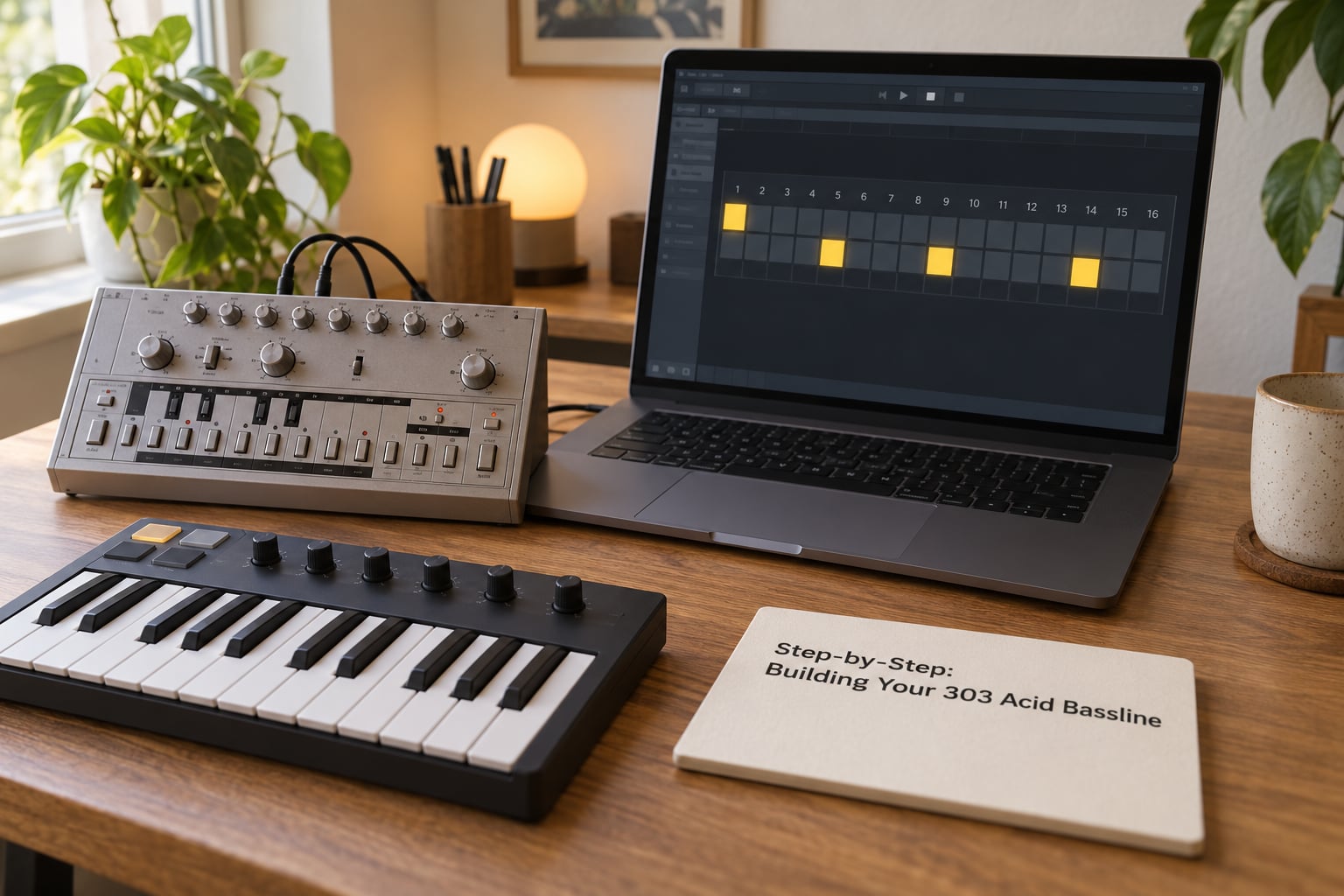
Step 1: Set the Musical Foundation of Your Acid Bassline
Start with the note, not the sound. Pick a root, sit in the lower octave, and write the pitch sequence before you touch the filter.
The most useful thing to understand about the 303 sequencer is that it has two separate tracks: one for pitch and one for timing. Every step has a pitch assigned, and the timing track decides whether that pitch is played as a note, extended as a tie, or skipped as a rest. So pitch values of C, D, E, F with a timing pattern of note, note, rest, note gives you C, D, _, E. The F is not discarded, it simply waits on the pitch track until the timing track reaches a step that plays a note.
That is why 303 lines feel the way they do. A rest is a compositional tool, not an absence, and the pitch you skip over is the note you come back to later.
Two values matter before any sound shaping. First, note length: a gate that fills roughly 60 to 80 percent of each step keeps the line punchy, and longer gates start to feel flat because the filter envelope has already closed. Second, velocity: write 1 for ordinary steps, and higher values such as 100 or 127 on maybe three or four steps per bar. Those become your accents.
Here is a complete 16-step line in A minor. Copy it into any piano roll or step sequencer.
| Step | Pitch | Note | Accent | Slide |
|---|---|---|---|---|
| 1 | C2 | on | yes | no |
| 2 | C2 | on | no | no |
| 3 | rest | off | no | no |
| 4 | D2 | on | no | yes |
| 5 | C2 | on | no | no |
| 6 | rest | off | no | no |
| 7 | F2 | on | no | no |
| 8 | E2 | on | yes | no |
| 9 | C2 | on | no | no |
| 10 | D2 | on | no | no |
| 11 | rest | off | no | no |
| 12 | G2 | on | yes | no |
| 13 | F2 | on | no | yes |
| 14 | D2 | on | no | no |
| 15 | C2 | on | yes | no |
| 16 | E2 | on | no | yes |
Three slides and four accents in sixteen steps is a sensible density. Double either and the line stops communicating.
Step 2: Build the Classic 303 Oscillator
Use one oscillator, one waveform at a time, and no detune. The brightness that people associate with the 303 comes from the filter being pushed, not from a bright source.
Select the saw wave to start with. It is the standard choice, it has energy across the whole harmonic range, and it survives a high cutoff setting without going thin. Switch to the square wave when you want a more nasal, hollow tone that cuts through dense arrangements, particularly in the upper mid range.
Tune the oscillator against your kick and your track. If the bass sits noticeably sharp or flat against other tuned material, the whole line will feel off even when the filter is perfect. Also check the filter key tracking setting, because the 303’s filter tracks pitch and a fixed relationship between cutoff and note keeps the line consistent when you jump octaves.
To build this voice in a generic synth such as Serum, Pigments, Diva or Vital: take one oscillator, choose saw or square, turn unison down to one voice, load a resonant 24 dB low-pass filter, set the envelope to a fast attack and a short decay, and map filter cutoff to velocity. That velocity mapping is your accent, and without it nothing you do later will sound like a 303.
Step 3: Sculpt the Resonant Filter
Set cutoff in the middle, push resonance to roughly two-thirds of its travel, and set the filter envelope amount high with a short decay. Those four values are where the acid character comes from.
Here is why the filter behaves the way it does. The 303’s ladder filter is built from transistors and diodes, and its response is not normalised as resonance rises, meaning the filter does not automatically reduce output level to compensate for the extra energy. Instead it starts to growl. Musicians call that the squelch, and it is the single most recognisable part of the sound.
Start with these values and adjust from there.
| Parameter | Starting value | What it does |
|---|---|---|
| Cutoff | Roughly half travel | Sets how much of the saw wave survives |
| Resonance | Roughly two-thirds up | Creates the squelch; past about 75 percent it turns industrial |
| Filter envelope amount | 50 to 70 percent | How far each note sweeps the cutoff open |
| Filter envelope decay | Short, around a fifth of a step | How quickly the sound closes back down |
| Accent amount | Modest | Extra cutoff and volume on accented steps |
Resonance is the parameter people get wrong. Too little and the line sounds like a plain filtered saw. Too much and the filter starts screaming, with a self-oscillating tone that has nothing to do with the notes you are playing. If your bassline sounds aggressive rather than acid, pull the resonance back before you change anything else.
Use cutoff as your arrangement tool. Automate a slow sweep across a bar or two during a build, then drop the cutoff for the drop so the drop feels lower and heavier without changing a single note.
Step 4: Add the Accent, Slide and Note Length
Accent is the most important control on the instrument, and it is the one most often skipped. On the original hardware, an accent raises volume and opens the filter cutoff on that step. It does far more than make a note louder.
Slide is the second gesture. It bends the pitch of the current note into the next one over a fixed, short time, roughly the duration of a sixteenth note at a typical tempo. It is not a slow portamento sweep, and it is not a delay effect. On many software clones it is simply legato behaviour: when the next note overlaps and legato is active, the pitch glides into it.
Tie holds the current note across the next step without retriggering the envelope, and the octave jump switches the whole line up or down an octave from a chosen step. All three are timing features rather than sound features, which is why they are so easy to miss in a piano roll.
If your synth or DAW has no slide button, here is how to fake all three.
In Ableton Live: draw your notes in a MIDI clip, extend the sliding note so it overlaps the next one, turn on Legato in the MIDI clip settings, and set a short Portamento Time on the instrument, around 30 to 60 milliseconds. Open the velocity lane and raise the velocity of your accented steps. If your synth lets you map cutoff to velocity, you have accent as well.
In Logic Pro: set overlapping notes to the Legato articulation in the region’s Note inspector, then dial portamento on the instrument from its modulation parameters. Edit velocities in the region list or the Piano Roll velocity lane, and route cutoff to velocity in the synth for accent.
In FL Studio: select the overlapping notes in the Piano Roll and enable Legato from the Tools menu, set the per-channel Portamento knob for glide time, and use the velocity lane plus a velocity-to-cutoff mapping for accents.
Note length is the fourth gesture and the quietest. A gate around two-thirds of a step with a short filter envelope decay gives each note a distinct attack. Long gates make the line feel thin and sleepy, because by the time the filter has finished closing you have stopped hearing the movement that made the 303 sound alive.
Step 5: Arrange the Acid Bassline Against the Drums
Program the bassline after the kick and hats are in place. The kick owns the bottom, so the bassline should sit above it or work with it, not fight it.
Classic acid house and acid techno patterns use twelve steps rather than sixteen. Twelve sixteenth notes fill three beats, so the line restarts partway through the bar and drifts against the straight four-on-the-floor kick. That drift is the polyrhythmic tension that makes acid techno feel restless.
| Step | Pitch | Note | Accent | Slide |
|---|---|---|---|---|
| 1 | A1 | on | yes | no |
| 2 | rest | off | no | no |
| 3 | A1 | on | no | no |
| 4 | C2 | on | no | no |
| 5 | rest | off | no | no |
| 6 | G1 | on | no | yes |
| 7 | F1 | on | no | no |
| 8 | rest | off | no | no |
| 9 | A1 | on | yes | no |
| 10 | D2 | on | no | no |
| 11 | C2 | on | no | no |
| 12 | E2 | on | no | yes |
The slide on step twelve rises into the top of the next loop, which is a cheap and effective way to make a short pattern feel like it is going somewhere.
Three more arrangement moves are worth doing early.
- Vary, do not rewrite. Make version B of your pattern with one note changed, an accent added or the cutoff lowered. Chain four to eight of those variations across a track and change one thing per variation.
- Sidechain to the kick. A compressor keyed from the kick ducks the bassline on every hit, which is what makes the line pump instead of sitting stiffly behind the drums.
- Use swing on both elements. Apply a modest shuffle to the sequencer and a slightly smaller amount to the drums. Nudged by a few milliseconds, the line stops sounding quantised.
Odd lengths work too. A nine, eleven or thirteen step pattern never lands the same way twice against a four-on-the-floor, which is a cheap trick for keeping a long arrangement interesting.
Step 6: Refine and Process the Final Sound
Keep processing light. The 303 sound is raw on purpose, and most of the time the pattern does the work that effects would otherwise be asked to do.
Start with a small amount of saturation or overdrive to add harmonics and glue the resonance into the tone. A touch goes a long way here. Then check the balance: high-pass any reverb and delay returns so they do not muddy the low end, and tame the harshest part of the filter with a dynamic EQ rather than a static cut, so only the accented notes get softened.
Compression is for control, not loudness. Use a fast attack to keep the accent transients intact and a slow release so the tail of each note fills the space between hits. A limiter on the bus is fine as long as you are not pushing it hard enough to flatten the filter movement.
Reverb and delay both belong on sends. A short delay on the offbeats adds width without touching the note attack, and reverb at low level gives a 303 line the sense of a big room. Keep the sends short and quiet.
Once the line is finished, print it to audio. A distorted second layer built from the same printed take, panned slightly and filtered differently, adds width and weight that you cannot get from the dry signal alone.
Common Mistakes and How to Fix Them
Almost every disappointing acid bassline comes from one of six problems, and all of them are quick to fix.
| Symptom | Cause | Fix |
|---|---|---|
| The line sounds thin and small | Note length too short, or filter envelope decay too fast to hear | Stretch gates to roughly 70 percent of a step and lengthen the decay slightly |
| Harsh and fatiguing | Cutoff too high or resonance pushed too far | Drop cutoff by a quarter and pull resonance back to around two-thirds of travel |
| Slides cannot be heard | Portamento time too slow, or notes do not overlap | Overlap the notes and shorten glide to 30 to 60 milliseconds |
| Every note feels identical | Velocity is flat and accent is not mapped | Vary velocity and map it to both volume and filter cutoff |
| Muddy low end | Reverb or delay returns reaching the bass, plus a bassline fighting the kick | High-pass the sends and sidechain the bassline to the kick |
| Sounds like a generic saw bass | Cutoff parked fully open, so the filter never moves | Close the cutoff and increase the filter envelope amount so notes sweep |
| Pattern feels random and unmusical | Too many different notes, accents and slides in a short loop | Limit it to three or four pitch values, four accents and two or three slides per bar |
A last piece of advice from people who own the hardware: no two original 303s sound exactly alike, and no clone is an exact match either. Chase the technique rather than the unit. The right programming on a modest voice will always sound better than a perfect unit carrying a lazy pattern.
Frequently Asked Questions
Do I need hardware to make a 303 acid bassline?
No. Every part of the sound can be recreated in software. Use one mono oscillator on a saw or square wave, a resonant 24 dB low-pass filter with a fast envelope, and velocity mapped to both volume and cutoff for accents. Slides come from overlapping notes with legato active and a short portamento time. Plenty of released acid records were made with no 303 in the room.
How do I make a 303 sound in Ableton Live?
Draw a mono MIDI clip, load one oscillator with a saw wave and a resonant low-pass filter, then turn on Legato in the clip settings and set a short Portamento Time so overlapping notes glide. Open the velocity lane and raise velocities on three or four steps per bar, and map filter cutoff to velocity so accents open the filter. Set resonance to roughly two-thirds of its travel and give the filter envelope a short decay.
How do I add slide and accent in my DAW?
Slide is a pitch bend into the next note over a fixed short time. In a piano roll, extend a note so it overlaps the next one, enable legato, and set portamento or glide to around 30 to 60 milliseconds. Accent is volume plus cutoff: give the step a higher velocity and map velocity to filter cutoff as well as level. Slide only appears on a step that is followed by a sounding note.
What software plugin emulates a Roland TB-303?
The closest thing to the original on the market is Roland Cloud TB-303. Other well-regarded options include Arturia Acid V, ABL3 from Soniccouture, Phoscyon and Venom VB-303. All of them give you accent and slide controls, and all of them differ from the original in some way. Pick one, learn its sequencer, and treat the emulation as a tool rather than a promise of identical tone.
What BPM should an acid house or acid techno track be?
Most classic acid house sits between 126 and 132 BPM, and acid techno often runs slightly faster, around 135 to 145 BPM. The tempo is less important than the relationship between the bassline and the kick. If the line feels locked to the drums, drop it a few BPM or push it a few, and add a small amount of shuffle to both elements until they breathe together.
How many steps should a 303 pattern be?
Sixteen is the default and the most flexible. Twelve steps is the acid techno favourite because it fills three beats, so the line restarts partway through the bar and drifts against a straight kick. Nine, eleven and thirteen step patterns feel restless for the same reason, since they rarely line up with four-on-the-floor. Start with sixteen and move to twelve when the pattern starts feeling static.
Start With One Line, Not a Whole Track
How to make a 303 acid bassline comes down to four things you can hear yourself: one oscillator, a resonant filter at roughly two-thirds, accents on about four steps in sixteen, and slides on two or three. Load the first pattern table into any piano roll, set the filter values from step three, and play it for ten minutes before you judge it.
Then make version B by changing one note. That is the habit that separates a line you loop for eight bars from one that carries a track.