Most people asking when to upgrade their studio monitors are not looking for a shopping list. They already own a pair, something about their mixes is bugging them, and they want to know whether new speakers will fix it or whether they are about to hand over money for nothing. So here is the direct answer: upgrade when the problems survive a controlled setup. If placement, gain staging, level and room behavior have all been checked and your mixes still lack low-end weight, distort at loud levels, or translate badly elsewhere, the monitors are the limit and new ones will help.
The more common finding is the opposite. A pair of perfectly serviceable 5-inch nearfields pushed into a corner at the wrong height, monitored too quietly, will sound broken every day of the week, and no replacement fixes that. The diagnostic matters more than the purchase.
Table of Contents
- When to Upgrade Your Studio Monitors: Quick Guide
- How Do You Know Your Monitors Are the Problem?
- What Signs Should Make a Producer Consider an Upgrade?
- When Should You Keep Your Current Monitors?
- How Do You Test Monitors Before Buying New Ones?
- What Monitor Features Matter for Electronic Music Production?
- Should You Upgrade Monitors or Treat the Room First?
- How Much Should You Spend on Studio Monitor Upgrades?
- Frequently Asked Questions
- Conclusion: Make the First Upgrade That Removes the Weakest Link
When to Upgrade Your Studio Monitors: Quick Guide
These are the warning signs worth taking seriously, and what each one usually points at.
| Warning sign | What it usually means | First move |
|---|---|---|
| Kick and bass sit in the same place on every mix | Low-frequency extension runs out well before the bottom of your music | Check your sub crossover and port alignment first |
| Your mixes feel great at low volume and fall apart when you push them | Distortion at high SPL, not a taste problem | Monitor louder for a full session and listen for pumping or hardening |
| Vocal sibilance disappears and comes back at random | You are riding a rough upper-mid response, often room-driven | Move the speakers off the wall, then re-evaluate |
| Elements vanish and reappear as you pan | Weak or shifting stereo imaging | Check the toe-in and listening triangle first |
| Every mix sounds great on your speakers and dull on headphones and phones | You have no usable second reference, or your monitors are flattering you | Build a reference set before buying anything |
| After an hour of critical listening your ears are fried | Fatigue from monitor shortcomings, or from a level problem | Work at a consistent level and log when it starts |
| You are 20 dB or more below the level you mix at home | Less output, worse dynamic range, more compression and worse decisions | Turn it up. This one is free |
| Drivers sound thin, rattly or intermittent | Age-related wear rather than an accuracy problem | Test each driver in isolation before shopping |
None of these on their own proves the speakers are at fault. Several of them describe a room, a placement mistake or a listening habit. That is the next section.
How Do You Know Your Monitors Are the Problem?
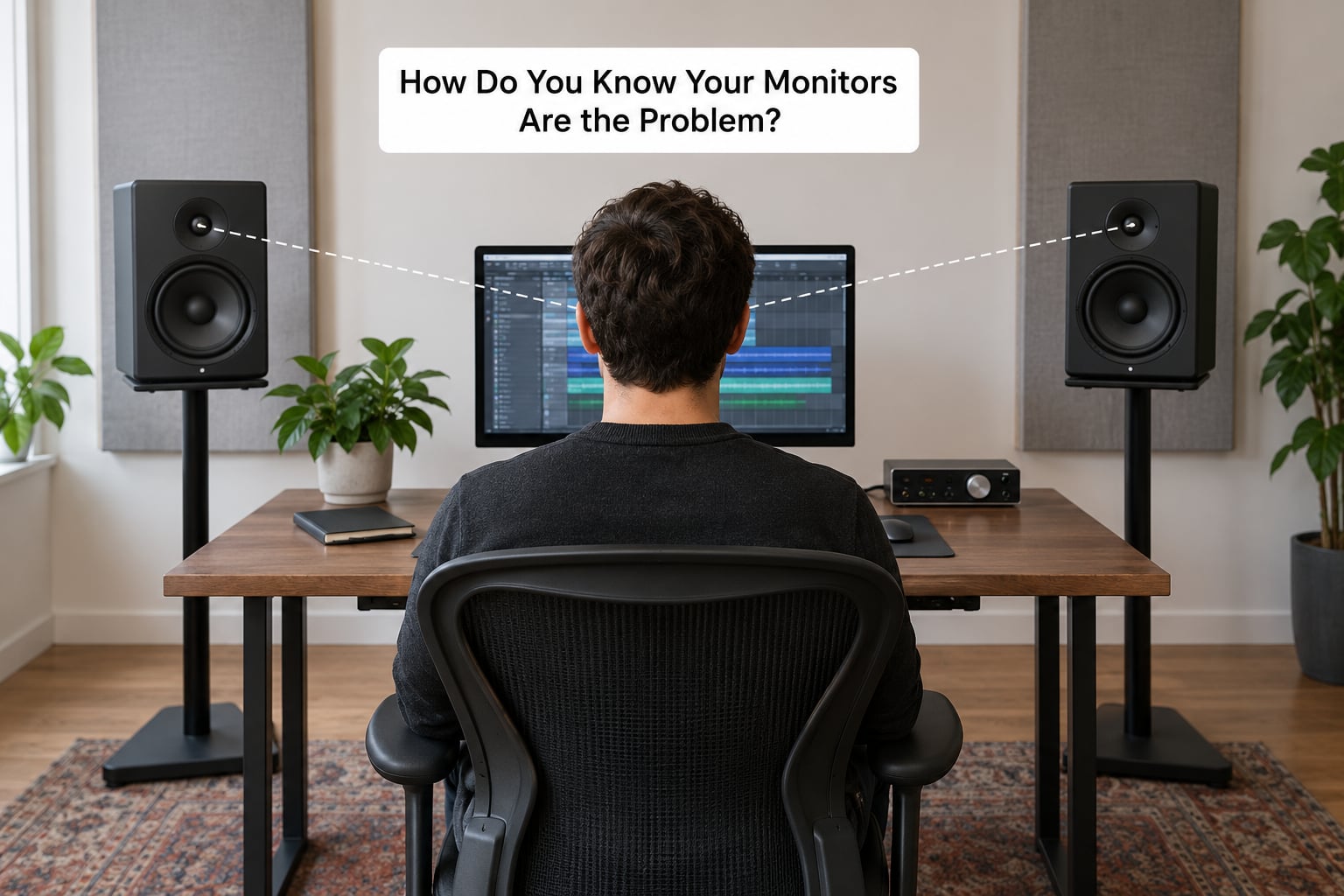
Run this checklist before you shop. If any item fails, fix it and listen again for a week before spending a cent on speakers.
Work at a level close to what you will release at
You cannot mix bass at a whisper. Monitoring low compresses your dynamic range, tempts you into over-compression and hides distortion until the moment you hit a loud chorus. If your interface has no proper monitor control, that is a cheaper fix than a speaker upgrade.
Get the speakers into a real listening triangle
Tweeters at ear height, speakers angled toward the listening position, forming an equilateral triangle with your head. Push them forward so the near wall is behind the listening position rather than behind the drivers. Moving a monitor 30 cm off a wall often does more than changing the model.
Decouple them from the desk
A desk is a resonant panel. Isolation pads or stands cost very little and remove a smeared low-mid bump that reads as bad mixes. This one gets skipped more than any other.
Check the room, cheaply
Clap once and listen to the decay. A long, bright ring means the room is adding a lot of energy you will fight for the whole session. You do not need software to hear it, though a measurement microphone plus room correction software will show you exactly how much.
Check gain staging on the way in
Before blaming the speakers, trace the signal. Play a kick and follow it from the interface gain to the channel fader to the master bus, watching the meters the whole way. Headroom that is gone before the faders means every mix starts compressed, and a muddy low end is frequently three stacked nonlinear processes rather than a monitor fault.
Build a translation reference set
Headphones, a phone, a cheap Bluetooth speaker, a car stereo. If your mix only works on one system, you do not have a monitor problem, you have a monitoring habit problem.
Account for new-monitor fatigue
The loudest complaint on every forum about this decision is buyer remorse. New speakers always sound better for the first week, partly because they are new and partly because they differ. The classic forum answer, echoed on GearSpace, is that after acoustic treatment of a control room the monitors are the most impactful upgrade available. That is room first, monitors second, and it is still the position most experienced engineers hold.
One more trap worth naming: a new pair of monitors will instantly reveal every problem your old pair was hiding. Expect your mixes to sound worse for a couple of weeks. That is not a reason to send them back. It is the sound of hearing your own mix bus for the first time.
What Signs Should Make a Producer Consider an Upgrade?
When a new pair of monitors will not fix your mixes
If your room is untreated, your speakers are against a wall and your monitoring level is set by the position of a knob, the monitors are not the problem. You will spend money and hear a different version of the same mistakes. This is the single most common reason an upgrade underdelivers.
Low-frequency extension runs out too early
This is the number one complaint in the owner forums, and the phrasing is nearly always the same: not enough lows, and no sense of whether a sub or bigger mains is the answer. The test is simple. Play a sine sweep at a moderate level and note where the response starts falling away. If that point sits well above the sub-bass range of the music you make, extension is the limit.
A subwoofer with a proper crossover can extend that range for far less than replacing both mains. Users on the AudioScienceReview forum consistently report the sub plus crossover route delivering more than a mains swap, because the crossover keeps low frequencies out of the nearfields entirely.
Distortion at high SPL
For trance, house, techno and trap, the limiter sits well above the level most bedroom setups monitor at. If the speaker cannot deliver that level cleanly, you hear pumping, intermodulation and a general hardening on sustained low content. This is a hardware limit and only hardware fixes it. Check it by pushing a mastered track with dense low end up until the sound changes character, not just gets louder.
Weak or shifting stereo imaging
Elements that move when you pan, a collapsed center image or a sweet spot that is narrower than your head. Placement explains much of this, so re-run the triangle first. If imaging stays inconsistent after that, the driver layout and crossover are worth looking at, and a three-way design is usually the structural reason the top end stops interfering with the mids.
Monitor age and driver wear
How long do studio monitors last? A well-built active monitor in a normal room can stay useful for well over a decade. Age alone is not an upgrade trigger. What matters is measurable change: intermittent crackle on one driver, a rattle that appears at a level it used to handle cleanly, a channel that drops out when the cabinet is tapped, or one side quietly quieter than the other. Test each driver in isolation before assuming it is your ears.
You have outgrown the driver size
A 5-inch nearfield wants a small room and a near listening distance. If you sit two metres back, you are listening mostly to the room. Moving closer, or moving up to a larger woofer with more headroom, changes what you hear more than any amount of DSP.
When Should You Keep Your Current Monitors?
Plenty of the time the honest answer is keep what you have. If your room is already treated and your monitors are correctly placed, you are getting accurate information and the speakers are not the bottleneck.
Keep them if your mixes already translate. Play your last release on a phone, a cheap speaker and headphones, and if it holds up, your monitoring is doing its job. Keep them if you are still learning the fundamentals of gain staging, EQ and compression, because new monitors will not teach those. Keep them if your project work is not the constraint, which is more common than people admit. A better master will improve a release more than a speaker swap.
And keep them if your budget is better spent on the room, on a decent sub, or on a second reference pair. The people who regret monitor purchases are rarely the ones who waited for a documented problem.
How Do You Test Monitors Before Buying New Ones?
Auditioning speakers is unpleasant because you cannot compare two unleveled pairs honestly. Make the process repeatable instead.
1. Level match properly. Play pink noise or a familiar track from each pair, measure with a sound meter app at the listening position, and match to within a decibel or two. Without this, louder always wins and you will pick the wrong pair.
2. Use reference tracks you know cold. At least three mixes you have mastered and know intimately, not a playlist. You are listening for how the low end behaves on kick and sub, whether vocal intelligibility holds when the arrangement is dense, and whether the top end gets harsh as you push the level.
3. Run a mono check. Play something centered and look at the correlation meter in your DAW. If it drops or the image collapses to one side, that driver or crossover is a problem worth walking away from.
4. Check the low end deliberately. Do a sweep and note where the response falls off and whether the port rattles. Then play bass-heavy material at a realistic level, not a polite one.
5. Test translation before you commit. Bounce a short reference mix, move it to headphones, a phone and a cheap speaker, and see how far it shifts. A large shift means you are buying bias, not accuracy.
6. Mix on the new pair for two weeks before deciding. If the retailer allows a return window, use it. Keep a folder of before and after versions of the same track so the comparison is honest rather than memory-based. If they do not allow returns, ask for a home trial or buy used with a return policy.
What Monitor Features Matter for Electronic Music Production?
Frequency response matters, but the flatness on a spec sheet tells you almost nothing about what happens at mixing level. For electronic music, four things change mix decisions.
Low-frequency extension with low distortion. Look for extension that reaches into the sub range you actually program in, and check the distortion figures at a level you will hit. Bass-heavy genres punish speakers that run out of headroom well before you think you are working loudly.
Transient response. Kick attacks and hats live in the top octaves. A speaker that softens or overhangs there will have you pushing brightness everywhere else to compensate, and your masters will be dull.
Stereo imaging that holds at off-axis positions. Producers rarely sit perfectly still. Imaging that collapses when you lean forward is a real mixing constraint, particularly for anything panned wide.
Room fit and correction. Built-in room correction and boundary compensation presets are genuinely useful in a small untreated room, because they let a well-behaved monitor fight the wall behind it. A measurement microphone plus correction software does the same job for less, and works with what you already own.
Two-way versus three-way is worth understanding rather than obsessing over. A three-way design splits the midrange from both the bass and the treble, which reduces intermodulation distortion and gives a wider, more consistent sweet spot. It matters more in a large room and at high levels than in a treated nearfield. Driver size follows the room and the listening distance rather than the other way around.
Should You Upgrade Monitors or Treat the Room First?
Room first, almost always, and the reasoning is physical rather than dogmatic. A speaker reproduces what the room gives it. Reflections add comb filtering within milliseconds of the sound leaving the driver, and no amount of accuracy in the cabinet removes that. Treatment fixes the problem at the source; new speakers work around it.
That said, some situations reverse the order. If your room is already treated or reasonably well behaved and your mains are small nearfields being pushed well past their limits, monitors come first. If you are at a low monitoring level with no proper monitor control, buy the control first. If you have one pair and no reference, a cheap second pair beats a more expensive single upgrade for translation work.
With a limited budget, the sequence that tends to hold up is: decouple and reposition the monitors, add a modest amount of treatment at the first reflection points and the rear wall, get gain staging right, then evaluate the speakers again. Most people who skip the early steps and jump straight to speakers end up buying twice.
How Much Should You Spend on Studio Monitor Upgrades?
Here is the honest version: monitor prices span roughly three orders of magnitude, and the meaningful comparison is between upgrade paths rather than brand tiers. These are typical US ranges that vary by region and change over time, so treat any band as a rough guide rather than a number to plan a purchase around.
| Upgrade path | What it fixes | Who it suits | Spend band |
|---|---|---|---|
| Isolation pads or stands, plus repositioning | Desk resonance, wall proximity, standing waves near the listening position | Everyone, first, always | Low |
| Room correction software plus a measurement microphone | Low-frequency build-up and a rough response tilt | Untreated small rooms where the speakers are otherwise fine | Low |
| A subwoofer with a proper crossover | Extension without buying new mains; keeps low energy out of the nearfields | Producers who lack lows and are not ready to replace both speakers | Low to mid |
| Monitor control or a better interface | Level control and headroom in the signal chain | Anyone mixing quietly through a bare interface | Mid |
| A second reference pair, or monitors plus a good sub | Translation, not accuracy | Working producers whose mixes only land on one system | Mid to high |
| Full replacement with larger three-way mains | Extension, high-SPL headroom, imaging consistency | Producers who have done all of the above and hit a wall | High |
For actual figures, entry-level 5-inch and 6.5-inch powered nearfields sit somewhere around $150 to $400 a pair. Solid intermediate monitors with deeper extension and cleaner low end land roughly in the $400 to $900 range, and larger three-way designs with real high-SPL headroom run from about $1,200 up past $2,500 a pair. Isolation pads, a measurement microphone and a subwoofer each fall somewhere under a few hundred dollars, which is why they appear near the bottom of the table above.
Expect diminishing returns along that scale. The jump from a broken monitoring chain to a working one is dramatic. The jump from good three-way monitors to excellent three-way monitors is a different conversation, and one worth having only after a documented problem.
For budget, think in terms of what a mistake costs. Mixes finished on an unreliable chain need revisiting. That cost dwarfs any tier in the table above, which is the real argument for fixing this sooner rather than later.
Frequently Asked Questions
How do you tell if you need a new studio monitor?
Measure first. Play a sweep and note where the response falls away, push a mastered track up to a realistic level and listen for distortion, and run a mono check for a collapsed image. If placement, level and gain staging are already correct and those three results are still poor, the speakers are the limit. If any of them improves after you move the speakers or turn the volume up, spend there first.
How long do studio monitors last?
A well-built active monitor in a normal room stays useful for well over a decade, so age alone is not a reason to replace anything. Look for measurable wear instead: intermittent crackle on one driver, a rattle that appears at a level it once handled cleanly, a channel that drops out when the cabinet is tapped, or one side sitting quietly above the other. Test each driver in isolation before blaming your ears.
Should I upgrade my studio monitors or get a subwoofer?
If the problem is that low content runs out of reach, a sub with a proper crossover is usually the cheaper first move, and it keeps low energy out of the nearfields so they stay cleaner at your listening level. Upgrade the mains instead when you are already pushing them past their headroom at high SPL, when imaging breaks down at off-axis positions, or when your room is large enough that nearfields cannot fill it.
Do you need studio monitors at all?
If you are checking mixes on headphones, a phone and a cheap speaker and they agree with each other, your monitoring setup is doing its job and studio monitors are a nice-to-have. They earn their place when your mixes only translate on one system, when you need accurate low end to make decisions, or when you work at levels that consumer speakers cannot deliver without breaking up.
What room treatment should I do before buying monitors?
Start with the first reflection points on the side walls behind the listening position, then the rear wall behind your head, and treat the early corners between surfaces. Broadband panels on the side walls do more for clarity than anything in the deep corners, and a rug plus curtain on the opposite wall helps with reflections you are not facing directly. Bass traps are a separate job and need measurement, not guesswork.
What are the best studio monitors under $2000?
That range covers well-built active monitors with solid low-frequency extension and enough headroom for electronic music, but the better question is what your room needs rather than which pair wins a list. A treated small room is served by accurate 5-inch or 6.5-inch nearfields. A larger room or loud dense bass work pushes you toward a three-way design with a bigger woofer. Check return policies before buying used.
Conclusion: Make the First Upgrade That Removes the Weakest Link
Work through the checklist in order, because each step is cheaper than the one after it. Decouple and reposition the speakers, turn the monitoring level up to a realistic number, check gain staging on your last three mixes, and play them on a phone and headphones. Whatever still fails at that point is your documented problem, and that is the problem worth buying against.
When you do shop, match the speakers to the room and the genre, audition them level-matched, and expect two rough weeks while you relearn what your mixes actually sound like. That adjustment is the cost of the upgrade, and it is the part that pays out over the rest of your career in 2026.