Learning how to plan a DJ set from your own productions comes down to one written document: a running order you decide before you get to the decks, not a folder of stems you scroll through hoping something works. The workflow is straightforward — audit the catalog, group it by tempo and energy, make every track playable, sketch an arc that fits the slot, choose the order, then rehearse the whole thing once end to end.
The reason this matters more for your own music than for anyone else’s catalog is simple. Nobody else has heard these tracks, they were built to be listened to from the top, and you already know how every second of them goes to feel. That familiarity is exactly what makes them hard to program. Give yourself two or three hours of prep for a one-hour set, and expect the plan to be finished in the first hour.
Table of Contents
- What You Need
- Step-by-Step
- 1. Define the Set’s Purpose, Length, and Audience
- 2. Organize and Review Your Production Library
- 3. Select Tracks With a Strong Energy Arc
- 4. Build a Draft Running Order
- 5. Check Compatibility and Design Transitions
- 6. Edit and Export a Performance Version
- 7. Rehearse, Record, and Refine the Set
- Playing It Live From Your Own Music
- Common Mistakes
- Choosing every finished track
- Arranging only by BPM
- Ignoring keys and arrangement structure
- Making transitions too complicated
- Playing unprepared edits
- Ending without a planned conclusion
- Frequently Asked Questions
- How do I select tracks from my own productions for a DJ set?
- Should I arrange a DJ set by BPM, key, or energy?
- Can I DJ unfinished or unreleased productions?
- Do I need to beatmatch and mix my own tracks in key?
- How should I prepare and rehearse before playing my own music live?
- Conclusion
What You Need
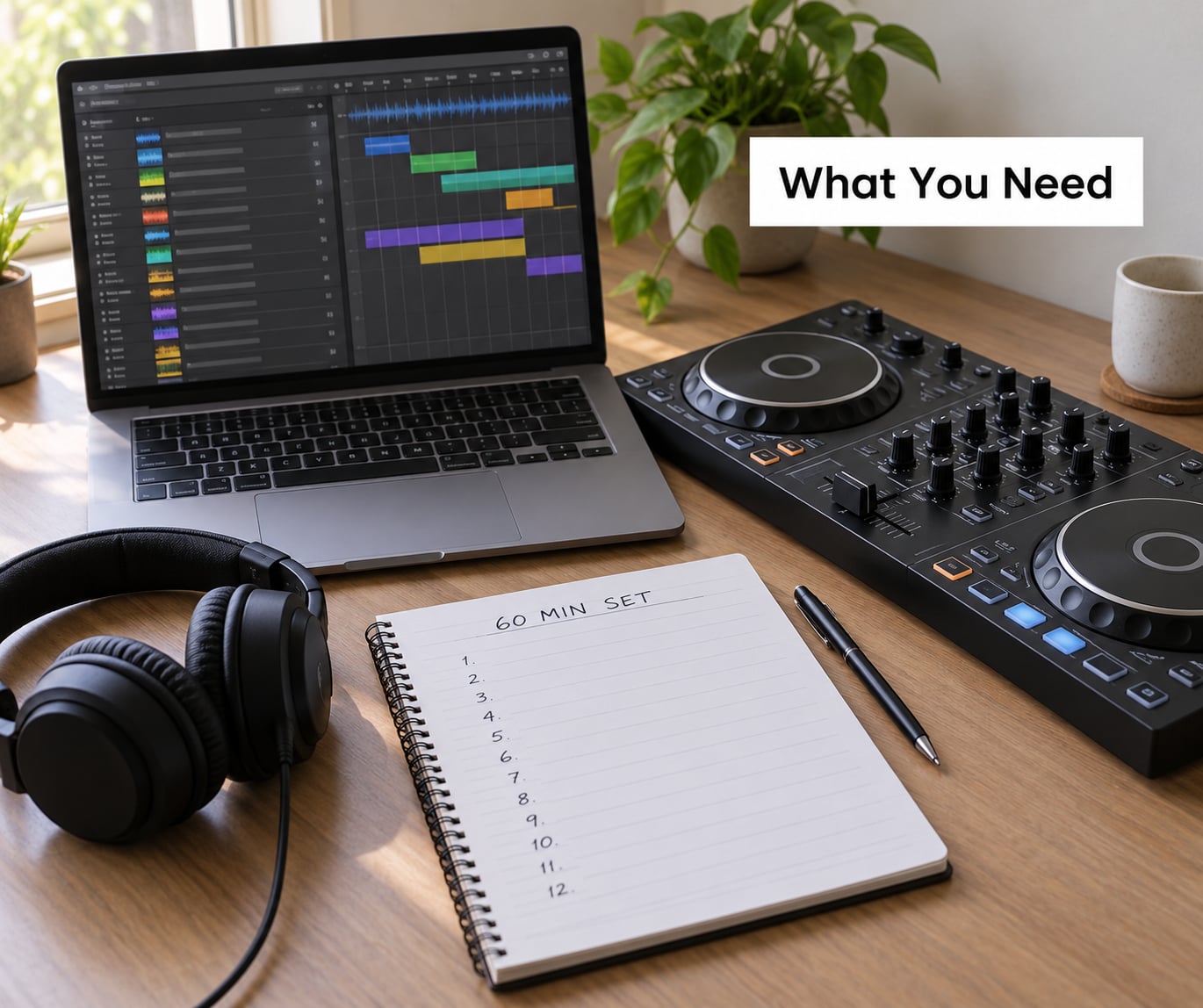
You do not need a big setup. You need somewhere to keep decisions, and the information to make those decisions with.
- A usable production library. The finished, exported versions of your tracks — not the project files. If a track only exists as a session with a half-finished second drop, it is a candidate for a set, not a track yet.
- Metadata for every track. BPM and key at minimum, plus a 1-10 energy rating, a vocal or instrumental flag, and whether the file is a radio edit, an extended mix or a VIP.
- Audio analysis. Whatever your DAW or DJ software uses to detect tempo and build a beatgrid. Run it over the whole library once, not track by track as you plan.
- A DAW or DJ application. Two roles in one: a playlist or timeline view for planning, and a practice mode for rehearsing transitions without a crowd.
- A set plan document. A spreadsheet is ideal. Columns for track name, BPM, key, energy, position, version and cue point, one row per track, in playing order.
- Optional practice equipment. Headphones and a controller for rehearsal, a second output for recording your practice mix, and a backup laptop or memory stick with a duplicate of the set folder.
If you have all of the above, you can plan and rehearse a full set in one evening. If you are missing the set plan document, that is the one gap worth closing first.
Step-by-Step
The goal is to turn a personal production library into a set with a deliberate beginning, a progression, a peak and an ending — built from your own tracks, in an order you can defend, rehearsed as a performance rather than assembled as a list of files. Seven steps, in this order.
1. Define the Set’s Purpose, Length, and Audience
Before you touch a single track, write down the event type, the slot length, the room, who will be in it, and the emotional direction. A 60-minute online stream for followers of your label, a two-hour club opening slot, and a focused progressive-trance set at a small party are three completely different jobs, and the same nine tracks will not work for all three.
Set length dictates track count more reliably than taste does. Budget roughly 20 to 25 minutes of playing time per hour of slot for your own music, because you will be layering your productions over each other and letting some of them run long. That puts a 60-minute set at about 9 tracks, a 90-minute set at 11 to 12, and a two-hour set at 15 or so. Aim for two or three more candidates than you think you need, because you will cut some in rehearsal.
Write the direction in one sentence — “dark, patient, breaks at 1am” — and let it do the selection work for you. Every track that fights that sentence goes out, no matter how finished it is.
2. Organize and Review Your Production Library
Your library probably has no structure in it, because you made the tracks for release, not for playing out. Give it one. Tag every production with BPM, key, energy rating, genre, completion status, vocal presence, and version type, then sort on those columns.
Build a handful of groups rather than one big pile. A useful set is: tracks under 8 minutes, tracks over 8 minutes, instrumentals, tracks with vocals, and anything that needs a performance edit. Crates or folders work the same way as long as you commit to using them.
Then quality-check. Listen to each one at the volume you would play it at, not at production level, and ask three questions. Does the intro give me a clean 16 or 32 bars to blend into, or does it start at full tilt? Does the outro resolve, or does it stop mid-arrangement? Is the low end mastered hard enough to survive a club system?
A track that fails any of those is not dead — it is on a to-do list. Set-aside tracks become your extended mixes and performance edits later in the process.
3. Select Tracks With a Strong Energy Arc
An energy curve is just the shape of your set plotted over time: a controlled start, a build, a peak, and a landing. Without one, a set of your own tracks flattens out, because every track you love tends to sit around the same intensity and the audience stops feeling movement.
Sketch four sections and assign your picks to each. The opening needs low energy and space — a track with a gradual intro that lets people arrive. The middle develops tension through arrangement density, added elements or vocal entries rather than raw tempo. The peak is where your hardest, most fully-realised tracks go. The ending needs a track that can resolve, ideally with a breakdown or a long outtro you can talk over.
Two selection habits cost people the most. Choosing tracks because they are recent or technically finished fills a set with competent filler. Choosing only what you love gives you no contrast. Fix both by picking deliberately for contrast: alternate your busiest track with your sparsest, your fastest with your slowest.
4. Build a Draft Running Order
This is the step where how to plan a DJ set from your own productions turns from an idea into a document. Open your spreadsheet and write the tracks down in playing order, then fill the columns. Do not aim for perfection here — a rough order you can react to beats a perfect one you never finish.
Order by narrative and by what the previous track leaves open, not by BPM alone. A tempo ladder works as a background constraint, not the plan itself. If track 4 ends with a vocal and track 5 opens with drums, that pairing earns its place even if the BPM jumps.
Here is a set plan template filled in for a 60-minute house set built from nine own productions:
| # | Track | BPM | Key | Energy | Version | Cue plan |
|---|---|---|---|---|---|---|
| 1 | Low Tide | 124 | 8A | 3 | Extended mix | Intro loop, 32-bar blend |
| 2 | Blue Hour | 126 | 8A | 4 | Extended mix | Intro loop, 16-bar blend |
| 3 | Field Notes | 126 | 9A | 5 | Radio edit | Intro loop, vocal entry cue |
| 4 | Third Shift | 128 | 9A | 6 | Radio edit | Breakdown cue, bass swap |
| 5 | Wire Frame | 128 | 7B | 6 | Performance edit | Beat loop, 8 bars |
| 6 | Hard Copy | 130 | 7B | 8 | Performance edit | Beat loop, 16 bars |
| 7 | Pressure Drop | 130 | 6A | 9 | Extended mix | Beat loop, cut on drop |
| 8 | Night Bus | 128 | 6A | 7 | Radio edit | Long blend, filter sweep |
| 9 | Last Light | 126 | 4A | 4 | Extended mix | Long blend, outtro to talk |
Read that back and the shape is visible without playing anything: a 6 BPM climb, energy rising from 3 to 9 across the first seven tracks, then a controlled descent. The keys are also compatible along most of the chain, so harmonic mixing is available without being forced.
One rule from forum planning threads is worth adopting: many working DJs think in short clusters of two or three tracks that work well together rather than one rigid hour-long list. Write your full order, then mark three or four cluster boundaries where you can change direction if the room wants it.
5. Check Compatibility and Design Transitions
Now test the order in software, transition by transition. Four things decide whether a mix works: beat alignment, key relationship, arrangement density, and where the break sections sit. You do not need all four to line up — you need at least two, and you need to know which two.
Phrasing is the part people skip. A musical section is 8, 16 or 32 bars, and most electronic arrangements change every 8 or 16. Mixing a track out mid-phrase sounds like a mistake even when the tempo is perfect. Look for the phrase-aligned point in your outtro, which is the “rule of 32” in practice: give yourself 32 bars of material to arrive from, and align the mix to the end of a 32-bar block.
Match transition types to what the tracks give you. A long blend works when the outgoing track has a long intro and the incoming one has a long outtro you can hide. A simple bass swap suits two heavy tracks with clear breakdowns. A vocal entrance is a gift — bring the next track in under a vocal and it covers any roughness. Loop-based mixing, riding an 8 or 16 bar drum loop, works when one track’s energy is much higher than the other’s and you need time.
When a transition fights you, use a cut or an effect rather than forcing a blend. A short filter sweep or a quick echo-out over a clean drum pattern rescues a pair that will not phrase-align. Record what you do in the cue column of your plan so you can repeat it on the night.
6. Edit and Export a Performance Version
Most of your tracks are mixed to be listened to, and a few are not playable in a set without a separate version. Keep the original master untouched and export a DJ mix copy alongside it.
In the DAW, work through each selected track and remove what will not play live: long silences, spoken sections with nothing under them, an unfinished final drop. Set a clean fade at the end, trim the level so it sits with the rest of the set, and export as WAV at the same sample rate as the rest of your files.
Version management is the real advantage you have here, and most producers waste it. The radio edit is your shortest, cleanest option. The extended mix gives you 16 extra bars to blend into or out of. The instrumental is your layer under someone else’s vocal or your own. A VIP is your heavier version for a peak-time moment. A stems export lets you build live transitions that no single file could support.
Note in your plan which version each position uses, so you never load the radio edit when you meant the extended one at 2am.
7. Rehearse, Record, and Refine the Set
Time-box the rehearsal. Sixty minutes of prep for a 60-minute set, scheduled rather than improvised, solves the most common failure in this whole process — spending hours loop-checking the same eight bars until you start to dislike your own track.
Run the full set once in a row, with no stopping, and record it. Then check three things. Timing: does the set land near the slot length, and where do you run long. Energy: play the recording back at low volume and mark any point where nothing changes for more than three tracks. Contingency: mark every transition you are not confident about, and plan a fallback for each — a cue-and-hold, a different track, or a filter sweep that hides the mismatch.
Then rehearse only the weak spots, two or three times each, and stop. The full run-through is the diagnostic; the spot fixes are the work.
Before the slot itself, set a floor rule for yourself: three changes maximum. If the room wants something else after that, let it go. When the set ends, write down what you played and when — that log is what stops you playing the same nine tracks every month, and what tells you which production is ready to retire.
Playing It Live From Your Own Music
Three things change when the tracks are yours. First, you can announce them. A one-line ID before a drop — who made it, what it is — does more for your profile than any bio page, and it works even on tracks nobody has heard.
Second, your failures are visible in a way that bought-in music never is. A dropped cue on a track the room has never heard is a gap in the music. Practise the recovery: keep the outgoing track playing, load the next one and mix into it a beat late, and say nothing. Nobody notices a late entry; everybody notices a hole.
Third, if you are playing only your own material, treat the set as a showcase for a small number of records and tell the promoter in advance. Surprises go over badly; a stated intention usually gets a nod.
Common Mistakes
Every one of these is recoverable in rehearsal, which is exactly why they belong in rehearsal rather than in the booth.
Choosing every finished track
A finished track is not a good track for a set. Playability, arrangement length and how much space it gives the previous and next song matter more. Fix: put your two least finished candidates in the set on purpose, as a working edit, and see what happens.
Arranging only by BPM
Tempo continuity keeps a set from falling apart, but a set sorted by BPM alone is a playlist, not an arc. Two tracks two BPM apart with a vocal and a drum intro can be more awkward than tracks eight apart that both breathe. Fix: sort by BPM to find candidates, order by what each track leaves open.
Ignoring keys and arrangement structure
Harmonic mixing is worth doing on your own catalogue because you control it — you can export the same track in a compatible key. But keys alone will not save a bad pair. Fix: test every transition in software and treat the beatgrid and phrase alignment as the priority, keys as the bonus.
Prep tip: label your stems and your performance edits clearly, because a folder called New Folder 3 is not a version system.
Making transitions too complicated
Micro-mixing every single transition means you spend all your attention on the joins and none on the room. A clean cut after 32 bars is a legitimate transition, not a cop-out. Fix: decide that no more than three transitions per set need a technique, and let the rest be straight blends.
Playing unprepared edits
The version you did not mean to load is the one that goes on the speakers. Fix: after export, run the full set once in the DJ software with the same file names you will use on the night, and confirm the version column in your plan matches what loaded.
Ending without a planned conclusion
A set of your own music that simply stops leaves the room unsure whether to clap. Fix: pick your last track for its outtro, not its drop, and rehearse a closing line you can say over the tail — even two sentences of thanks buys you the right ending.
Prep tip: have a fallback of two or three tracks per section that you can reach without re-planning. A set that cannot bend is a set that will not survive a weird room.
Frequently Asked Questions
How do I select tracks from my own productions for a DJ set?
Start with the slot, not the catalog. Decide the length, the room and the emotional direction first, then shortlist two to three times as many tracks as you need. Give each candidate an energy rating from 1 to 10 and build the arc from those numbers rather than from what you finished most recently. Leave the final call until rehearsal, when you have heard the transitions in sequence.
Should I arrange a DJ set by BPM, key, or energy?
Use all three, in that order of importance. Energy decides the shape of the set, BPM keeps the tempo movement plausible, and key makes the harmonic transitions available when you want them. Sorting purely by BPM gives you a playlist with no arc. Sorting purely by key gives you a set that wanders. Write the energy column first and treat the other two as constraints that make the sequence easier to play.
Can I DJ unfinished or unreleased productions?
Yes, with preparation. Export a performance version with unfinished sections removed, a clean fade and a level that matches the rest of your set, and never play the original master. Unreleased material is normal for this kind of set, but tell the promoter or the room what they are hearing so it reads as a showcase rather than a mistake. Have one or two finished tracks ready to fall back on.
Do I need to beatmatch and mix my own tracks in key?
For most genres, yes, and it is easier with your own catalogue because you can export an alternative version in a compatible key. Beat alignment and phrase-level mixing matter more than keys, so get those right first and treat harmonic mixing as an upgrade. Practise in software, set a cue point at the phrase-aligned point in your outtro, and record the rehearsal so you can hear where the mix slipped.
How should I prepare and rehearse before playing my own music live?
Budget about an hour of prep per hour of set, split it across separate sessions, and do one uninterrupted run-through recorded start to finish. Check the timing, mark any stretch of more than three tracks with no change in energy, and note the transitions you are unsure about with a fallback for each. Then rehearse only those spots, two or three times, and stop before you start resenting the music.
Conclusion
The first action takes ten minutes: write down your slot length, your room and your audience, then pick nine candidates and give each an energy number before you listen to any of them again. Draft the arc in the order they should play, fill in the BPM and key columns, and only then look at transitions and edits.
That is how to plan a DJ set from your own productions without losing a week to it. A set works when it moves — when the room feels something change — and you cannot get that by dropping files in order. Write the plan, rehearse it once start to finish, fix the two or three joints that bother you, and go play it.