To mix on headphones accurately you need four things: a wired signal path with no operating-system processing, one fixed monitoring level you never change, an optional frequency correction step, and a habit of checking your mix against references and other playback systems. The eight stages below turn that list into a repeatable session. It takes roughly two hours for a full electronic track once the setup is saved as a template.
None of it replaces full-range monitors. Headphones exaggerate detail, hide nothing, and give your ears a fixed position inside the stereo image. Used carefully, that bias helps you hear problems a treated room would let slip past.
Table of Contents
- What You Need
- Step-by-Step: How to Mix on Headphones Accurately
- 1. Establish a Reliable Signal Path
- 2. Set a Consistent Monitoring Level
- 3. Calibrate Your Headphones for Mixing
- 4. Mix on Headphones Accurately With a Balanced Static Mix
- 5. EQ Around the Mix, Not Around Headphones
- 6. Use Compression for Control Rather Than Loudness
- 7. Check Translation With References and Mono
- 8. Make Level Decisions in Short, Focused Passes
- Common Mistakes
- Frequently Asked Questions
- Can I get a professional mix by only using headphones?
- Are open-back or closed-back headphones better for mixing electronic music?
- Do headphone calibration plugins make mixing more accurate?
- How loud should I set my headphones when mixing music?
- Is it safe to mix music on headphones with Bluetooth?
- Should I still check my headphone mix on speakers?
- Conclusion
What You Need
Start with the non-negotiable list. You need wired studio headphones, an audio interface with a real quarter-inch or 6.3 mm headphone output, and your DAW. Add a headphone amplifier only when your headphones’ impedance sits well above what the interface can drive comfortably.
The headphone specs that actually change your mix decisions:
- Frequency response flatness. A measured curve that stays within a few dB across the midrange is far more useful than a marketing description. Andrew Scheps has mixed major records on a pair of Sony MDR-7506s, which is a reminder that the curve matters more than the badge.
- Impedance and sensitivity. 32 ohm headphones are easy to drive from a laptop. 250 ohm models need a dedicated amp, otherwise the output drops and you start compensating with volume.
- Open-back versus closed-back. Open-back designs breathe, which keeps fatigue down during long sessions and avoids the bass boost caused by a sealed ear canal. Closed-back models block room noise and leak less sound to the neighbours.
- Replaceable ear pads and a detachable cable. Pads flatten out and change the bass response over time. Cheap pads are the most worthwhile upgrade on an older pair.
Bluetooth is a no for mixing. Wireless codecs compress audio before it reaches your ears and add variable latency, so both tonal decisions and edit timing get harder to trust. Producers working remotely still send wired audio over the internet.
Before you compare anything, sort out the DAW and operating system. Match the session sample rate to the audio interface, 44.1 or 48 kHz, so no resampling happens on playback. Set the buffer size to 64 to 256 samples: small enough to avoid lag when you tweak automation, large enough to stay stable during a mix bus render. Then switch off the extras. On Windows, turn off Sound enhancements, Loudness equalization and any spatial audio toggle in the output device properties. On macOS, Audio MIDI Setup lets you disable Audio Enhancements and set the format to match the interface. Those little DSP stages will colour your monitoring in ways you never hear as processing.
Step-by-Step: How to Mix on Headphones Accurately
1. Establish a Reliable Signal Path
Connect the interface straight to the headphone output, with the DAW as the only software in the path. Close streaming apps and voice chat, since several of them hook the system output and can change level without telling you.
How to tell it worked: play a familiar track and listen for hiss, hum, or a change in level when you move the cursor. Move forward once the signal is silent between tracks and the level matches what you hear every other session.
2. Set a Consistent Monitoring Level
Pick one number and stick to it. Multiple pro sources land in the 73 to 76 dB SPL range for headphone work, and a sound level meter app on your phone is good enough to get into that neighborhood from your normal seat.
Leave headroom by monitoring a bit below the level you would use to enjoy the track. Louder playback compresses your perception of dynamics, which pushes you toward over-compressed mixes. Move forward when you can raise the level by a couple of dB and still have a comfortable margin below the point where the music sounds harsh.
3. Calibrate Your Headphones for Mixing
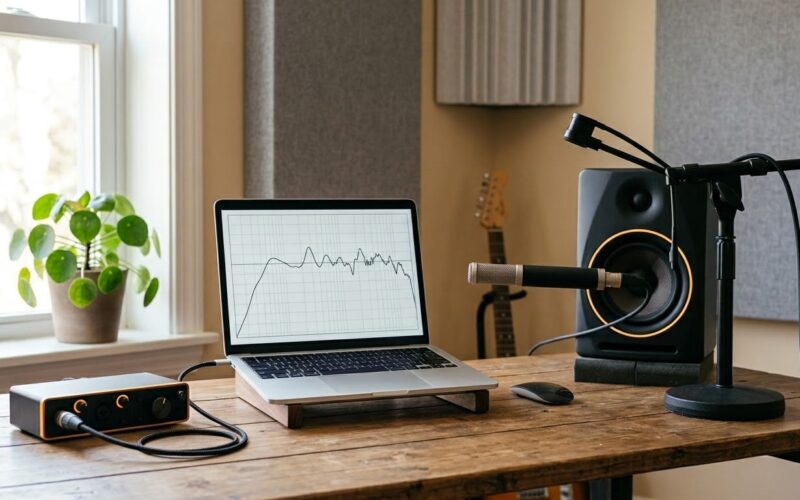
Calibrate in two stages, and keep them separate. First playback level: use a pink noise or sine sweep at a fixed level, matched to the level you just set. Second, and only if you have a measurement microphone, frequency-response correction.
Software such as Sonarworks SoundID Reference measures your exact pair and builds a correction curve. Start in a flat or reference mode, listen for an hour, then dial the correction back to about 80 percent strength. Overcorrecting is a real risk: a full correction applied to a pair that already measures well can shift the curve somewhere less accurate, and it fights the mix when you start moving levels around. For closed-back headphones, listen to the bass trim and pull it back if the low end feels inflated.
4. Mix on Headphones Accurately With a Balanced Static Mix
Getting the static balance right is the part of how to mix on headphones accurately that pays off most, and it happens before any EQ or compression. Set faders, pan positions and gain staging, then check the mix against a commercial reference in your genre at the same loudness.
Listen for four things: whether every frequency range has space, whether the stereo field feels wider than a phone speaker would show, whether everything survives a mono fold-down, and whether the loudest peak is leaving room for a mastering engineer. A correlation meter in your DAW will show phase problems early. Move on when a reference and your rough mix feel comparably balanced and no element jumps out on the mono check.
5. EQ Around the Mix, Not Around Headphones
Headphones exaggerate both the extremes and fine detail, so an unfiltered curve tells you very little. Compare two sections of your own mix at a matched level instead: if the snare reads clear at half speed but disappears at full tempo, the kick is masking it, not the headphone.
Then make small, targeted moves. Carve a narrow band where the muddiness sits, tame harshness with a dynamic EQ rather than a static cut, and widen dull parts with a short midrange boost instead of piling on treble. Cut before you boost; you get the same result with less gain. Move forward when each change survives a listen to the full track rather than only a soloed section.
6. Use Compression for Control Rather Than Loudness
Compression on headphones is mostly a discipline tool. Watch the gain reduction meter while you set the threshold, start with a ratio around 3:1 to 4:1 for most material, and pick an attack that lets transients through so drums keep their shape.
Use release time to control whether the low end pumps. Evaluate the result by pulling the mix down and bringing it back up, not by sitting at one volume for an hour. The car test still catches pumping that your ears miss. Move forward when gain reduction moves smoothly and the mix holds its dynamics at your fixed monitoring level.
7. Check Translation With References and Mono
Build a small reference folder of two or three commercial tracks in your genre and keep them at a matched level next to your mix. Alternate deliberately during transitions, where tonal problems hide best.
For the low end, listen to the harmonics rather than the fundamental, since headphones reproduce 40 Hz weakly but render 200 to 400 Hz clearly. Run the mono check and the car test, which engineers across experience levels still rate as the most trustworthy check. Move forward when the mix holds up in mono and through a phone speaker.
8. Make Level Decisions in Short, Focused Passes
Ear fatigue arrives faster on headphones, often inside 45 to 60 minutes. Work in short passes with a real break, and write down the decisions you made while your ears were fresh. Six months later, when a mix sounds wrong and you are stuck on how to mix on headphones accurately, those notes usually name the culprit faster than a second listen will.
Finish each session with a level-neutral rough mix: peak around minus 6 dBFS, no limiter, no clipping. That gives the mastering engineer room to work. Move forward when you can explain every decision in your notes without listening again.
Common Mistakes
Six errors account for most headphone mixes that fall apart outside the headphones, and each has a simple fix.
Mixing too loudly. Excess volume compresses your perception of dynamics. Fix: return to your one reference level and stop riding the volume.
Trusting exaggerated headphone coloration. A bass-forward pair will tempt you into mixes that are thin everywhere else. Fix: use correction software where you can, and mix drier than feels right.
Boosting narrow frequencies to compensate for missing speakers. You cannot fix a missing driver with EQ. Fix: judge the low end by its harmonics on a spectrum analyzer, then verify on another system.
Ignoring phase. Headphones make small timing errors easier to hear and easier to overcorrect. Fix: run a mono check on every bus.
Switching reference levels mid-session. Flipping between your mix and a reference at different volumes makes every judgment meaningless. Fix: level-match once, then alternate at matched levels only.
Attempting the mastering pass on headphones alone. That last limiter decision needs the low end to be heard as other systems render it. Fix: hand off a level-neutral rough mix and check the master afterwards on several systems.
Frequently Asked Questions
Can I get a professional mix by only using headphones?
Yes. Andrew Scheps and Glenn Schick are two of many engineers whose releases were mixed or mastered entirely on headphones. Headphones reveal detail and reveal nothing about your room, which makes them reliable in untreated spaces. What they cannot do is show you how the low end will sound on a system that cannot reproduce it, so a second playback check stays part of the job.
Are open-back or closed-back headphones better for mixing electronic music?
Open-back is the usual choice for mixing because airflow keeps the low end honest and reduces the bass boost a sealed ear canal creates. Closed-back is better for tracking vocals and instruments in a noisy room, since isolation cuts down on bleed. Producers often own both: one pair for tracking, another for mixing.
Do headphone calibration plugins make mixing more accurate?
They can, as long as you use them as a corrective tool rather than a source of truth. Tools such as Sonarworks SoundID Reference measure your exact pair and flatten its response. Users on mixing and mastering forums report an immediate difference in EQ decisions. The usual advice: start flat, back the correction off to about 80 percent, and keep checking against references.
How loud should I set my headphones when mixing music?
Pick one level and never change it during a session. Many engineers land between 73 and 76 dB SPL, measured with a sound level meter app while wearing the headphones. Set it slightly below the level at which the track sounds exciting, so your perception of dynamics stays honest. If your ears start ringing or a session runs past an hour, stop.
Is it safe to mix music on headphones with Bluetooth?
Wireless is workable for rough listening but not for mixing decisions. Bluetooth codecs compress the audio before it reaches the driver, and the added latency makes it harder to judge edits and timing. Some wireless models also apply their own tuning or noise cancellation that changes the frequency response. Use a wired connection for any session where you are making EQ and level calls.
Should I still check my headphone mix on speakers?
Check it on other systems, even without studio monitors. A phone speaker, a pair of cheap earbuds, a car stereo and a Bluetooth speaker each hide and exaggerate different problems, and together they cover most of what listeners will hear. Run the mix through all of them before you call it finished, paying attention to vocal balance and whether the low end disappears.
Conclusion
Headphone mixing works because the workflow controls for what headphones distort: level, processing, coloration and fatigue. Everything else is habit.
Start tomorrow with three moves. Set one monitoring level and write it down. Level-match a reference track you trust. Then check the unprocessed balance of your rough mix, on the headphones and on a phone speaker, before touching a single EQ band. Once those three are habits, the rest of the process follows without you having to think about it.