Collaborating with a producer online comes down to one habit: keep every file, every note, and every decision somewhere both of you can see. Pick the workspace, agree on the file specs, leave feedback on timestamps, and get the splits in writing before the first bounce. The music is the easy part.
Budget about an hour of setup before the work starts, and a few hours of admin spread across the project. This guide is current for 2026 and covers the tools, the handoffs, and the paperwork side that most tutorials skip.
- Write a one-page brief: genre, energy, BPM range, key, length, references, roles.
- Choose one shared folder as the source of truth, plus one chat channel for decisions.
- Match technical settings: DAW, operating system, sample rate, bit depth, tempo.
- Package projects with samples, presets, and a test export before sending anything.
- Agree feedback rules, publishing percentages, master ownership, and credit order in writing.
- Send time-coded notes, one prioritized round at a time, and archive the final snapshot.
Table of Contents
- What You Need to Collaborate With a Producer Online
- Required
- Strongly recommended
- How to Collaborate With a Producer Online Step by Step
- How to Collaborate With a Producer Online Before You Start
- Choose a Communication and File-Sharing Setup
- Prepare DAW Files That Are Easy to Share
- Agree on Feedback, Credits, and Ownership
- Review Revisions and Confirm Each Decision
- Export, Deliver, and Archive the Final Song
- Common Mistakes and How to Fix Them
- Frequently Asked Questions
- Can two producers collaborate if they use different DAWs?
- What is the easiest way to share an Ableton or FL Studio project?
- How should a producer give feedback on an unfinished track?
- How do producers document songwriting credits and publishing splits?
- Should collaborators use a version-control service for music projects?
- How often should online producers communicate during a release?
- Conclusion
What You Need to Collaborate With a Producer Online
You need four things that are genuinely required, and a handful that make life easier. Skip the optional ones until the basics are working.
Required
- A collaborator who fits the job. Someone whose existing work sounds close to what you want, and who answers technical questions concretely.
- One communication channel. A chat thread or channel where decisions get written down, plus voice or a call for the conversations that need tone.
- One shared storage or version-control service. Dropbox and Google Drive cover most cases. Avid Cloud Collaboration and Ableton Link suit bigger or same-DAW projects.
- The DAW project files, plus their dependencies. The session, the samples, the presets, and a list of plugin versions.
Strongly recommended
- Two or three reference tracks. This is the fastest way to describe a sound without a shared vocabulary.
- A session template. A clean starting project with your routing, buses, and preferred plugins already in place saves an hour of every session.
- A written split agreement. A split sheet and a collaboration agreement, both signed before any file moves.
- Fixed export settings. Agree on 24-bit WAV, and on 44.1 kHz or 48 kHz, once, and never again argue about it.
Matching DAWs and operating systems matters more than most people expect. Same DAW, same OS, same plugin versions means a project file that just opens. Cross-platform sessions still work, but expect to consolidate or re-install instruments before anything renders, and plan an extra day for it.
How to Collaborate With a Producer Online Step by Step
Here is the workflow I would run, in order. Each stage has a clear sign that it worked, and you should not move to the next one until you see that sign.
How to Collaborate With a Producer Online Before You Start
Start with a brief, not a conversation about vibes. One page is enough: genre, intended energy, BPM range, key, target duration, references, and who does what.
References do most of the heavy lifting. Pick tracks that share the tempo feel and mix character you want, and note in a sentence which element you are chasing, the vocal tone or the drum weight. “Make it like this song” is a starting point; “make it like the vocal tone and the room in the chorus of this song” is usable.
Define roles explicitly. Top-lining means you sing over a finished beat and you keep your performance rights. Co-producing means you both shape the record and you share decisions. Full production means one person makes the track and the other pays for it. Each of those changes the credit and the split, so name which one you are doing before anyone opens a DAW.
How to collaborate with a producer online starts here and works if both of you send the brief back with edits, then agree in writing what the finished thing sounds like. If someone cannot describe the goal back to you, that is the answer you needed.
Choose a Communication and File-Sharing Setup
Pick the setup that matches how you will actually work, not the one with the best feature list. There are five common options.
| Setup | Latency feel | Best for | Watch out for |
|---|---|---|---|
| Shared cloud folder (Dropbox, Google Drive) | None, files move at upload speed | Track-by-track exchange, vocal comps, mix revisions | Version chaos if nobody names files |
| Lossless streaming (Audiomovers LISTENTO) | Roughly 20-30 ms over a good connection | Hearing each other’s playback in near real time | Needs a steady upload; not for playing in time |
| Real-time jamming (JamKazam, SonoBus, Jamulus) | Lowest of the three, internet dependent | Playing together live across distance | Clock drift and dropouts ruin takes |
| Call with a dual-mono setup (Zoom, Discord) | 100 ms and up, feels like being underwater | Talking through a mix, arranging decisions | Feedback loops if you monitor badly |
| Browser DAW or session platform (BandLab, Soundtrap, Avid Cloud Collaboration) | Depends on the service | Beginners, quick demos, shared project notes | Fewer third-party plugins than your own DAW |
Whichever you choose, set four rules on day one. Which channel is for decisions, which is for banter. How long each person has to reply. What the folder structure is. And who owns the backup. A project folder that looks like Project_Name/01_Session/02_Stems/03_References/04_Delivery saves an argument later.
Two backups, not one. Cloud sync is not a backup, because an empty file syncs just as happily as a good one. One person keeps a dated copy of every delivery on a separate drive or service, and says so in the channel.
Prepare DAW Files That Are Easy to Share
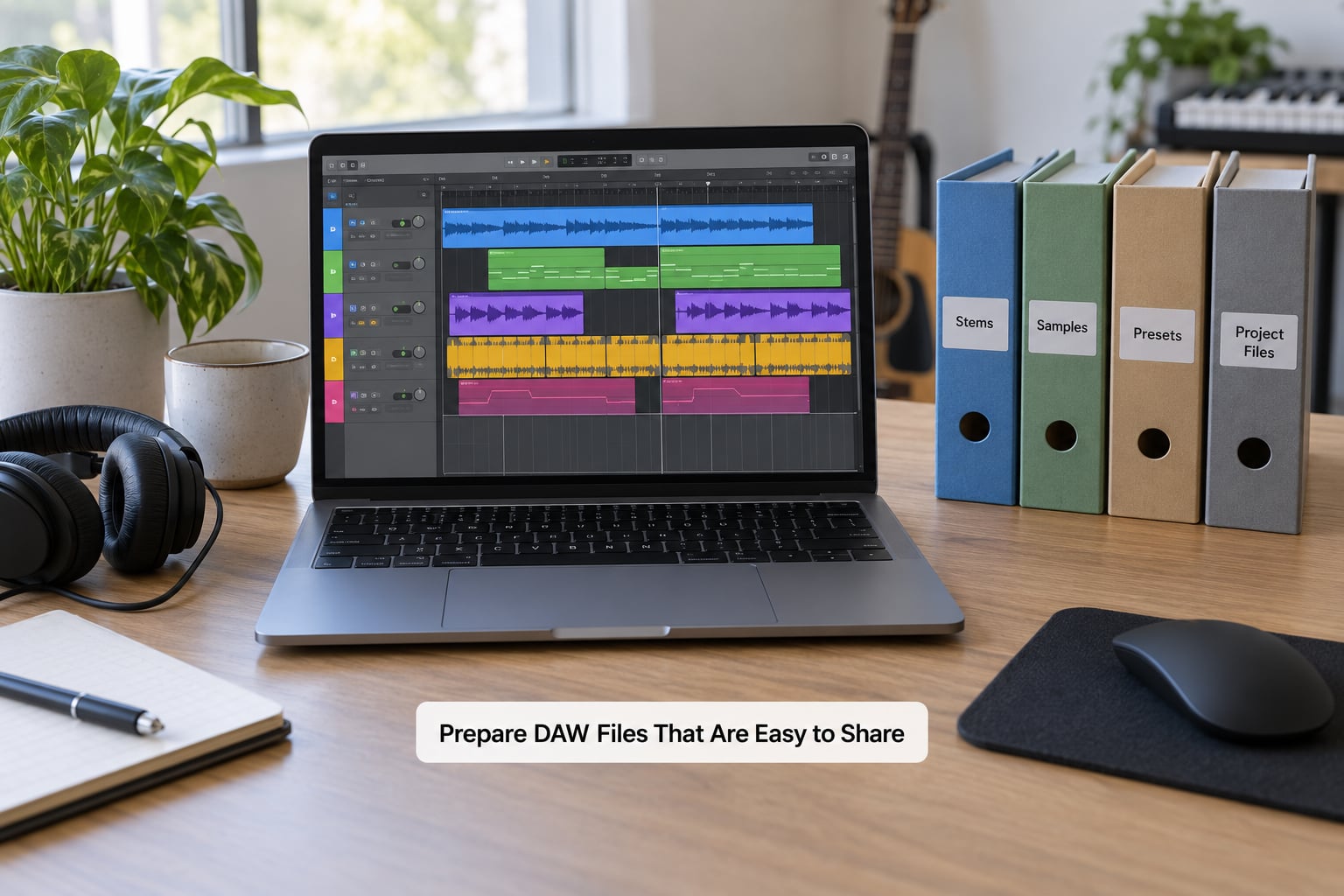
Most broken sessions are not broken creatively. They are broken because someone sent a project without the things that project points at.
Before you send anything, write down the technical details in the channel: DAW and version, operating system, plugin versions, sample rate, bit depth, tempo, and key. That list alone prevents most of the “it opens but the instruments are gone” calls.
- Collect the dependencies. Third-party presets, VST or AU libraries, and any Kontakt or Spitfire content, plus the exact versions.
- Consolidate where you can. Freezing MIDI to audio or committing to a track removes a whole class of plugin problems for the person receiving the file.
- Package rather than attach. Zip the session with a Samples folder and a Presets folder inside. Large WAV files do not belong in email.
- Name versions consistently. TrackName_v03_2026-10-03_MixR1.wav beats Mix_FINAL_v3_ACTUAL_FINAL, and it tells you which is newer at a glance.
- Include a test export. A 10-second 24-bit WAV render proves your settings and saves the other person an hour of troubleshooting.
How to collaborate with a producer online gets easy once files arrive open. The test is simple: they open the project, play it, and hear audio. If they cannot, you did not send the whole thing.
Agree on Feedback, Credits, and Ownership
Two things get disputed in collabs, and neither one is musical: who owns the master, and who wrote what. Settle both in writing while everyone is still friendly.
A split sheet covers composition. It records who wrote the lyrics, who wrote the melody, and the percentage each person gets as a songwriter, adding to 100 percent. Publishing rights follow that split. Master ownership is a separate question: whoever paid for the production usually owns the recording, and a work-for-hire arrangement should say so plainly.
Also record credit order for the release, whether the beat is licensed, exclusive, or bought out, what happens to the tracks if the collab dies, and how many revision rounds are included. That last one is the one that saves friendships.
Users on r/WeAreTheMusicMakers and r/musicproduction keep asking the same question in slightly different ways: is it safe to pay someone you have never met. The short answer is that the paperwork is the protection. Ask for verifiable released work and references, pay on delivery or in milestones rather than one lump sum, and get the agreement signed before stems change hands.
Review Revisions and Confirm Each Decision
Feedback goes on the waveform, not in a chat scroll. Most tools that host files let you drop a comment at an exact timestamp, and that one habit removes most of the arguments.
A good note has three parts: the timestamp, the specific thing, and the outcome. “1:24 vocal is buried, bring it up 2 dB and let the reverb tail breathe” is actionable. “Make it hit harder” sends the other person guessing for an hour.
Run one prioritized round at a time. Send a numbered list, agree the order, and let revision two start only once revision one is done. Round three and beyond usually means the brief was never agreed, so go back to it rather than sending more notes.
For anything unreleased, send a watermarked or low-bitrate reference file rather than a pristine master. Then confirm every decision in writing: a short “locked” message in the channel naming the version you both approved, with a date. If you ever need to prove what was agreed, that message is the receipt.
Export, Deliver, and Archive the Final Song
Delivery is a checklist, and the checklist is the same every time so nobody has to remember under deadline pressure.
- Masters in 24-bit WAV at the agreed sample rate, plus instrumental and acapella versions if anyone might use them.
- Stems or trackouts for the mix and mastering engineer, named by instrument, no DSP, no limiters on the master bus.
- Project files with samples and presets, plus the technical details list you wrote in stage three.
- Project notes explaining what was tried, what stayed, and which parts are locked.
- A written credit sheet with names, roles, percentages, and credit order.
Check sample clearance before anything is public, confirm every file name matches the naming convention, write the metadata into the file rather than relying on whoever uploads it, and reopen the delivery folder on a different machine to confirm nothing is missing.
Then archive one final snapshot with editing access restricted, and keep it. Producers on these forums report the same pattern over and over: projects fall apart after six months, somebody wants to release an old idea, and the only session that has the actual vocal comp no longer exists anywhere.
Common Mistakes and How to Fix Them
Every one of these shows up in remote music collaboration threads constantly, and every one has a cheap prevention.
- Overwritten sessions. Two people editing the same file live. Fix: never two people in one project file. One owner per version, named and dated.
- Missing samples and presets. The recipient hears silence. Fix: package the session with its Samples and Presets folders and send the plugin version list with it.
- Unversioned feedback files. Nobody knows which one is current. Fix: a naming convention with a version number and a date, enforced from the first file.
- MP3 round-trips. A lossy file bounces back and forth and the artifacts accumulate. Fix: 24-bit WAV for review files too, or a lossless stream. Reference-quality MP3 is for phone listening, not for judging a mix.
- Incompatible plugin formats. VST3 on one machine, AU on another. Fix: freeze and consolidate, or agree in advance to only use plugins the other person owns.
- Vague notes. “The hook feels off” costs hours. Fix: every note needs a timestamp, a specific element, and a requested outcome.
- Unclear splits. Disputes surface after the track does numbers. Fix: signed split sheet before the first file, and master ownership stated separately.
- Oversized transfers. Stems that will not send. Fix: a delivery folder or cloud link with a stated expiry, and a checksum or file listing in the message.
- Mixing revisions from the wrong source. The engineer works from a rough bounce instead of the stems. Fix: name the exact source file for each revision, and freeze it.
- No clear final say. Two producers each assuming they decide. Fix: name who has final approval on which parts, in the agreement.
A few habits that pay off more than any tool. Agree a realistic response window, usually 24 hours, so a slow reply reads as busy rather than rude. Record calls, or take a short voice memo after one, because a voice memo captures intent better than a wall of text. And keep a single source of truth: one folder, one channel, one version that counts.
Where you work matters less than people think. Cross-platform collaboration is routine now, and the tools that handle the widest range of DAWs and operating systems are the safest default when you do not control your collaborator’s setup.
Frequently Asked Questions
Can two producers collaborate if they use different DAWs?
Yes, and most long-distance sessions never need the same DAW. You exchange stems and 24-bit WAV bounces instead of project files, which works across any software. Passing the actual project only makes sense when both people run the same DAW and operating system, since the session references plugins and sample paths that will not transfer otherwise.
What is the easiest way to share an Ableton or FL Studio project?
Zip the project folder with its Samples and Presets inside, upload it to a shared cloud folder, and send the link plus a short list of your DAW version, operating system, and plugin versions. For Ableton, Link and Cloud Collaboration keep projects in sync automatically. For FL Studio, a packaged folder with consolidated channels causes far fewer problems than sharing the raw project.
How should a producer give feedback on an unfinished track?
Leave comments on the waveform at exact timestamps rather than a message list, then send one prioritized round at a time. Each note should name the element, the problem, and the outcome you want. Tell the person which notes are must-fix and which are nice-to-have, and confirm in writing which version got approved so later revisions start from the right file.
How do producers document songwriting credits and publishing splits?
Fill in a split sheet that records who wrote the lyrics, who wrote the melody, and each person’s percentage as a songwriter, totalling 100 percent. Publishing follows that split. Master ownership is separate and usually belongs to whoever funded the production, so state it plainly. Sign the document before the track is released and keep a copy each.
Should collaborators use a version-control service for music projects?
A dedicated version-control service is useful for text-heavy coordination like briefs, notes, and agreements, and it gives you history and branching for free. For large audio files, cloud folders with a strict naming convention and a dated delivery folder work just as well and are far easier for people who do not use Git. Many teams combine both without thinking about it.
How often should online producers communicate during a release?
Set expectations at the start rather than reacting to silence. A working rhythm is a short check-in message every day or two, a longer call once a week, and a written summary after any decision that changes the track. Agree a 24-hour response window, and tell people in advance when you will be offline, because a delayed reply across time zones reads as being ignored.
Conclusion
Start before you make anything. Write the one-page brief, agree the file standards and who has final say, sign the split sheet, and set a date for the first feedback checkpoint. That hour up front prevents every version mess, every lost session, and every split dispute that comes later, and it is the whole difference between a collab that finishes and one that disappears.