If you want to know how to choose a MIDI keyboard for production, decide five things in this order: how many keys you need, what the keys feel like under your fingers, whether they respond to playing strength, what extra controls you actually use, and how it connects to your computer. Everything else on the spec sheet is decoration until those five are settled.
A MIDI keyboard makes no sound on its own. Press a key and it sends three things to your DAW or hardware synth: which note you played, how hard you played it, and any control changes from wheels or pedals. Your software instrument turns that data into sound.
Does anyone use MIDI anymore? More than ever, but it changed. In 2026 a controller is rarely a piano-shaped object that happens to talk to a computer. It is an input device, and the same four decisions apply whether you are scoring strings in Cubase or tracking a live set into Ableton.
Table of Contents
- How to Choose a MIDI Keyboard for Production
- How Many Keys Do You Need?
- Mini Keys vs Full-Size Keys
- Weighted, Semi-Weighted, or Unweighted Keys?
- Velocity Sensitivity and Key Response
- Match the Keyboard to Your DAW and Music
- USB, MIDI, Bluetooth, and Control Pedals
- Pads, Knobs, Displays, and Preset Navigation
- Set a Realistic Budget
- Test Before You Buy
- Frequently Asked Questions
- Is a weighted MIDI keyboard necessary for electronic music production?
- What is the best MIDI keyboard size for a beginner?
- Do I need velocity sensitivity for composing trance and house music?
- Are 37-key MIDI keyboards enough for making music?
- Should I buy a MIDI keyboard with pads and knobs?
- Can I use a MIDI keyboard with Ableton Live, FL Studio, and Logic Pro?
- Choose the First One for Your Workflow
How to Choose a MIDI Keyboard for Production
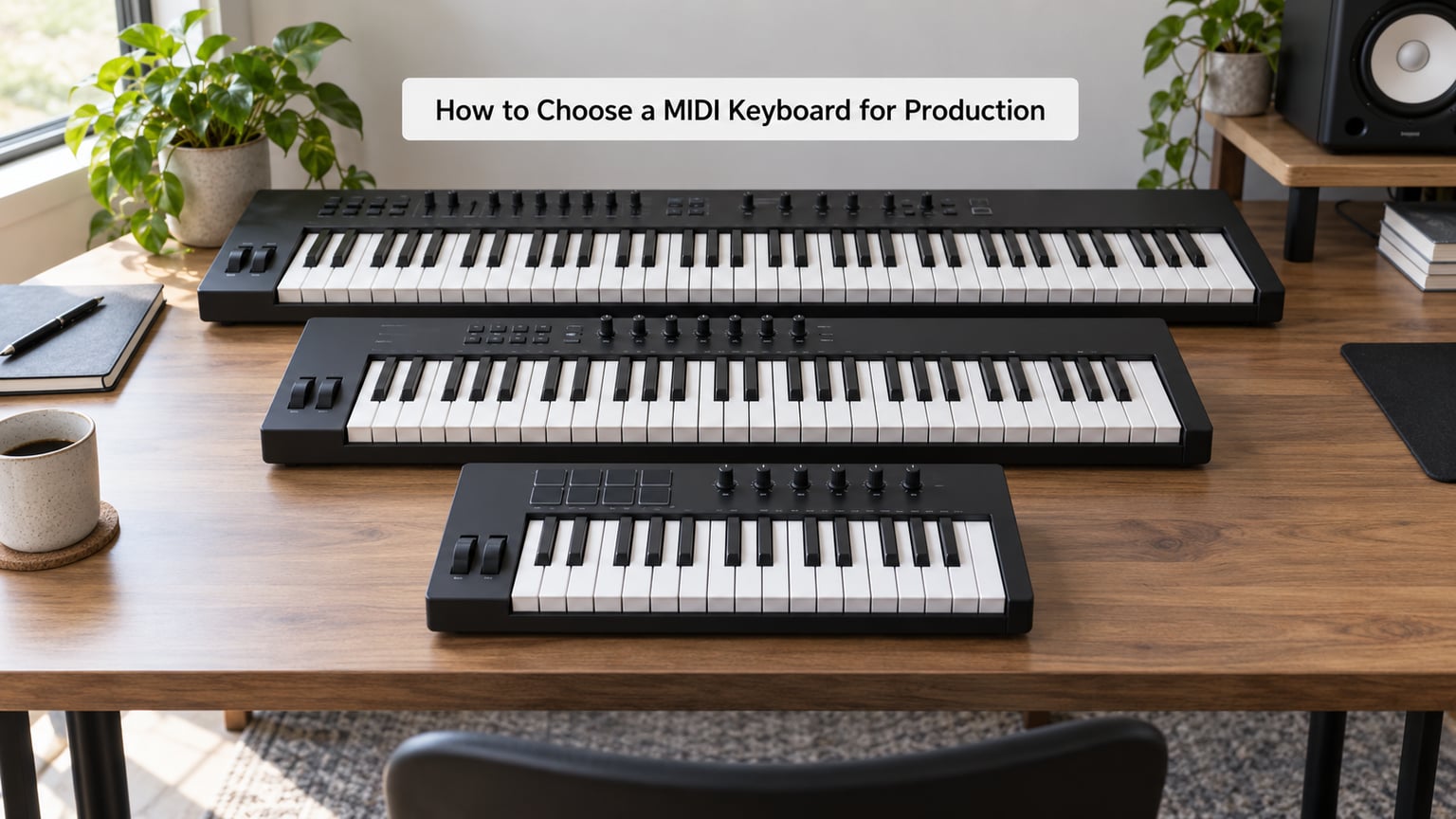
The fastest way to choose is to work from what you make, not from what looks impressive. Key count sets the musical range you can play in one pass. Keybed action sets how fast and how comfortably you can play it. Velocity decides whether your playing has any shape. Controls and connectivity matter only after those three are right.
One thing to separate first: a production controller and a portable instrument are built differently. A portable instrument has built-in speakers, its own sounds, battery power and usually a screen, and it expects to work without a computer. A controller assumes a laptop is nearby, stays quiet, sends everything into software, and often draws power over USB bus power alone. Buying a portable instrument because you want to control plugins is the most common early regret.
How Many Keys Do You Need?
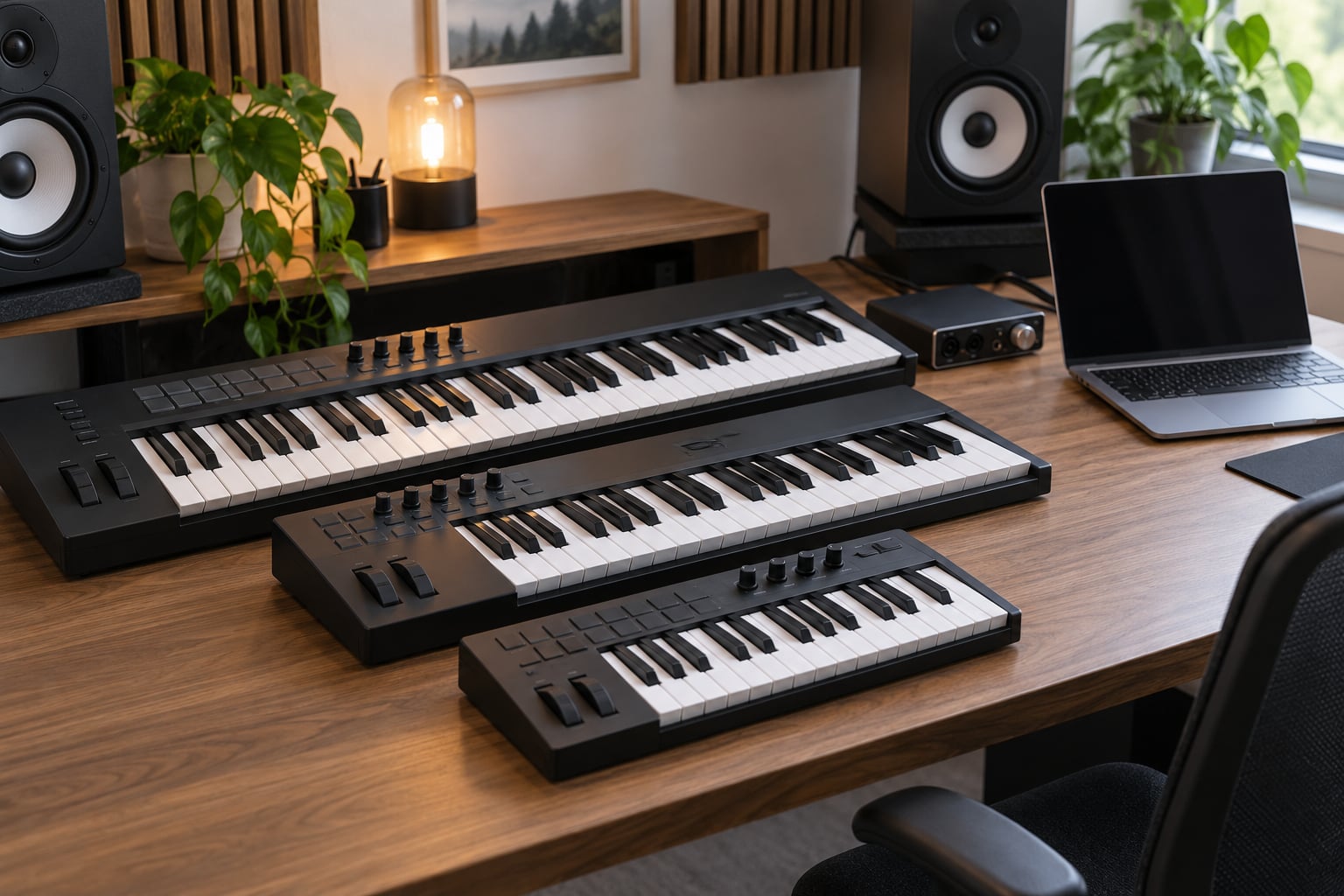
Most producers who make beats end up on 49 keys, and most producers who write music end up on 61. Keyboards of 25 keys are fine for drum programming and bass lines, 37 keys is a compromise layout that suits small desks, and 88 weighted keys only make sense if you play or intend to learn real piano.
| Keys | Range covered | Footprint | Best for | Main limitation |
|---|---|---|---|---|
| 25 | About 2.5 octaves | Fits any desk or lap | Beatmaking, pad work, bass lines, tight studio spaces | Too narrow for full chord voicings |
| 37 | About 3 octaves | Very small | Travelling producers and minimal setups | Odd layout with pitch and mod buttons instead of wheels |
| 49 | About 4 octaves | Desk-friendly | Most beatmakers, live performers, hybrid setups | Two octaves below middle C often missing |
| 61 | About 5 octaves | Wide | Composing, film and game scoring, hardware control | Takes real desk width |
| 73 | About 6 octaves | Very wide | Hands-on players who want range without 88 weight | Weight and reach cost you two hands of comfort |
| 88 | Full piano range | Needs a stand or dedicated desk | Pianists writing with virtual pianos, stage pianos | Heavy, expensive, tiring for long sessions |
Reddit threads on this question keep landing on the same point: key size does not matter much for laying down beats, bass, basic chords and melodies. Someone on r/musicproduction asking for a beginner board was told the same thing in different words from people on r/synthesizers and r/midi. If your workflow is eight-bar loops and drum programming, the extra keys on a 61-key board will sit unused.
A useful test is to check your DAW. Look at the range your instruments actually span in the project you are working on right now. Write top MIDI notes and bottom MIDI notes, subtract, and you have the key count you need. I did this for one of my own trance projects and the answer was 37 keys, not the 61 I had assumed I needed.
Mini Keys vs Full-Size Keys
Mini keys save space and money but shrink the playing surface, and that changes chord shapes and hand position. Full-size keys feel closer to an acoustic or digital piano, which matters if you are learning piano or writing realistic parts.
The trade-off is straightforward. Mini keys are the right call for a small desk, a controller you carry to gigs, or a producer who only plays single-line parts and drum triggers. Full-size keys are the right call when you play chords with real fingering, work with piano libraries that respond to touch, or want to practise the same habits you would on an acoustic.
A warning worth taking seriously: a sub-3-octave keybed with mini keys feels like a toy, and a bad first keyboard is a common reason beginners quit. If the space is tight, a full-size 49-key is usually a better compromise than a mini 61-key.
Weighted, Semi-Weighted, or Unweighted Keys?
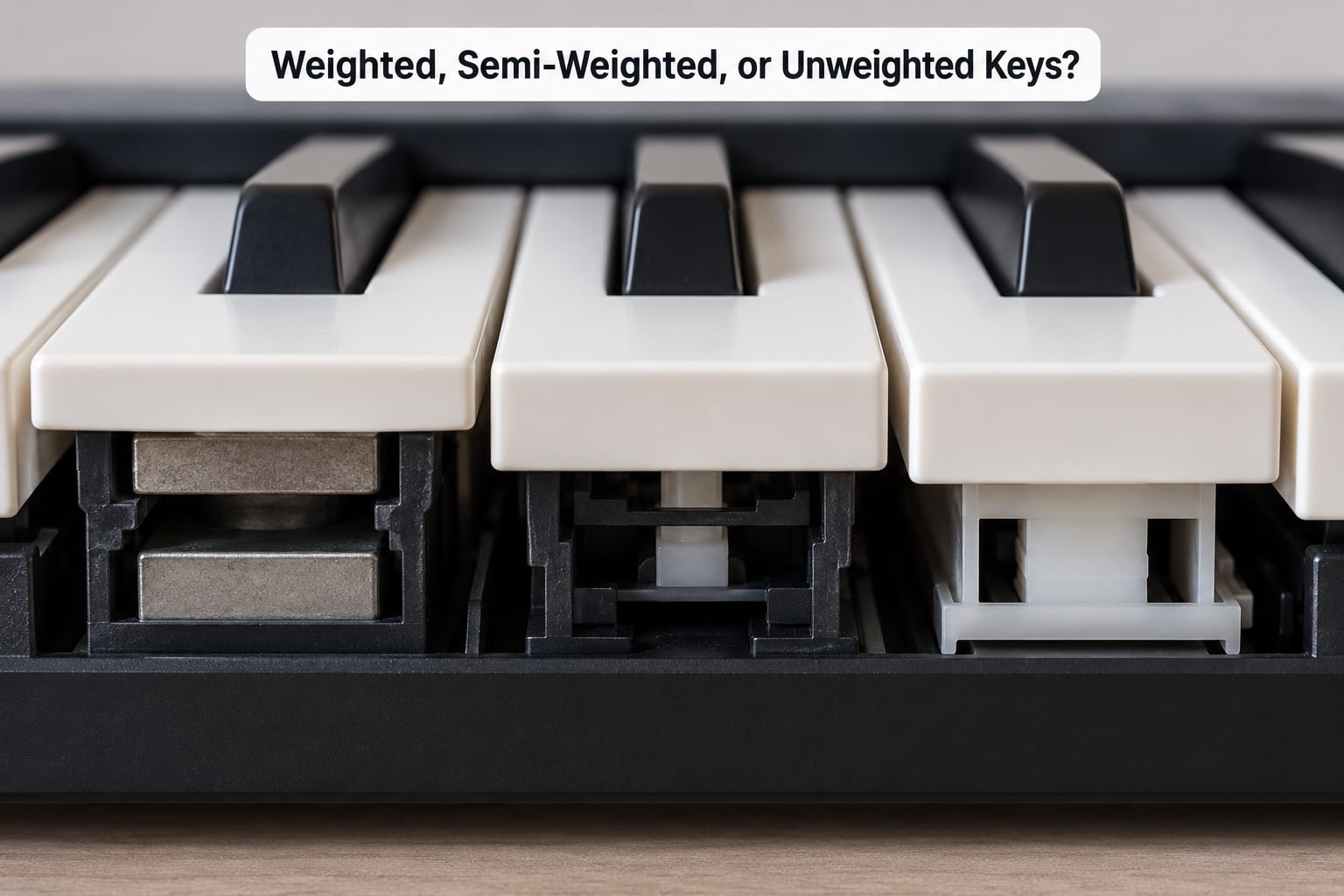
Unweighted synth action feels light and springy, semi-weighted adds moderate resistance that builds across the key travel, and weighted hammer action mimics a real piano with a counterweighted hammer mechanism. Match the action to your playing style and the genre you make, not to what looks most professional.
| Action | Feel | Best for | Who should not buy it |
|---|---|---|---|
| Unweighted (synth action) | Light, fast, springy rebound | Beatmaking, electronic music, live triggering, fast chord stabs | Pianists who want realistic dynamics on virtual pianos |
| Semi-weighted | Moderate resistance building with pressure | Melodic writing, house and trance, expressive synth leads, generalists | Pure finger-drummers who want the fastest possible response |
| Weighted hammer action | Heavy at the bottom of travel, real piano inertia | Piano realism, classical and film scoring, learning piano properly | Non-pianists making electronic music, or anyone working seated for long sessions |
For trance, house and techno, semi-weighted is the sweet spot. It gives you enough resistance to play softly and shape a saw lead with real dynamics, without the fatigue that comes with hammer action. Unweighted wins for fast drum programming and for triggering chords fast enough to feel like a performance.
Weighted hammer action is a genuine piano-action keybed, and yes, fully weighted 88-key controllers exist. They use mechanisms in the Fatar and Studiologic range, and they start appearing on the higher-end Arturia and Kawai models. If you do not play piano, they are the wrong buy. There is an r/reason thread literally titled “Regret buying an 88 key MIDI keyboard without knowing how to play the piano,” and it is not rare.
Hammer-action boards are also physically demanding. A weighted 88 sits around 20 to 30 kg depending on the chassis, and semi-weighted 61-key boards can already pass 5 kg. If you produce on a couch or in a small bedroom studio, weight matters as much as feel.
Velocity Sensitivity and Key Response
Velocity sensitivity means the keyboard measures how hard you strike a key and sends that value to your instrument, which is what makes a part sound played rather than typed. Without it, every note arrives at the same volume and software instruments go flat and lifeless.
Almost every modern keyboard is velocity sensitive, so treat it as a baseline rather than a feature to hunt for. The spec that actually varies is the velocity curve, which determines how the range maps to your fingers. Some controllers ship with adjustable curves, letting you choose between a light, linear or heavy response without touching the keybed itself. It is one of the few settings worth playing with on day one.
Three more response details matter:
- Pitch bend and modulation wheels. Wheels give you vibrato and filter sweeps on hardware synths and MIDI-controlled plugins. They still matter in 2026, and a board that replaces them with buttons or a touch strip makes live work fiddly.
- Channel aftertouch. Pressure applied anywhere on the key sends a signal for that channel. Most people never touch it deliberately.
- Polyphonic aftertouch. Pressure on one key affects only that key, so you can hold a chord and push one note forward. It sounds fantastic and is genuinely rare below the premium tier. Producers building ambient, cinematic or expressive synth parts grow into it; most beatmakers never do.
If you want aftertouch, check specifically for polyphonic aftertouch. A spec sheet that says only “aftertouch” usually means channel aftertouch, which is much less interesting.
Match the Keyboard to Your DAW and Music
Your DAW matters far less than most buyers assume. Any class-compliant USB controller sends note, velocity and CC data that Ableton Live, FL Studio, Logic Pro, Cubase, Studio One, Bitwig and Reason all read without extra hardware-specific software. People search for a best-keyboard-for-Logic and a best-keyboard-for-FL-Studio as if these are different products, and mostly they are the same product with a bundled DAW lite attached.
What differs between DAWs is how you map the extras:
- Ableton Live maps transport and session launch buttons directly, and its MIDI mapping is straightforward enough to handle knobs in minutes.
- FL Studio auto-maps knobs and pads well and has a large control surface option if you later want one.
- Logic Pro recognises Arturia and Novation controllers with no setup at all, and it treats faders and knobs as mixer or plug-in parameters with a click.
- Bitwig includes grid and chord mapping, which pairs well with hardware that exposes scale and chord modes.
- Reason treats the keyboard as a straightforward input and rewards controllers with dedicated device navigation.
- Cubase and Studio One both handle generic controllers fine, and Studio One in particular is quick with MIDI learn.
Match the workflow instead. Scoring strings and orchestral parts pushes you toward 61 keys with nine or sixteen assignable faders. Producing techno and drum-heavy material favours fewer keys, velocity-sensitive pads and fast workflow buttons. Synthwave leans on wide pads, long sustains and a mod wheel, so an arpeggiator and hold buttons on the controller are worth more than a screen. Trance and house need held chords and a lead you can bend, which is a semi-weighted feel with a pitch wheel.
Reddit users tend to treat the DAW as the deciding factor, and it usually isn’t. The deciding factors are whether you play chords with real fingering, whether you want dynamics, and how big your desk is.
USB, MIDI, Bluetooth, and Control Pedals
Plug into the computer over USB and everything works, provided the controller is class-compliant, meaning it uses built-in system drivers and needs no installation. Most controllers are. Driver-based designs exist and are occasionally useful for deeper firmware control, but they add setup friction for no benefit to a bedroom producer.
5-pin MIDI DIN ports matter only if you control vintage hardware, older synths or rack gear that predates USB. They are shrinking but still worth checking if your studio is hardware-heavy. CV and gate outputs go further, to Eurorack and modular systems, and you will only need them if modular gear is part of the plan.
Bluetooth MIDI suits a controller that lives on the sofa or the stand and a laptop that lives on the desk. Latency exists but most people stop noticing it, and the freedom is worth more for writing than the millisecond delay is for performance. Always confirm a model supports Bluetooth MIDI rather than assuming, since some boards advertise wireless but only for firmware apps.
For pedals, expect a sustain input on anything decent. Two extras catch people out: an expression pedal jack on a cheaper board is often fixed to one control change number, so you may need to remap it through MIDI learn, and some boards provide no pedal input at all. Long sustain on chords matters more to electronic music than people expect, so treat a working sustain jack as a requirement rather than a nicety.
Pads, Knobs, Displays, and Preset Navigation
Rank extra controls by how much time you will actually spend on them. For most producers the useful order is transport buttons, assignable knobs or encoders, pitch and modulation wheels, pads, and finally screens.
Faders and encoders do different jobs. Faders suit mix-style work, so they earn their place when you are riding levels, controlling a virtual mixing desk or writing orchestral parts with one fader per voice. Endless rotary encoders suit anything continuous: filter cutoff, delay sends, arpeggiator rate. If you only play electronic music and never touch mix automation, encoders are more useful than faders.
Pads split into two kinds. Velocity-sensitive pads trigger and layer sounds, which is useful for building an arrangement live and for finger drumming on small controllers. Backlit pads that do not respond to pressure are only a shortcut for clips and samples, and they tell you nothing about how you played something.
Transport buttons save real time. Play, stop, record, cycle and save take seconds off every session, and many controllers now let you write your own DAW mappings onto them. A display showing the current preset name or a single knob’s value is genuinely handy when a board controls a synth with hundreds of presets; a large colour screen mostly shows art.
Two features worth checking for: scale and chord modes let the keyboard snap notes to a key and play triads, which speeds up sketching ideas when you do not play by ear, and keyboard zones or splits let you divide the keybed, for example bass on the left and chords on the right, though most DAWs do this better in software.
Set a Realistic Budget
Price follows keybed action far more than it follows feature count. Moving from unweighted to semi-weighted costs more than adding pads, knobs and a display combined, and moving to weighted hammer action costs more again. Decide the action first and let the budget fall out of that.
At the entry level you get 25 to 49 keys, velocity response, a sustain jack and USB class compliance. That covers beatmaking, bass lines and chord sketches completely, and it is where most beginners should start. The middle tier buys a better keybed, assignable knobs, pads and 49 or 61 keys, which is where a producer who will genuinely write music is happiest. The upper tier exists for weighted hammer action, polyphonic aftertouch, premium keybeds and bundled instrument libraries.
Where money is usually wasted: a large display on an entry board, a pad controller bought alongside a keyboard you will not touch, and weighted keys bought for looks. Where it is usually worth spending: keybed quality, a chassis that will not flex when you play hard, and solid velocity response.
Bundled software such as Analog Lab, Bitwig Studio, MPC Beats or a DAW lite edition is a nice bonus, not a reason to pick a brand. People on r/musicproduction worry it locks them into one ecosystem; treat the bundle as a free trial that expires, and buy the controller on its hardware merits. Prices change constantly and vary by region, so check current listings before deciding.
Test Before You Buy
If you can, play one in person. Sit at it for five minutes with the DAW open and run a short test that covers what you will actually do.
- Play a soft melody and a hard one. If the difference barely registers in your software instrument, velocity response is weak.
- Play fast repeated notes. Keys that wobble or rattle under speed will annoy you within a week.
- Check the gap between keys for playability, especially if you use the black keys often.
- Push the back of a key gently. If nothing happens and you expected aftertouch, you know what you are getting.
- Move a knob and watch your DAW. Then check whether the mapping survives closing and reopening the project.
- Hold the sustain pedal and play a chord. Some cheap boards have a jack that registers poorly.
- Listen for key rattle during a hard passage. It ends up on your recording if the microphone is anywhere near.
- Check the chassis. A keyboard that flexes under ten fingers will feel unstable within weeks.
Buying online without trying one is normal, so compensate with return policies and reviews that mention the keybed specifically. Spec sheets describe the action type; only owners describe how it feels after three months.
Three mistakes come up again and again. Buying 88 weighted keys before you can play piano. Buying a portable instrument to control plugins when what you needed was a controller. And ignoring velocity response while chasing knobs and screens. There is also a fourth: buying pads instead of keys for beatmaking when you have not yet decided how you want to work.
If you already produce entirely on a push or grid controller and never play notes, be honest about whether a keyboard changes anything. For some producers it is the missing piece. For others, the better spend is audio interface monitors or a better pad controller.
Frequently Asked Questions
Is a weighted MIDI keyboard necessary for electronic music production?
No. Most electronic production is better served by semi-weighted keys, which give you enough resistance to shape dynamics on a lead or chord without the fatigue of hammer action. Weighted keys exist to make virtual pianos behave like an acoustic. If you do not play piano or write parts that need acoustic realism, spend that money on a better keybed feel or more assignable controls instead.
What is the best MIDI keyboard size for a beginner?
Forty-nine keys is the most common answer because it fits a normal desk and covers four octaves, which is enough for beats, bass lines and most chords. Twenty-five keys work if you only program drums and single lines, and sixty-one keys pay off if you write full arrangements. Eighty-eight weighted keys is the one size most beginners regret buying first.
Do I need velocity sensitivity for composing trance and house music?
Yes, more than most other features. Trance leads and house stabs depend on dynamics, and velocity is how the keyboard tells your software instrument how hard you played. Every modern controller is velocity sensitive, so instead check how the response feels at your playing strength and whether the velocity curve can be adjusted to match your touch.
Are 37-key MIDI keyboards enough for making music?
For beatmaking, drum programming and sketching ideas, yes, and the small footprint is a genuine advantage in a tight room. For writing full chord progressions or handing parts to other musicians, it gets cramped fast. A 37-key layout often replaces pitch and modulation wheels with buttons, which is a real downgrade if you control synths. Choose 49 keys unless desk space forces your hand.
Should I buy a MIDI keyboard with pads and knobs?
Knobs are usually worth it because you can map them to anything from filter cutoff to send levels, and MIDI learn takes minutes. Pads help if you build arrangements live or finger drum, and do little for you if you write in the piano roll. Screens are the lowest priority. Judge these extras after key count and keybed action, since those change your playing and the rest only saves clicks.
Can I use a MIDI keyboard with Ableton Live, FL Studio, and Logic Pro?
Yes, if it is class-compliant over USB, which covers most controllers sold today. Note, velocity and control change data are universal, so you can move between those DAWs and others like Cubase, Studio One and Bitwig with the same hardware. Extra knobs and buttons need mapping per DAW, and some brands provide auto-mapping for Logic and Ableton while others make you assign them yourself.
Choose the First One for Your Workflow
Start with what you make. Beats and drum programming point to 25 or 49 keys with unweighted or semi-weighted action. Written music points to 49 or 61 semi-weighted keys with pitch and mod wheels. Playing piano, or planning to, is the only real case for 88 weighted hammer action.
Then buy the smallest board that covers that range with the keybed feel you want. Knobs, pads, displays and Bluetooth are easy to add later with a pad controller or a MIDI mapping; a better keybed is not, and neither is piano technique you never practised. Whatever you choose, check current prices when you are ready, since they move often.
Last updated for 2026.