A radio edit is a shortened version of your track, usually around three minutes, that skips the long DJ-only intro, jumps into the verse or first chorus, and trims the extended mixout. To make a radio edit from a club mix, you duplicate the session, cut the sections that only exist for DJ mixing, repair the joins with fades and effects, then process and export the result. Give it an afternoon the first time; after the third edit in the same project the workflow takes about an hour.
The reason to bother is reach. Short tracks get played more on streaming platforms, and stations rarely sit past three and a half minutes. A radio edit is also the version labels and DJ pools expect alongside the club mix.
Table of Contents
- What You Need
- Step-by-Step: How to Make a Radio Edit from a Club Mix
- How to make a radio edit from a club mix in your DAW
- 1. Duplicate the project and choose a radio-safe version
- 2. Set the target length and identify the sections to keep
- 3. Simplify the arrangement for a shorter edit
- 4. Create smooth transitions between edited sections
- 5. Apply radio-friendly EQ, compression, and saturation
- 6. Check the edit on different playback systems
- 7. Export, compare, and deliver the final radio edit
- Common Mistakes
- Frequently Asked Questions
- How long should a radio edit be?
- Should I cut the radio edit from the club mix or make it first?
- How many bars of intro should a radio edit keep?
- How do I stop the cuts sounding abrupt?
- Should the radio edit be mastered louder than the club mix?
- What is the difference between a radio edit and a club edit?
- Conclusion
What You Need
Before touching the arrangement, get four things straight. It saves an afternoon of work that ends up discarded.
- The highest-quality club mix you have. If the mix was exported from a rough bounce, fix that first. Every artefact in the source shows up louder in a short edit.
- A clean or instrumental version, if one exists. This is not for the radio edit itself unless the track calls for it. It is for pitching to stations that ask for a version without vocal content, and for DJs who build extended mixes on top of your track.
- Your DAW project plus a reference. Keep the original club mix loaded in a reference player so you can A/B the edit against it at any point. The instinct to compare is what stops you drifting into a different track.
- A loudness target set before you start. Check the distributor’s or pool’s delivery spec rather than guessing. Most streaming services normalise playback, so a wildly louder master does not buy you volume, it buys you distortion.
Step-by-Step: How to Make a Radio Edit from a Club Mix
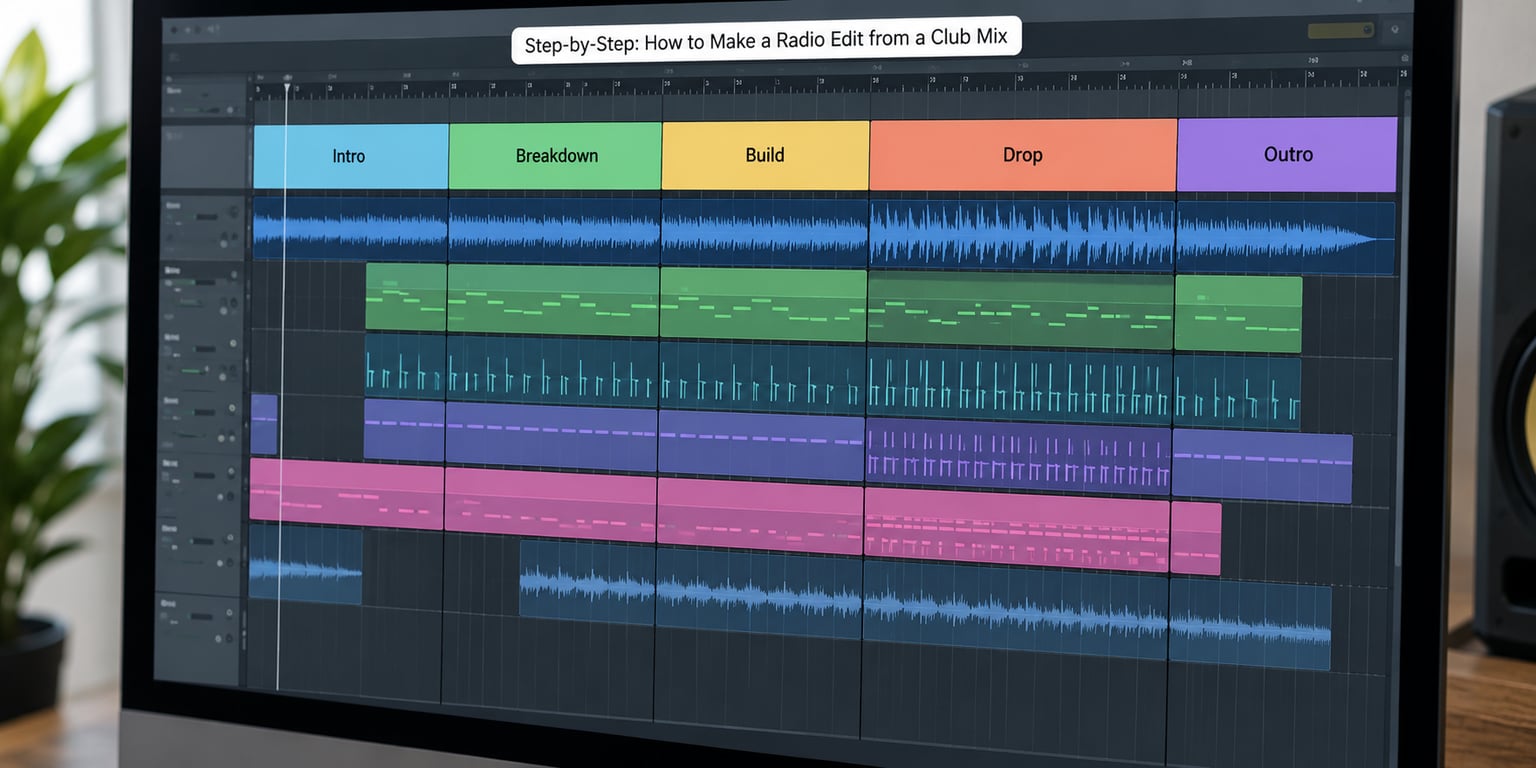
How to make a radio edit from a club mix in your DAW
The workflow is identical in every DAW; only the menu names move. In Ableton Live you work in Arrangement View, hold Alt (Option on macOS) to disable a clip while keeping its waveform visible, and set loop and arrangement markers to mark sections. In FL Studio use the Playlist window, right-click a channel and switch it off to mute it without deleting it, and set markers from the toolbar. In Logic Pro, use the Main Track and the Arranger to disable regions, then use cycle markers. In Cubase, the Arranger track lets you deactivate a section from the top menu.
Menu names shift between versions and operating systems, so look for the equivalent action rather than the exact label. What matters is that you never delete the material. Disabling keeps everything reversible if you decide the section was load-bearing.
1. Duplicate the project and choose a radio-safe version
Save a working copy before anything else. Name it clearly, something like Artist – Track (Radio Edit) v1, because you will make several passes and version confusion is the fastest way to send the wrong master to a label.
Decide which master you are cutting from. If you have both a club mix and a radio-friendly master, edit from the club mix so the two versions stay sonically related. If your only master is over-compressed and pumping, do not try to fix it inside the edit; master the edit properly at the end instead.
2. Set the target length and identify the sections to keep
Three minutes is the working target, three and a half minutes is comfortable for traditional radio, and four minutes is the practical ceiling. Write the target time at the top of the session before you cut anything, then map the club mix against it.
| Version | Typical length | DJ intro | Outro | Where it is used |
|---|---|---|---|---|
| Radio edit | 3:00 to 3:30 | None, or 4 to 8 bars | Trimmed or crashed out | Streaming, radio, promo |
| Club mix | 6:00 to 8:00 | Full, 32 to 64 bars | Full mixout | Beatport, DJ pools, playlists |
| Extended mix | 7:00 and up | Full | Extended, mixable | Headline sets, long blends |
| Original mix | Full track | Usually none | Full | Albums, canonical version |
Club mix and extended mix are interchangeable terms in most cases. There is no industry naming standard, and the same word can mean different things in different genres, which comes up constantly in producer forums. Set your own convention early and stick to it.
Now mark the sections. On most club tracks that means: the drum intro, the first verse, the build, the main drop, the breakdown, the second section, and the mixout. Mark each one in the timeline with a marker or a coloured region so you are cutting against a plan rather than reacting.
Bar maths makes the target reachable. At 4/4, one bar takes 240 divided by the BPM seconds.
| Tempo | 1 bar | 16 bars | 32 bars |
|---|---|---|---|
| 124 BPM | 1.94 s | 31.0 s | 61.9 s |
| 126 BPM | 1.90 s | 30.5 s | 60.9 s |
| 128 BPM | 1.88 s | 30.0 s | 60.0 s |
| 130 BPM | 1.85 s | 29.5 s | 59.1 s |
Work in bars rather than seconds wherever you can. The related DJ rule of 32 refers to using 32 bars as a mix-friendly block, and keeping every cut on a bar boundary keeps your edit compatible with that habit.
3. Simplify the arrangement for a shorter edit
This is the step that separates a real edit from a shortened file. Removing time is easy; removing time without changing the arrangement produces something that feels rushed.
Usually the material goes in this order: the long drum intro and any instrumental lead-in, the second verse if the first has already stated the hook, half of a long breakdown, and eight to sixteen bars off the end of the mixout.
Inside the sections you keep, disable layers rather than leaving them. A radio edit with a full percussion stack plus an overlay that was designed to sit under a DJ layer tends to sound cluttered once the low end is compressed harder. Trim the doubled risers and the extra shaker or tambourine layers, and keep the hook, the main drop, and one clear moment of contrast.
Never cut the build immediately before the drop. It is the most criticised failure in radio edits and it is the one that flattens a track most visibly. A template that comes up again and again in producer forums: a one, two, four or eight bar intro for the build, then leave everything untouched from the first verse through to the mixout drums.
4. Create smooth transitions between edited sections
Every join you make will be heard as a seam if the material on both sides does not expect it. Go back through the edit and listen at the cut points specifically, not in general.
A hard cut from drums to silence feels like an error. Usually the fix is a short fade, an impact layered into the seam, or a filter sweep that gives the ear something to follow. Where you removed a breakdown, the tail of the reverb or delay that used to carry the transition is often still in the session; bring it forward rather than cutting it off mid-decay.
Watch for clipped tails. Cutting a reverb tail or a snare tail in half produces a small click that sounds like a click on a phone speaker and gets missed on headphones. Short fade-outs of a few milliseconds on both sides of the cut remove it.
Silence is a legitimate transition. Half a bar of nothing before a drop reads as anticipation in a way that a riser often does not.
5. Apply radio-friendly EQ, compression, and saturation
Treat these as starting points, not rules. Every mix arrives with its own problems and the fix depends on the material.
For clarity, cut a narrow band around 200 to 400 Hz if the mix sounds boxy, and check around 2 to 4 kHz for the presence region where vocal intelligibility lives. If a vocal is getting buried against the synth, a small boost there plus a cut in the synth’s competing band does more than turning the vocal up.
For the low end, high-pass everything that is not bass or kick around 30 to 40 Hz, and check that the sub and the kick are not fighting for the same space. That conflict is invisible on headphones and obvious on a club system.
For consistency, glue compression with a slow attack so transients keep their shape and only the sustained energy evens out. Slight saturation on the master bus adds harmonic content that reads as loudness without pushing the gain. Then limit to the delivery spec and watch the gain reduction.
One honest note from older broadcast practice: if a station’s processor will compress your track again, pre-compressing hard tends to sound harsh. Leave a little headroom rather than pushing to the ceiling.
6. Check the edit on different playback systems
Most listeners meet your track on a phone speaker or cheap earbuds, and radio adds processing on top. Your club monitor at high volume tells you very little about any of that.
Run the edit through four checks. Headphones for clicks, hum and abrupt level jumps. Phone speaker for whether the vocal and hook survive without bass. A small speaker or laptop for masking in the midrange. And a loud system for whether the low end is excessive and whether the transitions still hold up when the whole arrangement is playing.
The fourth check matters because an edit judged only on a phone often arrives on a club system with a kick that dominates. The same edit judged only on a club system often sounds thin and fatiguing on a phone.
7. Export, compare, and deliver the final radio edit
Export a rough bounce first and check it against the original club mix before you process it. If the edit is already good at -6 dB, processing is a finishing step rather than a rescue.
For the final export, check the delivery spec for sample rate and bit depth rather than assuming; 44.1 kHz and 24-bit covers most streaming targets, and 48 kHz is safer for anything that started as video. Leave a small amount of headroom rather than exporting at 0 dBFS, and confirm your loudness reading and true peak against the platform’s published target.
Name the file so a stranger can tell what it is. Artist – Track (Radio Edit) is clear. For the club-oriented variant, Club Radio Edit is also common in streaming metadata. Whatever you choose, send the club mix alongside it, and send a clean version too if the track has vocal content that a station might not want.
Deliver all three together: radio edit, club mix, clean version. That package is what labels and pools ask for, and it removes the round of emails where someone asks which file is the short one.
Common Mistakes
The failure mode is nearly always the same: fading the extended mix in, removing a chunk here and there to hit a length, and exporting. It is quick, and it sounds like the club mix played faster.
- Cutting the build before a drop. This removes the tension the track depends on. Fix: keep the full build and cut the drum intro instead, where there is slack.
- Shortening without rearranging. Every layer stays, so the arrangement is compressed but not simplified. Fix: disable overlay layers and trim the second repetition of the hook.
- Removing the main hook. If the strongest vocal or synth line lands in the second verse, that verse has to survive the cut. Fix: mark the hook before you cut anything and treat that bar as fixed.
- Full-volume drums at 0:00. A track that starts with maximum kick gives no room and sounds abrupt. Fix: keep four to eight bars of build, or a single crash.
- Over-compressing the low end. Pumping sub makes the edit tiring on small speakers and mud on a club system. Fix: glue with a slow attack and leave the kick transient alone.
- Clipped reverb or delay tails at the cut. The audible click that survives the export. Fix: a short fade on each side of the seam.
- An inconsistent master. The edit is louder or brighter than the club mix, so the two versions do not sound related. Fix: export a rough bounce of both and A/B them.
Frequently Asked Questions
How long should a radio edit be?
Aim for about three minutes. Traditional radio rarely plays past three and a half minutes, and four minutes is the practical ceiling. Trance edits usually start on the first chorus and land between two and a half and three minutes, shaving a minute or two off the club mix. Work in bars rather than seconds so every cut stays on a bar boundary.
Should I cut the radio edit from the club mix or make it first?
For house and most dance music, cut from the club mix so both versions stay sonically identical. Pop and trance producers often work the other way round, building the radio version first and using it as the reference. Whichever direction you choose, keep a clean version and the club mix alongside it, because labels and pools expect all three.
How many bars of intro should a radio edit keep?
Four to eight bars of build works for most dance tracks, sometimes as little as one or two when the drop arrives fast. What you should never do is cut straight into full-volume drums at 0:00 with no intro at all, because it gives listeners nothing to lock onto. Keep whatever lead synth line or spoken intro carries the identity of the track.
How do I stop the cuts sounding abrupt?
Listen at the seam in isolation rather than in context. Most audible problems come from a reverb or delay tail that was cut mid-decay, which produces a click on small speakers. Add a short fade of a few milliseconds on both sides, then bridge the join with an impact, a filter sweep, or half a bar of silence before the drop.
Should the radio edit be mastered louder than the club mix?
Only slightly, if at all. Streaming services normalise playback, so extra loudness does not increase volume, it increases distortion. Match the club mix for tonal balance and leave headroom under 0 dBFS, because a station processor or a club rig may compress it again. Deliberate double compression is the reason some edits sound harsh on the low end.
What is the difference between a radio edit and a club edit?
In practice there often is not one. Club edit, radio edit and radio mix are used interchangeably by many producers, and naming conventions differ by label and genre. What separates a radio edit from a club mix is length and arrangement: no long DJ intro, straight into the hook, and a trimmed outro. Set your own naming convention and use it on every release.
Conclusion
Start with the unglamorous part. Duplicate the session, write your target length at the top, and mark the intro, verse, build, drop and outro so you are cutting against a plan. Everything after that is repair work: disable the layers that no longer fit, bridge each seam so no tail gets clipped, keep the build before the drop intact, check the result on a phone speaker as well as a big one, and export a version that matches your club mix in tone.