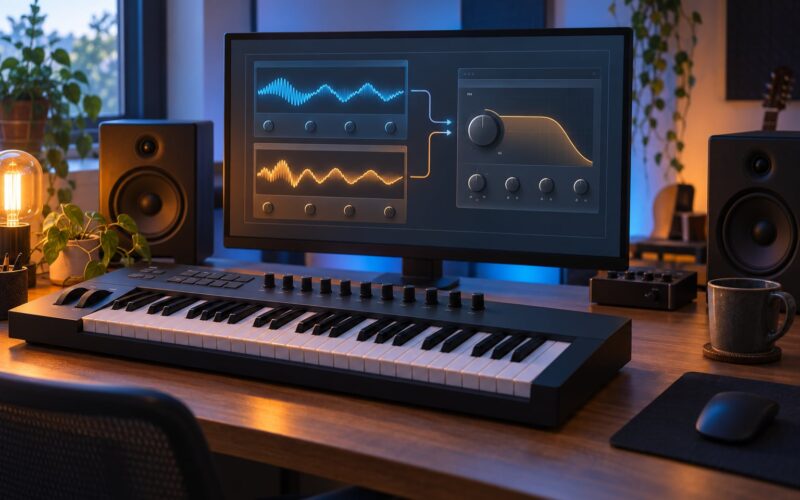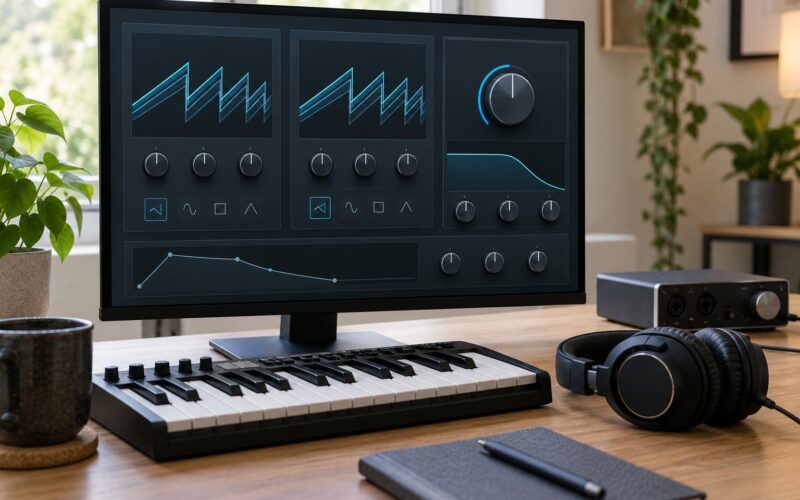
To use unison detune without a thin sound, keep most of your voices correlated in the centre, spread only a few of them, and add a quiet single-voice anchor underneath. Detuned clones lose correlated energy at the centre, which is exactly where a supersaw needs its weight. Build from a full mono voice, add unison in small steps, high-pass the wide layer, then check the result in mono before you call it done.
That takes about twenty minutes per patch and works in any DAW. Most of the thin, hollow supersaws I hear are not built with too little unison. They are built with too much spread, too much detune, or both, and then someone reaches for a widener on the bus to make it feel bigger. Fix it at the source instead.
Below is the workflow I use, with starting numbers you can dial in immediately. Values differ between instruments because detune knobs are not calibrated the same way everywhere, so treat them as starting points and adjust by ear.
Table of Contents
- What You Need
- Why unison detune sounds thin in the first place
- Step-by-Step: how to use unison detune without a thin sound
- Step 1: Start with a full-bodied synth voice
- Step 2: Set a moderate detune amount
- Step 3: Build width with the right stereo method
- Step 4: Fill out the low and midrange body
- Step 5: Control harshness and phase problems before the sound goes thin
- Step 6: Check it in the full mix
- Starting settings you can dial in right now
- Common mistakes that make unison sound thin
- Frequently Asked Questions
- How many unison voices should I use?
- What detune amount should I set?
- Should unison be mono or stereo?
- Why does my supersaw disappear in mono?
- Is detune the same as stereo width?
What You Need

You do not need anything exotic. Any subtractive or wavetable synth with a unison voice count will do, and most software instruments have had that control since their first version.
Ableton Live, FL Studio and Logic Pro all handle this the same way: build one oscillator, raise the unison voice count, add detune, then route the instrument to its own track so you can EQ it separately from the rest of the mix.
Listen on headphones and on small speakers if you have them. A wide patch that only works on headphones is going to fall apart in a club system or on a phone speaker, and the check takes ten seconds.
Two skills matter more than any gear list: gain staging, so the wide layer does not swamp the mix before you EQ it, and basic filtering, so you can clear space around the low end and around 1 to 4 kHz where leads tend to fight.
Why unison detune sounds thin in the first place
Unison clones one oscillator into several voices, pitches each copy slightly apart, and spreads them across the stereo field. A single voice is perfectly correlated with itself. Its waveform adds to itself cleanly, so the centre of the sound is dense and the level feels solid. Detuned copies are not correlated in the same way, because they sit at slightly different frequencies and start at slightly different phases.
When those copies sum, the parts of the waveform that line up reinforce each other and the parts that oppose each other partly cancel. The energy loss shows up mostly in the centre and in the lower mids, which is where a lead gets its perceived loudness and weight. The sound does not get quieter on the meter so much as it loses the impression of solidity.
Push the spread further and you add a second problem. Once most voices sit far from the middle, the centre of the image is empty, and a mono sum has almost nothing to recover. On club playback everything is summed to mono, so a patch that sounds enormous in headphones can turn into a quiet, hollow mess.
That is why the fix is not simply less detune. It is correlated energy where it counts, plus a body layer that stays in the centre.
Step-by-Step: how to use unison detune without a thin sound
Step 1: Start with a full-bodied synth voice
Before any unison, audition a single oscillator and check that it holds up on its own. A saw or square wave gives you the most raw harmonic content to spread. A wavetable position with strong lower harmonics works too, since thinness is mostly a low-mid problem.
Set the unison voice count to two or three if your instrument gives you manual control. If it does not, use a moderate preset with a small voice count. Listen for one clear pitch with a stable transient. If the single voice is already thin, more unison will not rescue it.
Add a filter with moderate resonance and leave the cutoff high enough to keep the fundamental. Resonance adds bite but steals level, and it becomes the first thing you blame when the finished patch sounds shrill.
Step 2: Set a moderate detune amount
Detune is measured in cents, and 100 cents is one semitone. Small values create movement; large values blur the perceived pitch of the note.
Use 5 to 15 cents for a subtle shimmer, and 15 to 30 cents for a clearly wide lead. In normalized synth units, that usually lands somewhere around 0.07 to 0.11 for a lead and closer to 0.13 for a pad. Below roughly 0.15 a single saw barely moves, and above about 0.35 the pitch centre starts to disappear.
The number is not portable. Some synths map detune linearly, some exponentially, and a few use the knob to control phase rather than pitch offset. Write down the value that sounds right on your instrument and use that.
Step 3: Build width with the right stereo method
Pan and unison spread are separate decisions from detune, and most thin patches come from changing all three at once. Unison spread, where your synth scatters voices across the field, is usually the control that hollows a sound fastest. Past roughly 80 to 90 percent spread, voices drift away from the centre and the image loses its anchor.
Leave spread in the middle of its range for a lead, then decide which voices move. Some instruments let you keep one voice dead centre and spread the rest, which is exactly what you want. If yours does not, layer it yourself.
For bass, chords and anything that has to read on a club system, keep the whole patch narrow and mono. Headphones will tell you a narrow patch sounds small. The kick drum and the crowd will tell you otherwise.
Step 4: Fill out the low and midrange body
This is the step that fixes thinness, and it is the one people skip. Duplicate the oscillator, set its detune to zero, pan it centre, and bring it down to roughly 6 dB below the wide layer. Now you have a quiet mono core sitting under a wide cloud.
Two things make that core work. Restrict it to the low-mid range with a high-pass filter around 200 to 300 Hz, and let it carry the fundamental so the patch has a centre when the wide layer moves.
On the wide layer, roll off the very top with a low-pass filter somewhere between 8 and 12 kHz. That removes fizz, which is the harshness people often blame on detune. Keep the low end of the wide layer out of the way so you are not doubling bass with your kick.
Subtle saturation helps more than level here. It adds harmonic content that fills the gaps between the detuned copies without changing the balance of the image.
Step 5: Control harshness and phase problems before the sound goes thin
If the sound turns shrill or hollow as you widen it, work through the causes in order. First, drag the unison spread back down. Second, narrow the panning. Third, lower the detune until the pitch centre is obvious again. Fourth, check the resonance on the filter and pull it back if it is pinching.
Phase cancellation is the hidden cause. Voices at opposite ends of the stereo field with similar content will fight each other when summed. Soloing each half tells you quickly whether one side is carrying the sound and the other is decoration.
A useful discipline here is the mute test: mute every extra voice and listen to what remains. If the single remaining voice already sounds thin, the problem is your oscillator or your filter, not the unison settings.
Step 6: Check it in the full mix
Play the patch at low volume on small speakers, then in mono. If the level drops noticeably or the centre disappears, you have too much uncorrelated content and not enough anchor.
Judge it against the kick and the bass. A lead that sounds huge alone often turns to mush once a sub is playing under it. High-pass the wide layer, carve a little space around 1 to 4 kHz if a vocal shares the range, and sidechain lightly if the patch needs to breathe with the kick.
Use reverb and delay as sends, not inserts. A filtered reverb return adds depth without touching the dry image, and a short ping-pong delay adds width in a way detune cannot.
Then automate. If a patch sits at full width for four minutes it becomes wallpaper. Small moves on the spread or filter cutoff over eight bars keep it alive without changing the mix.
Starting settings you can dial in right now
These are starting points by patch role, not rules. Voices set the density, detune sets the movement, spread sets how far from the centre, and blend usually controls how much the detuned voices contribute against the original.
| Patch role | Unison voices | Detune | Spread | Blend |
|---|---|---|---|---|
| Supersaw lead | 5 to 7 | 0.07 to 0.11 | Middle | 70 to 85 percent |
| Trance pad | 5 to 7 | 0.13 | Middle to wide | 60 to 80 percent |
| Pluck | 3 to 5 | 0.05 to 0.08 | Narrow | 60 to 75 percent |
| Unison bass | 2 to 3 | 0.04 to 0.08 | Zero, mono | 50 to 70 percent |
| Cinematic strings | 6 to 7 | 0.10 to 0.15 | Middle | 70 to 90 percent |
One oscillator playing slightly detuned in the same range is the classic mistake. It never reads as a supersaw because two copies simply do not carry the density. Add voices in steps of one or two and hear each change.
The same detune value behaves differently across instruments, so map your own numbers once and stop converting between plugins.
| Instrument | Where the control lives | Watch out for |
|---|---|---|
| Serum | Oscillator unison voices, detune and blend on the oscillator panel | Blend near 75 percent is a common lead starting point |
| Vital | Unison voices and detune under the oscillator, with a spread control | Spread behaves more aggressively at high values |
| Pigments | Unison section with voices, detune and stereo spread per oscillator | Two oscillators can each carry their own spread, which doubles the width |
| Diva | Unison with voices, detune and a drift control | Drift and detune add different kinds of movement; use one at a time |
| Sylenth1 | Unison voices, detune and pan spread on oscillator A | High voice counts can get noisy rather than wide |
| Massive | Voice controls with parallel or cyclic unison and a spread knob | Cyclic unison places voices at fixed intervals, which sounds more metallic |
Detune, width, chorus and a widener solve different problems. Detune changes pitch relationship, spread moves voices across the field, chorus modulates pitch and time over time, and a widener pushes the side channel louder without changing the source.
| Tool | What it changes | When to reach for it |
|---|---|---|
| Detune | Pitch offset between unison voices | Always, as the base of a supersaw |
| Unison spread | Stereo position of each voice | Pads and wide leads, kept near the middle |
| Chorus | Pitch and time modulation over time | Shimmer and motion on a layer that is already dense |
| Ping-pong delay | Repeats alternating left and right | Depth and width without touching the dry signal |
| Stereo widener | Side channel level | Last resort, on a mix bus, not on the instrument |
Forum consensus on synth and Serum communities points the same way: five to seven voices with narrow detune and a slightly longer release gives a full sound, where maxing unison and adding a widener gives chorus soup. When a patch feels small, add voices before you add cents.
Common mistakes that make unison sound thin
Almost every thin patch I troubleshoot falls into one of these five buckets. Find your symptom, apply one fix, listen, then move on.
| Symptom | Likely cause | First fix |
|---|---|---|
| Thin and quiet in headphones | Too few voices, detune pushed too far | Add one or two voices, pull detune back toward 0.07 to 0.11 |
| Hollow when summed to mono | Spread too high, no centre anchor | Lower spread, add a mono core about 6 dB down |
| Harsh or fizzing | Top end, not detune | Low-pass the wide layer at 8 to 12 kHz, cut filter resonance |
| Wobbly or seasick | Two or three voices spread very wide | More voices, less spread, less detune |
| Small on phone speakers | High-passed too high, no low-mid content | Bring the anchor layer down to 200 to 300 Hz range |
Two more causes hide behind the symptoms. Blending the original oscillator too low leaves the detuned copies uncorrelated with nothing solid beneath them. And wide patches that lose low-end punch in mono are usually missing a mono sub, which is a separate layer from the unison patch.
Before you move on, run this short check:
- Single voice sounds full on its own
- Voice count raised in steps of one or two
- Detune low enough that the pitch centre is obvious
- Spread below the point where voices leave the centre
- Mono anchor layer about 6 dB under the wide layer
- Wide layer high-passed at 200 to 300 Hz
- Mono check done, with no more than 3 to 4 dB of level loss
None of these numbers is universal. The values are here so you have somewhere to start and something to measure against, not so you can skip listening.
Frequently Asked Questions
How many unison voices should I use?
Five to seven voices is the practical range for a full supersaw. Two or three lightly detuned oscillators read as thin because there is not enough density. Add voices one or two at a time and listen, since pushing past seven often adds noise rather than width. For bass and sub content, stay at two or three and keep it mono.
What detune amount should I set?
Around 0.07 to 0.11 for a lead and closer to 0.13 for a pad, which is roughly 5 to 30 cents depending on the instrument. Below about 0.15 a single saw barely moves, and above 0.35 the note loses a clear pitch centre. Detune knobs differ per synth, so write down what sounds right rather than copying numbers.
Should unison be mono or stereo?
Both, layered on purpose. Keep the wide detuned layer spread for movement and add a quiet mono copy underneath, around 6 dB down, to carry the fundamental. Bass and anything fighting a vocal should stay mono. Pads and leads can be wide as long as a correlated centre is holding the low mids.
Why does my supersaw disappear in mono?
Because spread and detune push most of the energy into the side channel, so a mono sum cancels it out. If the level drops by more than 3 to 4 dB, you have too much uncorrelated content. Pull the spread back toward the middle, add the mono anchor layer, and re-check. Club playback is summed to mono, so this test matters.
Is detune the same as stereo width?
No. Detune changes the pitch relationship between copies of the same oscillator, while width controls where those copies sit in the stereo field. Detune creates movement, spread creates distance. Changing both at once is the usual reason a patch goes from full to hollow in one move.
Start with one full oscillator, take it to five or seven voices, and keep the detune around 0.07 to 0.11 for a lead. Drop a mono copy about 6 dB underneath, high-pass the wide layer, and play the result in mono before you add any widener. Once that sounds right on small speakers, the rest of the mix gets easier.