Learning how to make a trance kick from scratch comes down to four parts: a sine oscillator with a fast downward pitch envelope for the body and sub, a separate short click for the attack, a controlled saturation stage for punch, and a mix treatment that keeps the low end clear for the rolling bass. The first time through, budget about an hour. After that it is fifteen minutes, because the whole chain is only a handful of devices and every one of them has a job you can hear.
What follows is DAW-neutral, and I mean that literally. I have built the same kick in Ableton Live, FL Studio and Logic Pro, and the settings below survive the move; only the menu names change. Where a setting differs by host I have said so rather than pretending there is one universal knob.
Last updated: October 2026
Table of Contents
- What You Need
- Step-by-Step: How to Make a Trance Kick from Scratch
- Build the initial sine by setting the fundamental first
- Add the click and attack transient as a separate layer
- Shape the punch with distortion without losing the low end
- Control the sub and fundamental tail for trance
- Compress and EQ the kick for consistent punch
- Create a short variation from the same kick
- Test the kick in a full trance arrangement
- Common Mistakes
- Frequently Asked Questions
- Do I need a sample to make a trance kick?
- How long should a trance kick be?
- Should I tune a trance kick to the key of the track?
- How do I make a kick work with sidechain bass?
- Why does my trance kick disappear in the full mix?
- Can I make this kick sound in Ableton Live, FL Studio, or Logic Pro?
- Conclusion
What You Need
You need four things, and all four ship with the DAW you already own. No paid plug-in is required for any of the steps in this guide.
- A DAW. Ableton Live, FL Studio, Logic Pro, Cubase, Studio One, Bitwig and Reason all handle this. The synthesis is identical; oscillator names, filter routing and device chains differ.
- A synth or oscillator with a pitch envelope. Ableton Operator, FL Studio 3x Oscillator or Sytrus, Logic Alchemy or the ES1, Cubase Retroline or V-Series, Studio One Silencer, Bitwig Phase Plant. Any subtractive synth with one oscillator will do.
- A saturator or waveshaper. Ableton Saturator, FL Studio Tonic or Scratcher, Logic Space Designer or Clipper, or any drive on your mixer preamp. This is the stage that turns a plain sine into something with perceived loudness.
- EQ and a compressor. Both are built in everywhere. A limiter is optional and usually unnecessary until the mix is finished.
There are three practical routes to the same sound, and only one of them is fully from scratch. Synthesis gives you an endless, tunable kick that follows the key of the track. A dedicated kick-synth plug-in such as Kick 2 or BazzISM does the same job with faster iteration. A sample pack gets you there fastest and least uniquely. The chain below works for all three; swap the source layer and keep everything downstream identical.
Step-by-Step: How to Make a Trance Kick from Scratch
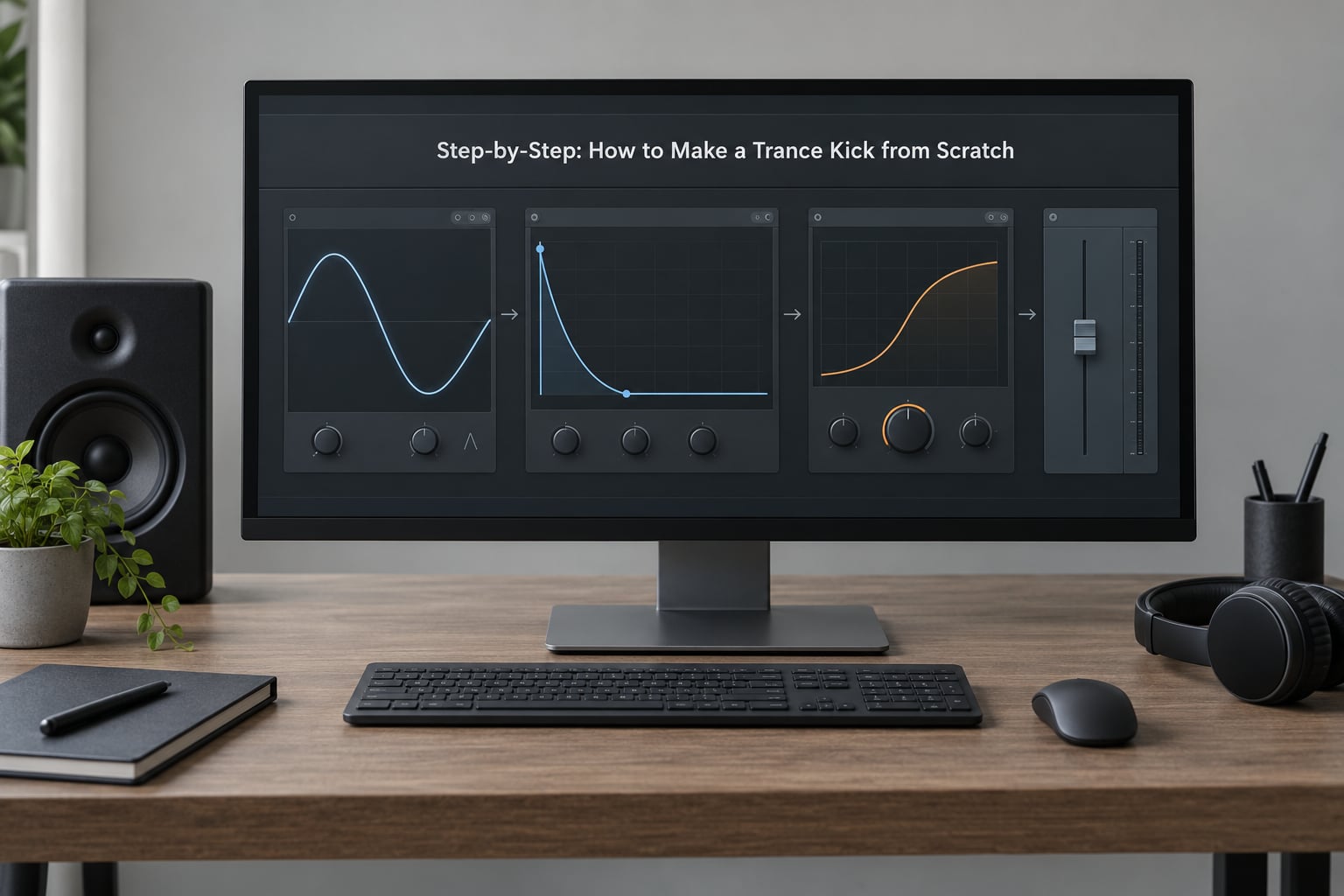
The workflow runs in seven stages: build the sine, add the click, shape it with distortion, control the sub tail, compress and EQ, make a variation, then test it in the arrangement. The first five are sound design and happen on the kick channel. The last two are mix decisions, and they are where most home-made trance kicks fall apart.
The target sound: a short pitched introduction, a controlled sub, a rounded punch, and a clean tail that leaves space for trance chords, leads and arpeggios. Not a sub-heavy techno kick with a long tail, and not a bright hypertrance stab either.
Build the initial sine by setting the fundamental first
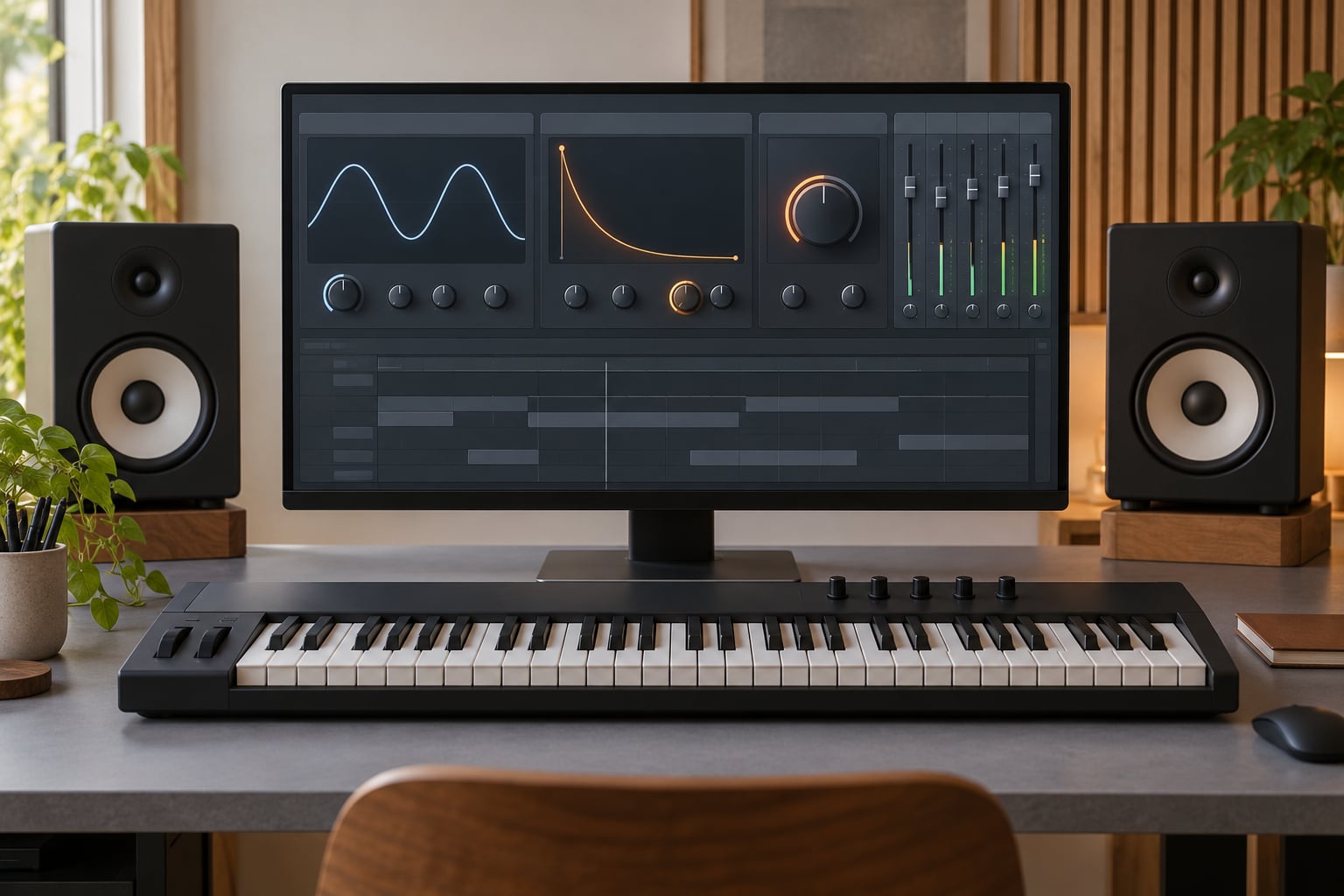
Start with a single sine oscillator and nothing else. Set the pitch envelope to sweep from around 150 Hz down to 45 Hz in roughly 40 ms, and give the amplitude envelope a fast attack with a decay of 150 to 250 ms. That is the whole body of the kick.
Tune the oscillator to the key of the track, or to C if you are building a test pattern. At 138 BPM, a kick tuned a semitone or two under the bassline often sits better than one tuned exactly to it, because the beat you hear and the note you hear are not the same moment.
Audition the fundamental on its own for a few seconds before you add anything. If it does not have weight on its own, no amount of click or distortion will rescue it. Set the level so the peak sits around -6 dBFS on the channel meter and nothing clips.
Here is the starting point I use, with the values that change between sub-genres:
| Parameter | Uplifting 138 | Progressive | Hard / psytrance |
|---|---|---|---|
| Pitch start | 150 Hz | 180 Hz | 220 Hz |
| Pitch end | 48 Hz | 45 Hz | 40 Hz |
| Pitch sweep time | 40 ms | 30 ms | 15 ms |
| Amplitude decay | 220 ms | 180 ms | 120 ms |
| Click decay | 12 ms | 8 ms | 4 ms |
Add the click and attack transient as a separate layer
The click is what makes the kick cut through a dense mix, and it must be a separate layer with its own envelope. Blend in a short noise burst, a chopped hi-hat, or a filtered second oscillator with a very short decay.
High-pass the click layer at around 800 Hz to 1 kHz so it carries no low content of its own. This is the rule that keeps a layered kick from turning to mud: only one layer may own a given frequency band. Below 1 kHz belongs to the sub and body, above 1 kHz belongs to the click.
Balance by ear, not by number. The click should be obvious on small laptop speakers and inaudible as a separate element on a club system. If you can hear the click as a tick, it is too loud, regardless of how quiet the sub is.
Kick and rolling bass have to coexist at 138 BPM, so keep the click short. Between 4 and 12 ms is the range most trance records live in. Anything longer starts to read as a snare or a flam against the arpeggio.
Shape the punch with distortion without losing the low end
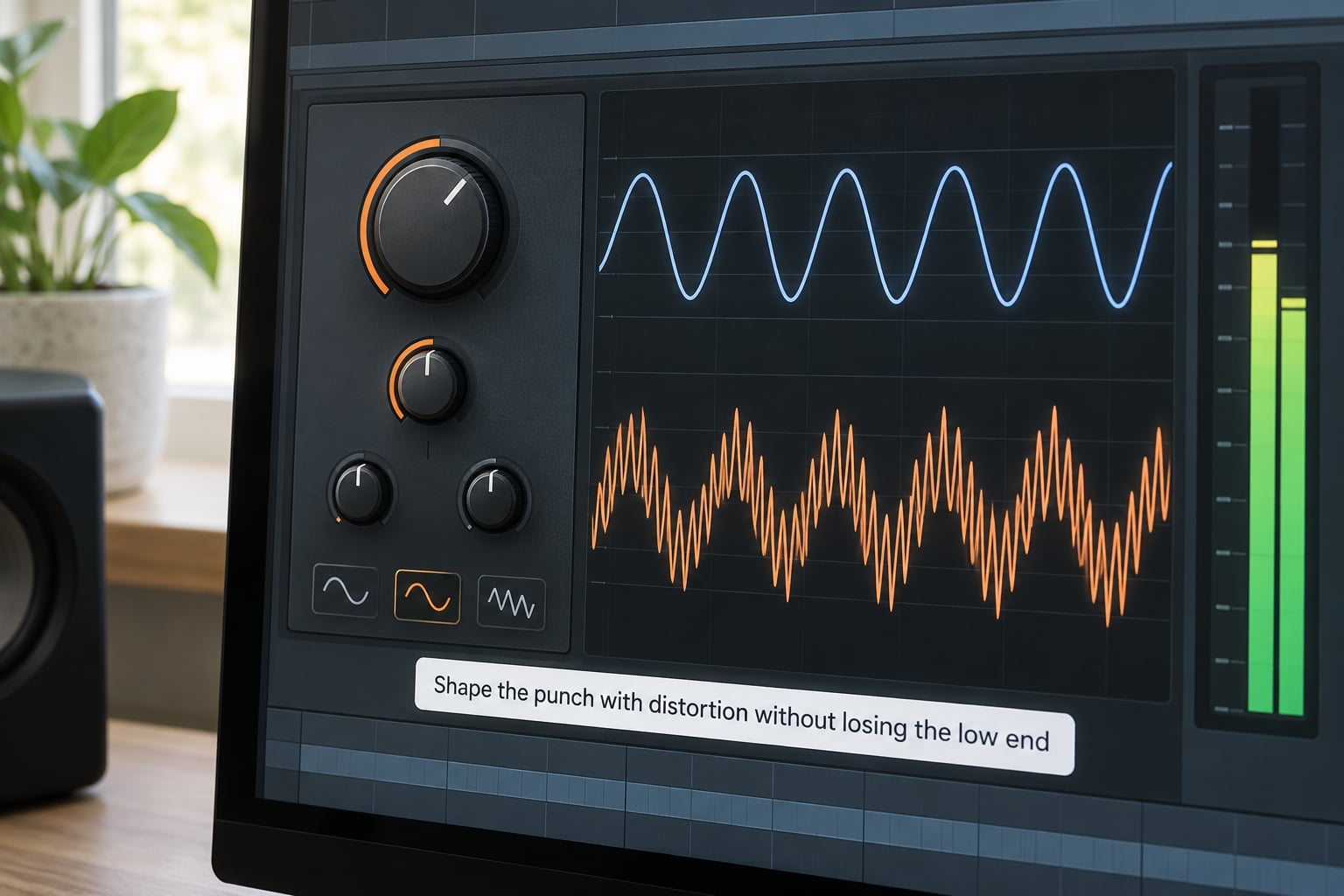
Add waveshaping, saturation or soft clipping after the layers are summed, and use it to generate harmonics rather than raw volume. Drive adds upper harmonics that survive on small systems where the sub cannot be heard at all.
Serial routing, drive before the compressor, is the classic approach. Parallel routing, a second send through a saturator and a blend control, is gentler and preserves the sub more reliably. Start with a small amount in either case; a 3 dB reduction of level after the drive stage is normal and expected.
Compare versions by ear and by meter. Bypass the drive and the kick should lose edge and apparent loudness, not weight. If the fundamental thins out, the drive is too hot or the clip curve is too asymmetric, so pull the drive back until the sub returns.
Control the sub and fundamental tail for trance
Keep the low-frequency tail short. A long club-style sub tail and the tighter kick used in uplifting and progressive trance are different instruments: the long one belongs to techno and hardstyle, the tight one leaves room for a rolling bassline that plays constantly underneath it.
Three tools keep the tail in check. A short amplitude envelope on the sub itself. A high-pass filter on the click and any harmonic layer at 800 Hz to 1 kHz. And a dedicated sub channel with a low-pass filter around 120 Hz, which lets you duck the sub independently of the punch when the arrangement gets busy.
Each band should have a single owner:
| Layer | Frequency range | Role | Key setting |
|---|---|---|---|
| Sub | 30 to 60 Hz | Weight on small speakers and phones | Short decay, level-matched by ear |
| Body | 60 to 300 Hz | The tone you recognise as the kick | Pitch envelope end point |
| Punch | 300 to 800 Hz | Rounded attack on a club system | Saturation or light boost |
| Click | 1 to 5 kHz | Definition in a dense mix | High-pass at 1 kHz, 4 to 12 ms |
Compress and EQ the kick for consistent punch
Compression evens out the hit so the pitch drop and the click do not swing in level between quiet and loud passages. Start with a threshold just below the peak of the kick, a ratio around 3:1 to 4:1, a fast attack of 5 to 10 ms so the transient passes through, and a release of 80 to 120 ms. Add makeup gain to bring the perceived level back where it was.
For EQ, a restrained approach works better than a big low-shelf boost. High-pass any unwanted rumble at 25 to 30 Hz, make a small dynamic or static boost around the fundamental between 50 and 70 Hz, and cut a narrow notch around 400 to 600 Hz only if the kick is boxy. Those are starting points to adapt, not a fixed recipe; the right curve depends on the bassline you are playing against.
Watch the gain staging between stages. Three gain-heavy devices in series, a waveshaper, a compressor and a limiter, will clip even when every meter looks legal at the time. Keep the kick peaking under -6 dBFS on its channel and leave the ceiling to the bus.
Create a short variation from the same kick
Duplicate the finished channel and change one or two variables, not all of them. A shorter decay, a brighter click, a lower sub level, or more aggressive distortion each produce a usable alternative for a different section of the track.
Bounce the kick to audio before duplicating if your synth uses a modulation matrix or a self-oscillating filter, because duplicated voices can drift apart. Then compare the variation against the original in context rather than in isolation, at the level the track actually runs at.
Most trance records use two kicks at most: a main one and a slightly harder one for the drop. Building a third from scratch is usually wasted effort.
Test the kick in a full trance arrangement
Solo the kick and match its level against the bass, chords, arpeggios, pads and leads in turn, not just as a group. If the kick disappears the moment a pad comes in, the pad is masking the low mids and the fix belongs in the pad, not in the kick.
Four things to check. Mono compatibility, because anything below 150 Hz that is not mono will collapse on a club main. Phase relationships, since two kick layers overlapping in the same band will comb-filter and lose punch, which is the single most common complaint in production forums about layered kicks. Headroom on the pitch drop, so the sweep never clips into the transient. And translation: check the kick on headphones, on nearfields, and on a phone speaker, because those three disagree about the low end completely.
A practical first mix: level the kick by ear against the bassline, high-pass the bassline at around 30 to 40 Hz where it overlaps, set up sidechain compression on the pads and arpeggios keyed from the kick, then walk away for ten minutes and judge the result with fresh ears. The mixdown context, not the kick itself, is why a reference track sounds enormous.
Common Mistakes
Almost every disappointing home-made trance kick is one of seven problems. Each has a specific fix.
- Muddy low end. Two layers are sharing a frequency band. High-pass everything except the sub, and check that the click layer has no low content of its own.
- Harsh or fatiguing. The click is too loud or the saturation is too asymmetric. Cut the click by a few decibels before you touch anything else.
- Too quiet in the mix. It was balanced solo. Level it against the bassline and the arpeggio at the arrangement’s actual level, not in isolation.
- Excessively long. The sub tail runs into the next beat. Shorten the amplitude decay to around 150 to 220 ms for uplifting and progressive trance.
- Distortion killed the sub. The drive is too hot. Pull it back, or move to a parallel saturator on a send so the fundamental passes through twice and stays clean.
- Over-compressed. The attack is too slow and the ratio too high, so the kick sounds squashed and lifeless. Speed up the attack and reduce the ratio.
- Clipping from stacked gain. Too many gain-staging stages in series. Bypass them one at a time and watch the peak reading on the channel meter.
Two closing pieces of advice. Reference-check against a record you respect at the same level, not louder, and trust what you measure as much as what you hear. And resist the urge to add layers. A well-built sine, a controlled click and moderate saturation is a complete kick, and every layer you stack on top takes mix space away from something else in the arrangement.
Frequently Asked Questions
Do I need a sample to make a trance kick?
No. A sine oscillator with a fast pitch envelope plus a short click layer makes a complete trance kick, and that route gives you one you can retune to any key and every sub-genre. Samples are faster and can be more characterful, but a synthesised kick never needs matching to a bassline later because you already built it in key.
How long should a trance kick be?
Around 200 to 300 ms for uplifting and progressive trance, with the amplitude decay set slightly shorter than that. Hard trance and psytrance usually run shorter, closer to 100 to 150 ms, with a faster pitch sweep. The longer sub tails you hear in techno and hardstyle belong to a different genre and will fight a rolling trance bassline.
Should I tune a trance kick to the key of the track?
Yes, close to it. Tuning the fundamental to the track’s key stops the low end from clashing with the bassline, and key-labelled samples exist for the same reason. Many producers land one or two semitones below the bassline root instead, because the kick transient and the bass note rarely need to be the same pitch at the same moment.
How do I make a kick work with sidechain bass?
Keep the kick and the bassline competing for as little low-mid space as possible, then let the kick trigger the pumping. Route the kick on its own channel, high-pass the bassline above 30 to 40 Hz where it overlaps the sub, and set sidechain compression on the pads, plucks and arpeggios keyed from the kick with a fast attack and a release near the tempo division.
Why does my trance kick disappear in the full mix?
Almost always masking rather than a level problem. Pads, bass and arpeggios occupy the same 100 to 400 Hz region the kick needs, so the kick gets buried the moment they enter. Duck the pads with sidechain compression, carve a narrow slot in the bassline, and check the kick level against each element individually rather than as a group.
Can I make this kick sound in Ableton Live, FL Studio, or Logic Pro?
Yes, the settings transfer unchanged. The one oscillator, the pitch envelope from 150 Hz to about 45 Hz, a 40 ms sweep, a 200 ms decay and a high-passed click are host-independent. Only the device names differ: Operator in Live, 3x Oscillator or Sytrus in FL Studio, Alchemy or the ES1 in Logic Pro.
Conclusion
Start with the sine. Set the pitch envelope from around 150 Hz down to roughly 45 Hz over 40 ms, give it a 200 ms decay, and listen to it alone until the weight is right. Then add a click high-passed at 1 kHz with a 4 to 12 ms decay, apply moderate saturation, keep the sub tail short, and judge the result against the rolling bassline rather than on its own.