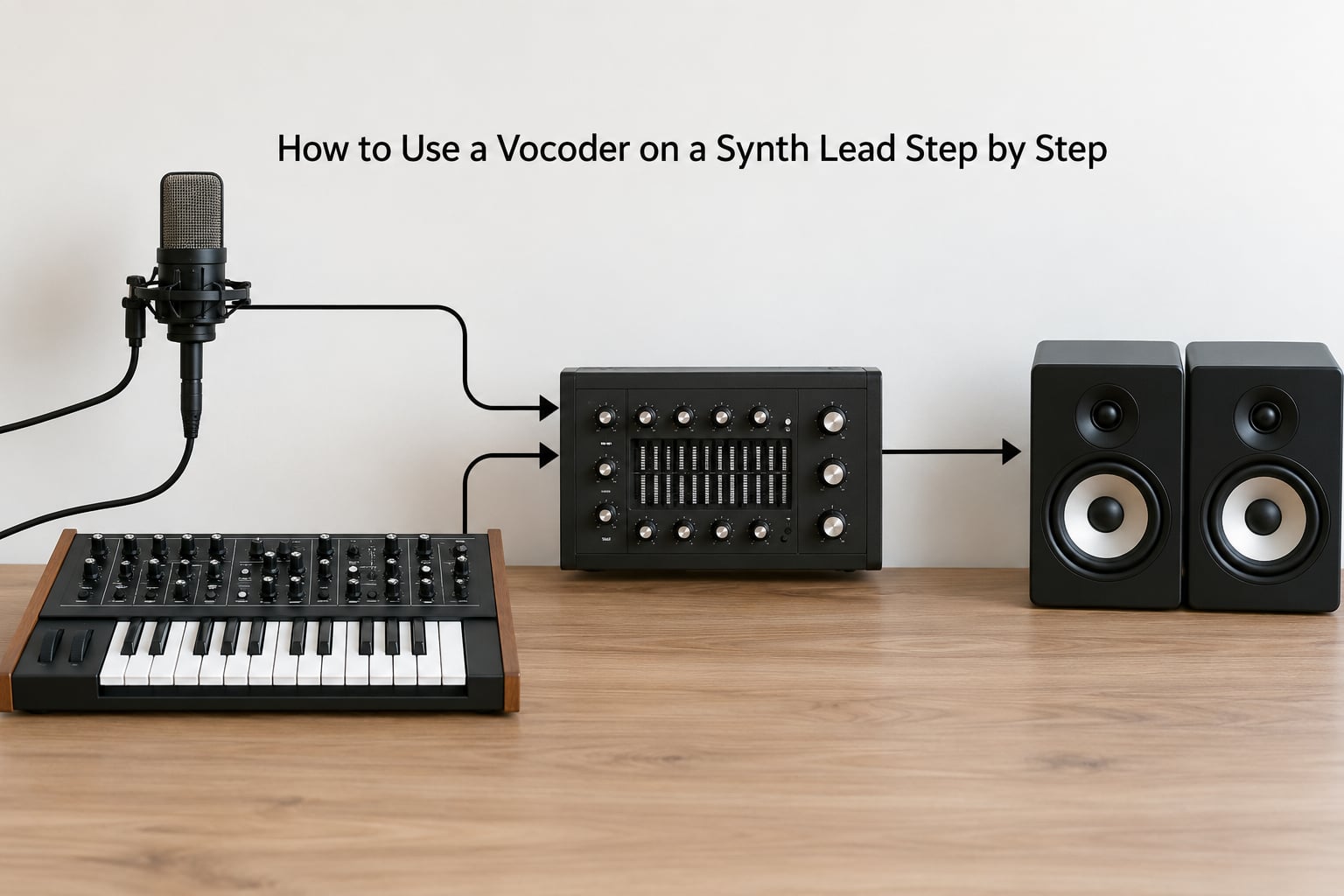
How to use a vocoder on a synth lead: send a vocal into the vocoder’s modulator input, run your synth into the carrier input, and the effect prints the vocal’s formants onto the synth’s pitch. The whole thing takes about ten minutes to set up and no hardware at all if you use a plugin. You can hear the classic talking-synth or robot lead in the first half of this guide, and the fixes for the dull, silent and gated results people usually hit at the end.
The idea is simpler than it sounds. A vocoder splits one sound, the modulator, into a stack of narrow frequency bands and uses the energy in each band to open a matching filter on a second sound, the carrier. The carrier keeps its own pitch and the modulator dictates its shape, which is why a plain saw lead starts sounding like someone is speaking over it.
Forum threads on this topic repeat the same complaint: people load a factory-default vocoder, leave everything wide open and end up with something thin and unintelligible. The defaults are rarely a useful starting point for a lead, so the settings below are labelled as starting points, not rules.
Table of Contents
- What You Need
- Which Route Should You Take?
- How to Use a Vocoder on a Synth Lead Step by Step
- Choose the Vocoder Signal Path
- Prepare a Vocal That Can Control the Synth
- Set the Synth Lead and the Vocoder Blend
- Shape the Timbre and Add Movement
- Arrange, Automate, and Print the Part
- Starting Settings Cheat Sheet
- Common Mistakes
- Frequently Asked Questions
- Can a normal synth work as a vocoder?
- Which vocal sounds work best as a modulator?
- Should I keep the original synth audible under the vocoder?
- Can I do this in a DAW with no hardware synth?
- How do I make a vocoded lead sound more expressive?
- Where to Start If You Are Stuck
What You Need
Four things, and only one of them is a purchase you might need to make.
- A DAW with audio or MIDI routing. Any of the big four handle this. Menu names and routing locations shift between versions, so treat what follows as the shape of the signal path rather than exact click paths.
- A synth that can accept an external audio signal. A software instrument inside the DAW works. So does a hardware synth with an audio input.
- A vocal, recorded or live. One clean line is plenty.
- Monitoring. Headphones if you sing and play at the same time.
- Optional: a vocoder plugin, a filter, a chorus or an amp sim for colour afterwards.
Every DAW ships with a vocoder these days, on its own or bundled with a synth you already own. If yours does not, plenty of free options exist, but check it has an external carrier input, because that single socket is what separates a proper vocoder from a preset-only effect.
Which Route Should You Take?
Three routes cover almost every setup, and you pick based on what you already own rather than on sound quality.
A hardware synth with an audio input gives you the most direct hands-on control. You run the vocal into the synth’s audio in, pick a patch with enough filter and resonance to move, and the synth itself does the analysis. Nothing is printed inside the DAW until you record it back in, which is the main downside.
A software synth in the DAW is the cleanest option for writing and printing. The vocal track and the synth track both live in the session, so automating the effect later takes seconds.
A dedicated vocoder plugin works on any audio source and can also host its own internal carrier synth, so it works even if you have no synth at all. Many stock plugins also expose a side-chain input for the modulator, which is where the vocal goes.
How to Use a Vocoder on a Synth Lead Step by Step
Choose the Vocoder Signal Path
Decide where the vocoder sits before you touch a single parameter, because the routing decides which track you automate later. Getting this stage right is most of how to use a vocoder on a synth lead, and it is the stage people rush.
To feed a vocal into a hardware synth, patch the audio interface output carrying the vocal into the synth’s audio input, and select that input as the modulation source in the patch. The synth becomes the carrier and the effect happens inside the hardware, so you record the synth output back onto a new track to keep it.
To do it entirely in software, put the synth on its own track with the lead patch, put the vocal on a second track, and set the vocoder’s carrier to the synth track. Depending on your DAW that means an insert on the synth track with a modulator source set to the vocal track, or three separate tracks feeding a vocoder on a return. The result is identical and the printed stems are easier to control.
To use a dedicated vocoder plugin, load it on the synth track, choose external carrier if it offers one, and point the modulator at the vocal track. Menu locations differ by DAW, by hardware model and by plugin version, so look for the carrier, modulator, audio from or side-chain labels rather than hunting for an exact menu path.
One rule catches most beginners: the carrier and the modulator have to overlap in the frequency spectrum. If they sit apart, the result is silence or a thin click, and that one fact explains most of the broken results people describe online.
Prepare a Vocal That Can Control the Synth
A vocoder reacts to spectral energy, and a dense vocal gives it nothing consistent to follow. A sustained, clearly sung vowel gives it plenty.
Trim the take so the first sound lines up with the first synth note. Every word boundary should land near a note boundary, otherwise the lead chops mid-syllable and sounds broken rather than intentional.
Then clean it. A gentle high-pass around 100 Hz and a compressor with a slow attack will steady the level so the bands do not pump. De-essing helps more than most people expect, because sibilance spikes push the high bands open and produce a hiss on top of the lead.
Try it without any distortion or heavy reverb. Both add noise energy across the whole spectrum, and the vocoder reads that noise as part of the formants, so the lead gets thinner and less defined the busier the vocal gets.
Set the Synth Lead and the Vocoder Blend
Get the levels right before you get creative. Most of the time people spend, fiddling with formant and range, is actually a level problem.
Start with the synth and the vocal matched in loudness, then pull the vocoder mix back to roughly half so you hear both. A dry synth under a wet vocoder layer gives you the melodic clarity of the synth plus the vocal character, which is why the layered approach usually beats a full wet setting on a lead.
Check what your plugin actually produces at full wet. If it sounds thin at half, the bands are too few or the range too narrow, not the mix too low.
Shape the Timbre and Add Movement
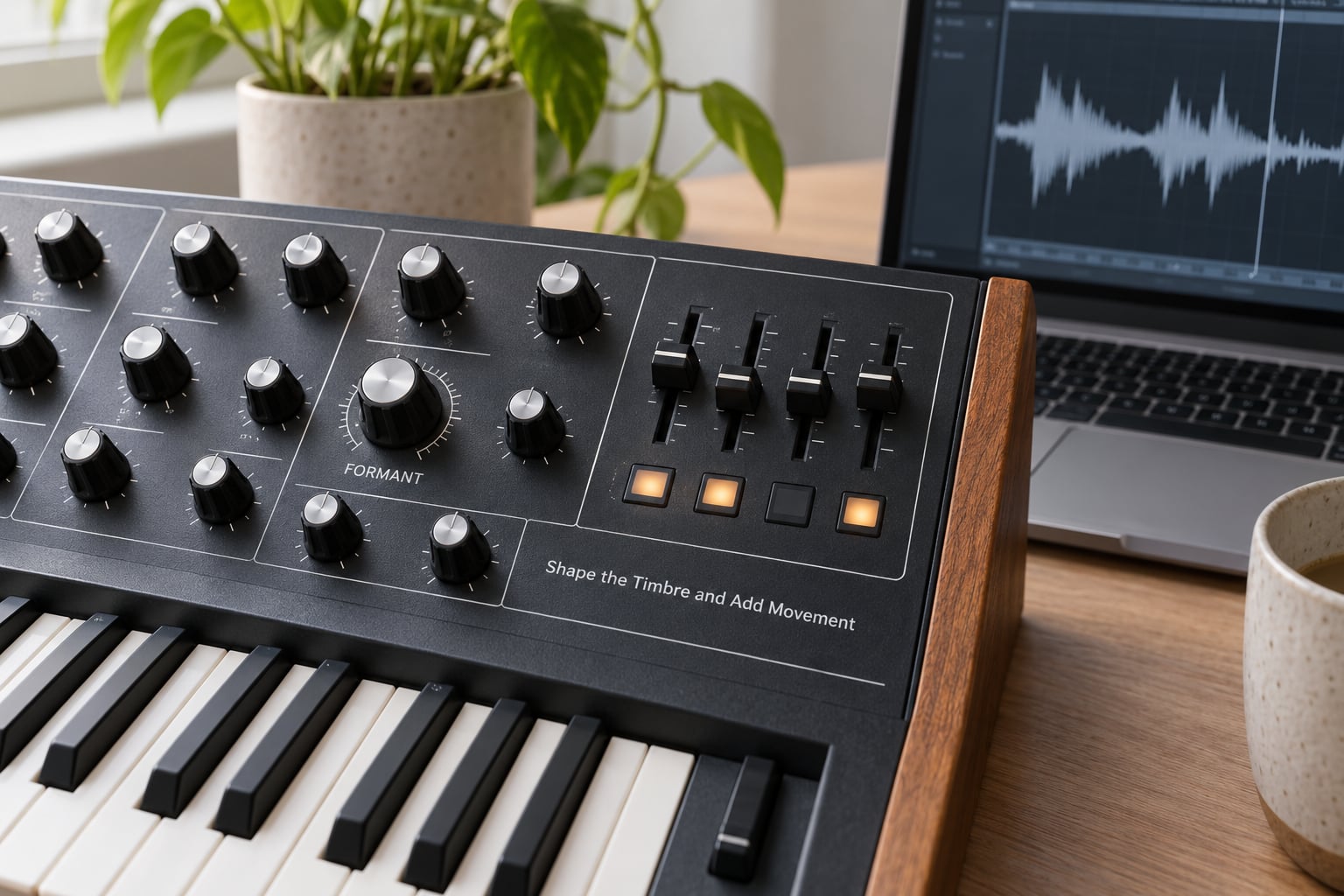
This is where the lead starts talking. A couple of parameters do most of the work, and the rest is taste.
- Bands. More bands means finer detail and a more natural result. Fewer bands means a chunkier, more robotic one. Start around sixteen to twenty-four for a lead.
- Range. How much of the modulator’s spectrum reaches the carrier. Low values produce a muffled voice, high values open it up to a bright, thin tone. Around 70 percent is a sane start.
- Formant. Shifts the vocal shape up or down without touching pitch. Shift up for a small, cartoonish character, down for something heavier and darker.
- Cutoff and resonance on the synth. The carrier needs filter movement to follow. An open, static sound gives the vocoder nothing to animate.
- Vibrato or a slow LFO on the modulator pitch. A small amount makes the result sound performed rather than printed.
Genre starting points differ more than most tutorials admit. For uplifting trance, keep the formant shift modest, leave the synth bright and let the vocoder sit underneath the melody. For progressive house, push formant a little higher and pull range down so the vocal colour sits behind the lead rather than in front of it. For harder electronic styles, fewer bands and a lower formant give you the aggressive robotic edge, and you can bring the resonance up on the synth to add bite.
Watch the low end. A vocoder does not filter out bass, so the synth’s sub content comes through untouched and often fights the kick. High-pass the processed layer a little higher than you would the dry one.
Arrange, Automate, and Print the Part
The lead works best as an event, not as wallpaper. Bring the vocoded layer in for the build, drop the dry level in the drop, or use one bar of vocoder at the end of a phrase as a transition.
Automate the vocoder mix and the formant on separate lanes. Moving formant by a small amount across eight or sixteen bars keeps a long lead section from going flat, and automating range downward during loud sections stops the vocal from competing with the drop.
Watch for phase problems if you blend the dry and processed layers from the same track at different times. Print both layers separately when you can. If they must share a bus, nudge one by a few milliseconds and listen, because a comb filter on a sustained lead is very obvious once you know what it is.
Export the dry lead, the vocoded lead and the modulator on their own tracks. You will want them later for a remix or a different mix, and rebuilding the session takes far longer than reusing the stems.
Starting Settings Cheat Sheet
These are starting points for a lead, not fixed values. Change one at a time and listen.
| Parameter | What it does | Starting value for a lead |
|---|---|---|
| Bands | How many frequency bands are measured and applied | 16 to 24 |
| Range | How much of the modulator spectrum reaches the carrier | Around 70 percent |
| Bandwidth | Width of each band; wider is smoother, narrower is sharper | Mid setting, raise if the result is thin |
| Formant | Shifts the vocal shape without changing pitch | Centre, then nudge up or down |
| Depth | Amount of modulation applied to the carrier | 60 to 80 percent |
| Gate | How strongly quiet parts of the modulator close the bands | Low or off for a lead |
| Attack | How fast the bands open on each syllable | 5 to 20 ms |
| Release | How long the bands stay open after a syllable ends | 100 to 250 ms |
| Dry and wet | Balance between the unprocessed synth and the effect | Equal, then automate |
Carrier choice matters almost as much as these numbers. A bright saw or pulse with an open filter reacts best to modulation, because the vocoder has harmonic content to move. A single detuned mono lead keeps the effect tight and readable in dense mixes. A wide supersaw underneath adds width but smears the formants, which can sound great on a drop and muddled on a busy verse.
Common Mistakes
Almost every bad result falls into one of these categories.
The vocal is still intelligible and you did not want that. Reduce the mix until the words stop being words, add a little formant shift, and turn the range down. If the syllable is still readable at full wet, lower the number of bands and raise formant further.
The synth lead has disappeared. The vocoder layer took over. Bring the dry synth up, or raise the vocoder send rather than the output level.
It sounds dull and muffled. That is usually range set too low, or a formant shift pointing the wrong way. Push range up and move formant back toward centre.
Nothing happens at all. The modulator is not reaching the effect, or the carrier and modulator do not overlap in frequency. Solo the modulator and the carrier separately to confirm both are producing signal before touching parameters.
It gates on and off. The attack and release are too short for the vocal, so each word closes the bands. Lengthen release, soften attack, or take a more sustained take.
The bottom end is muddy. High-pass the processed layer, and check that you are not printing the synth’s sub and a separate bass at the same time.
It sounds harsh and thin. Too many bands at full wet with a bright carrier. Back off the mix, drop band count, or dull the carrier slightly.
One static layer over eight bars. Bypass the effect every few bars and listen to the balance underneath. If the difference is small, you have not pushed the vocal character far enough, and small differences do not read in a full mix.
A quick diagnostic order that fixes most sessions: routing, carrier output, modulator input, frequency overlap, then parameters. Work down that list and stop at the first thing that is wrong.
Frequently Asked Questions
Can a normal synth work as a vocoder?
Yes, if it has an audio input. Most hardware synths and nearly every software synth can use an external signal as a modulator instead of, or alongside, the internal voice. That makes a plain mono or poly synth a perfectly good vocoder. Give it a bright lead patch with plenty of filter movement and the effect is immediate.
Which vocal sounds work best as a modulator?
Sustained, clearly sung vowels on a single clean line. Phrases like ah, oo or ey give the bands steady energy to follow, while fast lyrics or dense syllables make the output choppy. Record dry, close and with a compressor on it. Heavy reverb, distortion and doubling all add spectrum-wide noise energy that the vocoder mistakes for formants.
Should I keep the original synth audible under the vocoder?
Usually yes. On a lead, the dry synth keeps the melody clear and the vocoded layer adds the vocal character on top. A full wet setting sounds impressive in solo and disappears in a busy mix. Start around half, then move the balance with automation so the vocal comes forward in builds and sits back in drops.
Can I do this in a DAW with no hardware synth?
Completely. Put any software synth on one track, the vocal on another, and load a vocoder on the synth track with the modulator source set to the vocal track. If your DAW has no built-in vocoder, several free plugins include an external carrier input. Print the audio and the setup is done, with no routing outside the session.
How do I make a vocoded lead sound more expressive?
Automate the formant and the vocoder mix on separate lanes across the section, and add a small amount of vibrato to the modulator pitch so the formants drift rather than sit still. Vary the synth filter movement underneath as well. Long static lead parts are the main reason the effect sounds flat, not the settings themselves.
Where to Start If You Are Stuck
Start with the routing and nothing else. Put a single sustained vowel through the modulator, feed a bright saw into the carrier, set the blend to half and leave every other control where it is. If that sounds like someone talking over your lead, the setup works and the rest is arrangement. If it is silent or razor thin, check the frequency overlap before you touch another knob, because no amount of band tuning rescues a signal path that never arrives.