How to make a sub bass that translates on small speakers? Put its energy above roughly 80 Hz as well as below it, and keep the level hitting a phone driver short of distortion. That is the whole trick: hold on to the weight for big systems, then build a layer of upper harmonics and controlled dynamics that a 3-inch cone or an earbud can actually reproduce. Nothing here needs paid plugins, and every step works inside the DAW you already own.
Most producers lose this fight in the last hour of a mix, when the sub is enormous on their monitors and completely gone on the phone it will actually be heard on. Building translation into the arrangement instead of patching it in at the end costs about an hour and sounds better on both ends.
The short version, before the detail:
- Generate harmonics. Saturation, distortion or a dedicated bass enhancer creates 2nd, 3rd and 4th partials that a small speaker can reproduce and your brain will still read as the low note.
- Split the bass into two layers. One channel holds the sub and low-mid weight, the other is high-passed and crushed to carry the mid and upper content. This is the most-repeated fix on mixing forums and it works in every genre.
- Reduce the dynamics. A small speaker bottoms out and distorts long before a monitor does, so limiting peaks gives the phone more usable level than turning the fader up ever will.
Table of Contents
- What You Need
- Step-by-Step: How to Make a Sub Bass That Translates on Small Speakers
- Step 1: Set a Small-Speaker Reference First
- Step 2: Clean the Sub Bass Before Processing
- Step 3: Choose a Frequency Range That Survives Small Speakers
- Step 4: Shape Dynamics and Add Harmonic Weight
- Step 5: Automate the Bass for Arrangement
- Step 6: Check the Result Across Monitoring Contexts
- Common Mistakes and How to Undo Them
- Frequently Asked Questions
- What Hz is best for sub bass?
- How do I make sub bass hit harder?
- Should sub bass and kick drum be on the same note?
- Is it better to mix at low volume or loud?
- How much saturation is too much on bass?
- Start With the First Note
What You Need
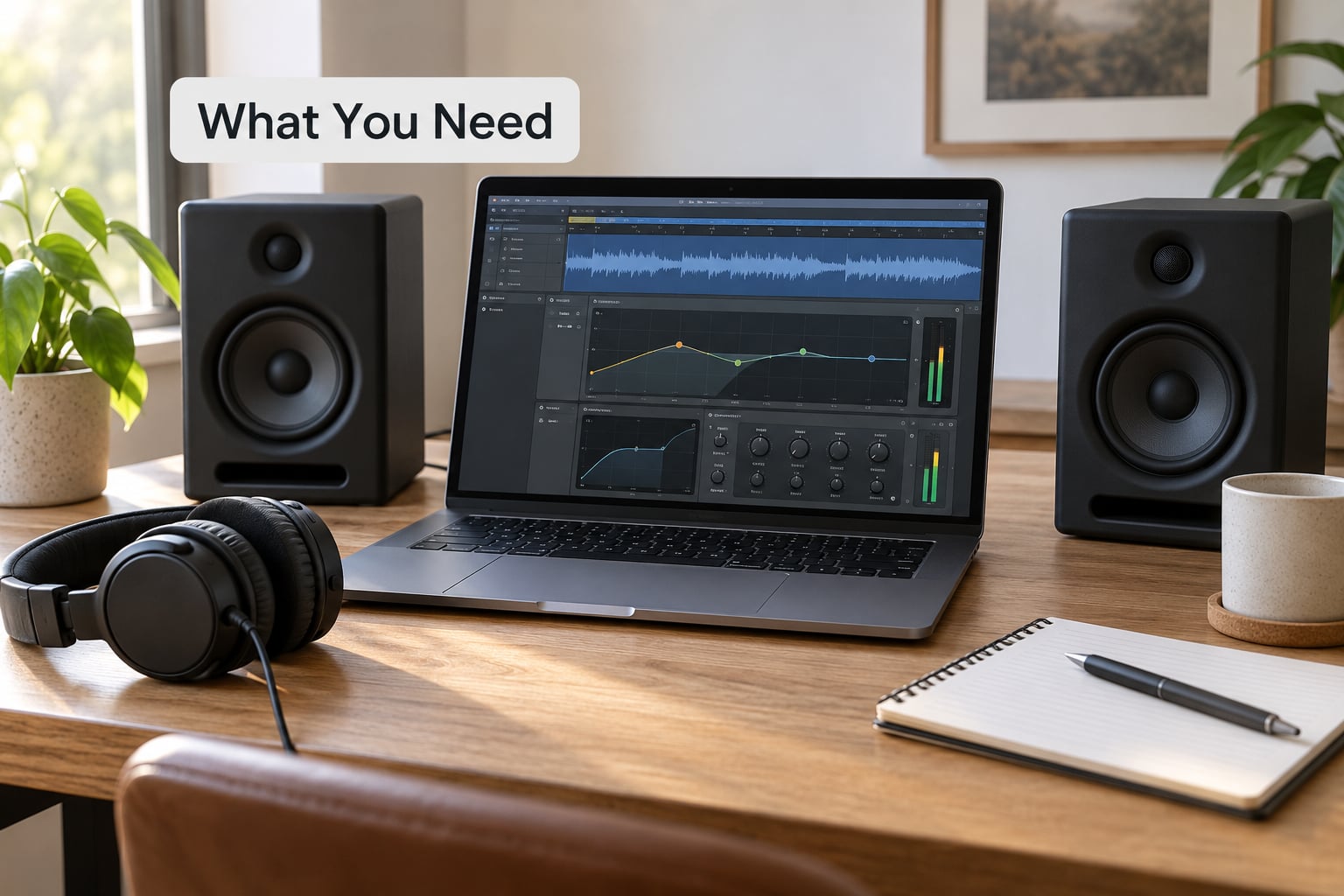
You need a DAW project with the bass stem or a sub synth patch, a second reference, and about an hour. Everything else is free.
- The bass itself, with room to duplicate it. Never process your only bass track. Duplicate it first, keep the original unprocessed and unmuted until you are certain the new version is better. On r/edmproduction this is the single most repeated piece of advice in small-speaker threads: one channel for the low and low-mid, one for everything above it.
- A small-speaker reference. A cheap pair of 4 or 5 inch monitors is the classic choice, and the Avantone MixCube and the Auratone 5C are the two models that get named most often in that role. If you have no budget at all, a phone on your desk and a laptop speaker cover the same ground.
- Headphones as a secondary reference, not a competing one. Headphones reveal sibilance and upper-mid problems that small speakers hide, but they exaggerate bass level because there is no room coupling. Treat them as a second opinion, not an argument winner.
- Meters you can actually read. A loudness meter in your DAW or a free one on your phone, plus a spectrum analyser view. You are looking for where the energy sits, not just how loud it is.
- A gain-staging habit. Set the monitoring level once and leave it there. The cure for an uneven translation check is not a better plugin, it is comparing at matched loudness every time.
One honest note on menus. Ableton Live, FL Studio, Logic Pro, Cubase, Studio One, Bitwig and Reason all have the tools below, but they are not filed in the same place. Filter names, sends and sidechain routing differ. I will describe the function first and name the control where the naming is genuinely useful, so you can find the equivalent in whatever you use.
Step-by-Step: How to Make a Sub Bass That Translates on Small Speakers
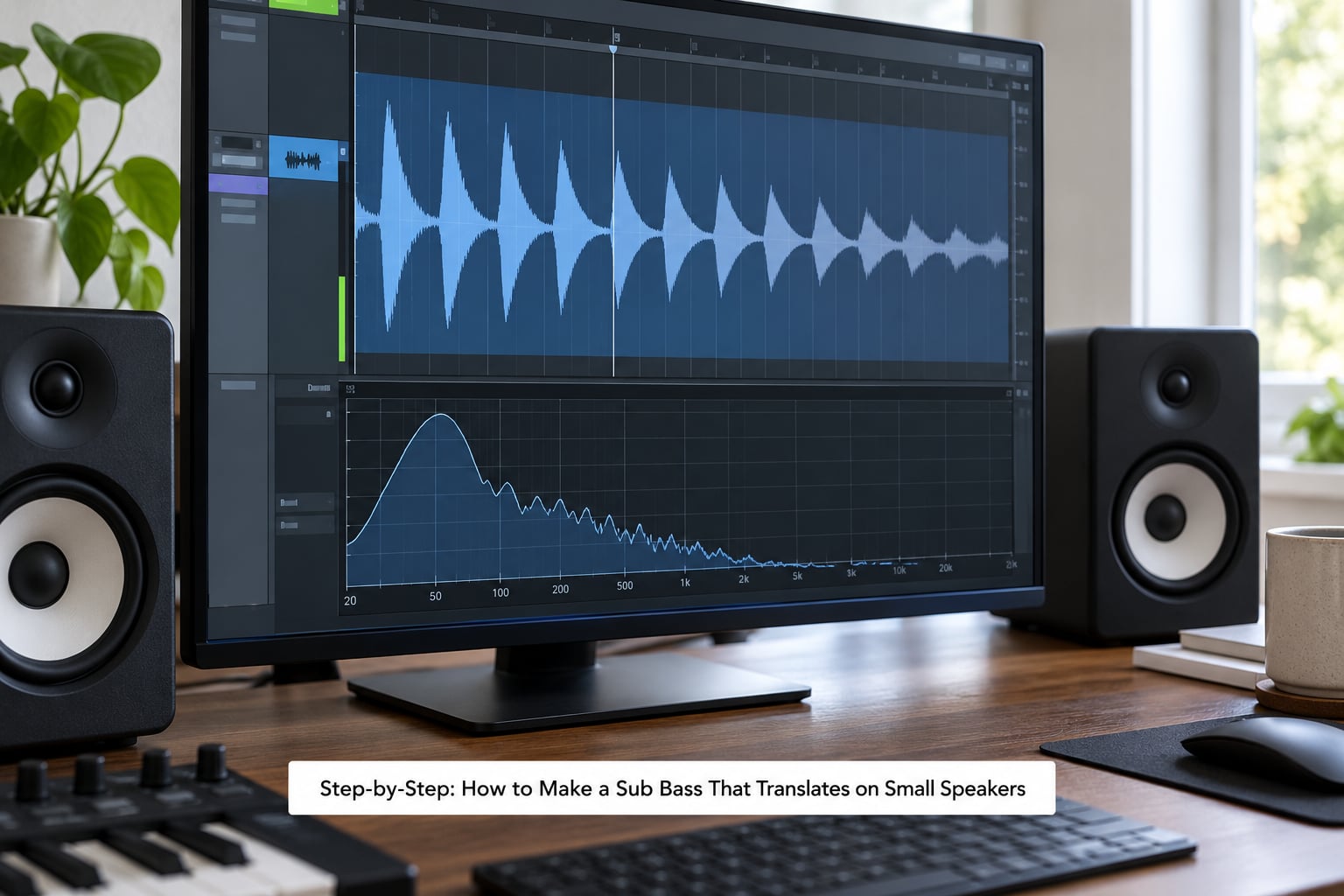
Step 1: Set a Small-Speaker Reference First
Before any processing, get a second playback system to a level where your monitors sit, and switch between them on every change. Set the volume once. If you adjust loudness every time you switch, you will fool yourself constantly, because louder always sounds more present.
Play the track at the loudness you would actually use, then move to the small speakers. Write down what you hear: is the bass gone entirely, is it there but indistinct, or is it there and muddy? Those three failures need completely different fixes, and knowing which one you have stops you from reaching for the wrong tool.
Mixing at low volume on your main monitors is a genuinely good habit, mostly because the Fletcher-Munson curve means you hear midrange detail more accurately when the level drops. Use it, but treat it as a supplement. It cannot reproduce the bandwidth problem of a phone speaker, so it will not tell you whether the sub survives.
Step 2: Clean the Sub Bass Before Processing
A dirty source makes every later step worse. If the 808 has a click on the attack or a resonant peak sitting right on the fundamental, the saturation and compression you add will amplify both problems.
Use a high-pass filter to clear inaudible sub-rumble and any DC offset, then sweep a narrow boost through the low-mid to find any resonant bump. Cut those. If clicks or crackle are present, a gate on a duplicate bus, or a clipper-style plugin on the parallel layer, removes them without touching the clean signal.
Keep the fundamental intact. A high-pass filter here is for cleaning, not for thinning, and it should be set low enough that you cannot hear it doing anything on the monitors.
Step 3: Choose a Frequency Range That Survives Small Speakers
This is where most people go wrong. Boosting below 80 Hz does nothing for translation, because a phone speaker has no output down there to begin with. Instead, EQ above the fundamental, on the harmonics you have generated.
Use the table below to find the exact bands for the note you are working with. A 55 Hz sub needs help around 165 Hz and 220 Hz. A 40 Hz sub needs help around 120 Hz and 160 Hz. Boost the 3rd harmonic first, move up or down until the bass becomes legible, and use a Q of roughly 2 to 4 so you shape one harmonic instead of smearing a band.
A note choice of 30 to 40 Hz can be part of the problem rather than the fix. A sub that low is inaudible on nearly every small speaker no matter how you process it, so if the fundamental only exists down there, give the arrangement an octave-up layer to be heard through.
| Fundamental | 2nd harmonic | 3rd harmonic | 4th harmonic | First band to try |
|---|---|---|---|---|
| 30 Hz | 60 Hz | 90 Hz | 120 Hz | 120 Hz to 180 Hz |
| 40 Hz | 80 Hz | 120 Hz | 160 Hz | 120 Hz to 200 Hz |
| 50 Hz | 100 Hz | 150 Hz | 200 Hz | 150 Hz to 250 Hz |
| 55 Hz | 110 Hz | 165 Hz | 220 Hz | 165 Hz to 280 Hz |
| 60 Hz | 120 Hz | 180 Hz | 240 Hz | 180 Hz to 300 Hz |
| 80 Hz | 160 Hz | 240 Hz | 320 Hz | 240 Hz to 400 Hz |
Now generate those harmonics. The routes, roughly in order of how common they are:
- Parallel saturation. A send from the bass to a saturator and a return underneath it. It adds upper partials while the original clean signal stays intact, which is why the weight does not disappear. In Ableton the send goes to a return track with the device on it; in Logic it is an aux or a send; in FL Studio it is a send to a mixer track.
- Reamp through a real pedal or an amp sim. If you own any hardware at all, a bass or fuzz pedal on a send return gives you harmonics that plugins struggle to fake.
- A dedicated bass enhancer. Waves MaxxBass and Brainworx bx_boom! analyse the low band and synthesise harmonics related to it, then psychoacoustically reconstruct the fundamental. They are the fastest route, and the easiest way to end up with an obviously processed mix on a full-range system.
- A synth built for it. A sub oscillator with a saw or pulse layer an octave up, blended in, gives you clean, musical harmonics with no distortion character at all.
On drive settings, there is no universal value, and anyone who quotes one is selling something. Start low, add until you can hear a change in articulation on the small speakers, and stop. Then check the big monitors immediately, because fizz up there is the cost you are paying.
Step 4: Shape Dynamics and Add Harmonic Weight
Small speakers run out of excursion and start distorting at a fraction of the level a monitor handles. That means the most useful thing you can do for phone playback is not add level, it is make the signal denser so it survives the trip.
Serial compression with a slow attack keeps transients. Parallel compression on a send limits only what is already loud, leaving the quiet parts of the bass alone. A band-passed parallel layer, high-passed at around 100 Hz and compressed hard, is the standard move for adding mid weight that reads on small speakers without pushing the sub. On a Gearspace thread the top-voted answer was exactly this: high-pass the second channel higher and crush it with a Distressor, a 160x or an Aphex 661, all classic aggressive bus compressors.
Add a gentle limiter at the end of the chain and measure the result. Make sure the low-mid is not simply sitting on top of the kick, and give the kick its own space with a touch of sidechain compression so the two do not compete in the same band.
Then split the bass into two channels: the original, holding the sub and low-mid, and a high-passed copy at around 100 to 150 Hz carrying the upper harmonics. Sweep the crossover by ear until the low layer sounds like it is missing its edge and the high layer sounds like a separate element, then bring the high layer under the low one until the two read as one note.
Step 5: Automate the Bass for Arrangement
Translation is not only a mixing problem, and this is the step people skip. Note length, filter movement and volume shape decide whether a bass line is legible at all on a phone.
Keep notes short in dense sections and lengthen them in open ones, so the bass states its pitch before it needs to hold. Use filter movement on the high-passed layer to give it articulation that survives bandwidth loss. Sidechain the bass from the kick in busy passages and release it fully in sparse ones. Add fills, risers and note drops at the end of phrases so the bass is not one continuous wall of energy.
Check the drop, the breakdown and the most crowded part of the track on the small speakers. If it is legible in the quietest section and illegible in the busiest one, the problem is arrangement density, not processing, and no amount of saturation will fix it.
Step 6: Check the Result Across Monitoring Contexts
Run a fixed routine in the same order every time, so results are comparable. Once you know what to listen for, the whole check takes about a minute. This is the step that tells you whether the rest of the workflow actually worked, so keep the order and the level matched.
- Small monitors, matched loudness. Is the bass present, and is it distinguishable from the kick?
- Headphones. Any sibilance or fizz revealed by the harmonic layer?
- Mono. Use a mono check or fold the mix down. If the bass disappears or changes pitch in mono, something is out of phase or fighting itself.
- Phone speaker at desk volume. This is the most common real-world playback, and it is where translation problems are least forgiving.
- Car system. The opposite failure from a phone, because a car has plenty of low end and no care for the low-mid balance you just made. If the bass is muddy in the car, pull the low-mid back.
- Simulated small speaker. On a duplicate bus, band-pass roughly 400 Hz to 6 kHz, set the filters just outside that range so the slopes are gentle, and play the mix. Then bypass the bus before you bounce, every time.
| Playback | What it can reproduce | Most common failure |
|---|---|---|
| Phone speaker | Midrange and upper content | Sub bass vanishes entirely |
| Laptop speaker | A little more weight, poor stereo | Bass present but phasey |
| Earbuds | Bass-heavy tuning, narrow image | Excess low-mid mud |
| Bluetooth speaker | Strong low, single driver limits detail | Compression smears transients |
| Car system | Plenty of sub, some masking | Low-mid buildup, honky upper mids |
| Club system | Deep sub, takes huge level | Phase cancellation with the mains |
One thing that matters more than it used to: most of the feedback you get now arrives through a lossy stream. AAC, the default on Apple Music, Spotify and SoundCloud, throws away a lot of low-mid detail, and low frequencies are where that cost hurts most. If the bass is fighting you on a lossy stream, an MP3 at 320 kbps is a rough but useful test, and a WAV bounce tells you whether the problem is your mix or the codec.
Common Mistakes and How to Undo Them
Boosting low frequencies to make the bass heard. It does nothing on a phone, because there is no output down there to amplify, and it muddies the monitors. Undo the sub-boost, generate harmonics, and work between 80 Hz and 300 Hz.
High-passing too high on the parallel layer. Push the crossover past about 300 Hz and the layer stops sounding like the same note. Pull it back to somewhere between 100 Hz and 150 Hz and blend by ear.
Confusing phase problems with translation problems. A bass that changes thickness when you pan or goes quiet in mono is a phase issue, and no amount of saturation fixes it. Check the mono fold first, then process.
Making the bass louder instead of clearer. Turning up the fader only pushes the small speaker into distortion, which sounds worse, not better. Increase density with compression and harmonics, and leave the level where it is.
Ignoring the harmonic layer of the instruments around it. A distorted sub sitting under a saturated kick drum turns into noise. Cut the kick and bass at slightly different harmonic bands, or reduce one of the saturators.
Trusting a single monitor position. A speaker on a desk has a boundary effect from the wall behind it, and a speaker near a corner is not the same speaker. Move it to a neutral position, or change position between checks, so you do not build the mix around one room artefact.
Forgetting the band-pass bus on the bounce. Simulating small speakers is for checking only. A band-passed bounce is the classic self-inflicted mistake, and it is worth writing the bypass into your template so you cannot forget it.
Over-processing. If the harmonic layer is audibly fizzy on your monitors, you have gone too far. Pull the send level down, or move the saturation to a band that covers only the harmonics you want rather than the whole signal.
Last habit worth building: check translation while the mix is still rough, not when it is finished. Testing at hour fifty means every fix is expensive, because re-arranging at that point costs you the whole weekend.
Frequently Asked Questions
What Hz is best for sub bass?
Most producers land between 40 and 60 Hz for the fundamental, which keeps the weight without going inaudible. What matters more for small speakers is the harmonics above it: a 55 Hz sub needs attention around 165 and 220 Hz, a 40 Hz sub around 120 and 160 Hz. Aim your EQ at the 3rd harmonic first, use a Q of 2 to 4, and check on a phone before you commit.
How do I make sub bass hit harder?
Hit comes from density, not level. Generate upper harmonics with parallel saturation or a bass enhancer, then compress the result so peaks are tighter. Add a high-passed parallel layer with its own aggressive compression to give the note edges a small speaker can reproduce. Faking it with more low-end on the fader just distorts the driver sooner.
Should sub bass and kick drum be on the same note?
Usually yes, in electronic music, and it is a large part of why the pair sounds like one event. Hip-hop and many pop records use a kick a fifth or an octave above the sub instead, so they occupy different bands and the low end does not smear. Either works for translation, but if they share a note you need sidechain compression and careful low-mid space between them.
Is it better to mix at low volume or loud?
Low volume is better for balance. As level drops, the Fletcher-Munson effect means you judge midrange detail more accurately, which is where your translation work lives. Keep your monitor level fixed and switch to small speakers at a matched loudness. Loud mixing at a fixed level is fine too, but never let the two systems sit at different volumes when you compare them.
How much saturation is too much on bass?
More than you think, and the limit is genre and arrangement rather than a number. A busy mix has no room for aggressive harmonic content, and fizz on full-range monitors means you have passed it. Pull the send down until the bass is just articulated on a phone, then check a car system. If the low-mid turns to mud there, the saturation is already too heavy.
Start With the First Note
Duplicate the bass, leave the original untouched, and clean the copy. Set a small speaker to a matched level next to your monitors, then add exactly one translation-focused processor, a parallel saturator with a send and a return.
Compare the two, switch to the phone, and decide whether the bass is clearer or just different. Then make the arrangement calls that keep it clear: shorter notes in busy sections, filter movement on the high-passed layer, sidechain from the kick, and a proper break before the drop.
That is how to make a sub bass that translates on small speakers in 2026, without plugin shopping and without turning your mix into a buzzing one. Keep what stays clear on the phone, and it will still hit on the big system.