To release music on streaming platforms as an unsigned artist, you finish a master, design square cover art, write your metadata, sign up with a digital distributor, and deliver the release at least a week ahead of your chosen release date. That distributor, not you, is the party that sends your audio and artwork to Spotify, Apple Music, Amazon Music, YouTube Music, Tidal, and the rest. Streaming services do not accept uploads from individual musicians, which is why every DIY release goes through an aggregator. The whole process takes a few hours of admin work spread over three to four weeks.
Unsigned just means nobody else has a contract on your music. You own the master recording, you hold the publishing, you set the release date, and every stream royalty that lands in your account is yours to keep. What you trade for that independence is the label’s marketing team, its plugger, and its ability to walk a record into a room.
The part that catches most first-timers is not the upload. It is the lead time. Spotify and Apple Music editorial teams judge new music before release day, and a track that arrives the night before it goes live was never in the running. Four weeks out is a reasonable target. Seven days is the floor.
Table of Contents
- What You Need
- Common Questions Before You Release Music on Streaming Platforms as an Unsigned Artist
- Step-by-Step: How to Release Music on Streaming Platforms as an Unsigned Artist
- Step 1: Finalize Your Release-Ready Master
- Step 2: Create the Artwork and Release Metadata
- Step 3: Confirm Collaborator Credits and Splits
- Step 4: Choose a Music Distributor
- Step 5: Select the Streaming Platforms
- Step 6: Enter the Release and Set the Delivery Date
- Step 7: Review, Approve, and Confirm the Release
- Step 8: Publish and Promote the Release
- Common Mistakes
- Frequently Asked Questions
- Can I release music on Spotify without a record label?
- Do unsigned artists own their music after using a distributor?
- How long does it take for a distributor to deliver a release?
- Can I change the artist name or song title after release?
- How do I get my music considered for streaming playlists?
- Final Release Checklist
What You Need
You need five things before you open a distributor dashboard, and three of them are decisions rather than files.
A finished master. Not a mix you are still tweaking, not a bounce sent to a friend at two in the morning. A distributor will happily upload an unfinished bounce, and you will find out how you feel about it when the track is permanent on twenty services.
Square cover art. At least 1400 by 1400 pixels, saved as JPG or PNG. No blurry logos stretched to fit, no text so small it disappears on a phone screen, and nothing you do not have the rights to use. A distributor can reject artwork over a copyright complaint, and that rejection lands in your inbox days later.
Your metadata written down. Track title, artist name spelled exactly the way you want it to appear, songwriter credits, producer credits, featured artists, genre, language, release date, and copyright line. Write it in a document before you type it into a form, because the form is where typos become permanent.
Splits and agreements. If a vocalist, co-producer, or featured artist touched the track, you need their legal name, their share, and a signed split sheet before delivery, not after the first royalty statement arrives.
A distributor account. Pick one before you prepare files, because each has its own audio specifications, metadata rules, and lead-time policy. Popular choices among independent artists include DistroKid, TuneCore, CD Baby, LANDR, Ditto, Amuse, RouteNote, and UnitedMasters. The “free” tier everyone remembers from a few years ago has mostly disappeared.
Common Questions Before You Release Music on Streaming Platforms as an Unsigned Artist
The first question is whether you need a label. You do not, and there is no legal requirement for one. The second is whether a distributor steals your rights. It does not: a standard distribution agreement is a non-exclusive license that lets them deliver your audio, and your master, publishing, and royalties stay yours. Read the terms anyway, because a handful of services sell additional promotional products that are a separate deal.
The third question is whether one distributor can hold your whole catalog. Most subscription services do, and that is the easiest setup for someone planning a long release run.
Step-by-Step: How to Release Music on Streaming Platforms as an Unsigned Artist
Eight stages, in the order that avoids rework. The stages marked with a lead time are the ones that punish a late start.
Step 1: Finalize Your Release-Ready Master
Export a 16-bit or 24-bit WAV at 44.1 kHz or 48 kHz, stereo, with no master bus limiter cranking the peaks into the red. Most distributors accept AIFF too, and they will transcode the file for every service, so give them the highest quality version you have.
Listen once on a phone speaker and once on decent headphones. Check that the first second is not a click, that the last sample fades to true silence, and that the track is not noticeably louder or quieter than the other songs you plan to put beside it. Streaming services apply loudness normalization, so a master that is pushed absurdly hot will simply be turned down, and if you also limited it hard you have thrown away dynamics for nothing.
Name your file something boring and consistent, like 01_ArtistName_TrackTitle_v3_FINAL.wav, and keep the same file for every future delivery of that track. When you need to re-upload, a clean naming history saves hours.
Step 2: Create the Artwork and Release Metadata
Write the metadata in a plain document first. Every field you fill in becomes searchable text on twenty platforms, and a misspelled artist name splits your streams across two artist pages that you will have to argue with support to merge.
Decide the artist name once, and check that it is not already taken by another artist with a similar spelling. Search the service directly, not just in your own account history. Also decide the title capitalization, the songwriter and producer credits, the genre, the language, and whether you want a clean version or an explicit one.
Two codes come into play here, and they confuse nearly everyone the first time. An ISRC is the code that identifies one specific recording, so the same track keeps the same ISRC forever across every platform and territory. A UPC or EAN is the barcode that identifies your single, EP, or album as a commercial product, and each release gets a new one. Your distributor assigns both automatically when you use their codes, and reuse of a UPC across two different releases causes store rejections that take weeks to unwind.
Step 3: Confirm Collaborator Credits and Splits
Before anyone gets credit on a release, get the legal names, not the stage names, plus the percentage split for songwriting and for the master. A split sheet is a one-page document that records who wrote what and who owns what share, and every collaborator signs it.
Featured artists need to approve the release in the distributor dashboard before the delivery date passes, and a vocalist who recorded remotely should have heard the final master. If a producer worked for hire, the agreement that made it a work for hire should be in your files, because that determines who owns the underlying composition rights.
Registering the copyright with the copyright office in your country is a separate step from distribution, and it is worth doing. Registration gives you a dated public record that matters if a sample, a co-writer, or a Content ID claim ever turns into a dispute.
Step 4: Choose a Music Distributor
Almost every major distributor now works on a subscription model with unlimited uploads, and a few still charge per release with no annual fee. Pricing, royalty splits, and plan terms change often, so read the current terms on each site rather than trusting a comparison written a year ago.
| Distributor | Pricing model | Royalties you keep | Release control | Best for |
|---|---|---|---|---|
| DistroKid | Annual subscription, unlimited releases | Full share of streaming and download royalties | Can withdraw releases at any time | Artists releasing steadily who want one catalog in one place |
| TuneCore | Annual subscription by tier, or per-release option | Full share on standard plans; commission tiers on some | Free release takedown on top tiers | Artists who want social promotion features alongside delivery |
| CD Baby | One-time fee per release, no annual renewal | Full share of royalties, no recurring commission | Perpetual, per-release control | Artists who release occasionally and do not want a subscription |
| LANDR | Subscription tied to mastering and distribution | Full share of royalties | Catalog control varies by tier | Producers who want mastering and delivery in one bill |
| Ditto | Annual subscription with tiered features | Full share of royalties | Long-term control with defined exit terms | Artists planning a large catalog over many years |
| RouteNote | Free tier with commission, or premium tier | Reduced share on the free tier, full share on premium | Full control, including takedowns | Artists who want to test a release without any setup cost |
Two things decide it more than the feature list. The first is how long you plan to release: a subscription is cheaper over many releases, and a per-release fee is cheaper if you put out one single a year. The second is what happens if you leave. With subscription services, cancelling can trigger a takedown of your catalog, so check the exit terms before you upload, not after.
Switching distributors later is possible, and it is not the catastrophe the forums suggest. The new distributor re-delivers the audio with the same ISRC and the same UPC, which preserves your stream counts and your listener history. The messy part is timing: upload the new release with the new distributor first, keep the old one live, and only then retire the old delivery. Retire it the wrong way and the track goes dark until both services catch up.
Step 5: Select the Streaming Platforms
Spotify, Apple Music, Amazon Music, YouTube Music, Tidal, Deezer, Pandora, and regional services are all on the standard delivery list, and leaving any of them out is a choice. Selective delivery makes sense when you have a reason: SoundCloud for a beat library, or Amazon Music excluded because you have a specific disagreement with its terms.
For most first releases, full delivery is right. Every service is a different audience, and nobody gets rich deselecting one. Check the distributor’s own store list before you assume, because services get added and removed and the list on a review site can be out of date.
Apple Music and Amazon both sell digital downloads alongside streams, so set the download price deliberately rather than accepting whatever default appears. The most common setting is a small global price for singles and a higher one for albums.
Step 6: Enter the Release and Set the Delivery Date
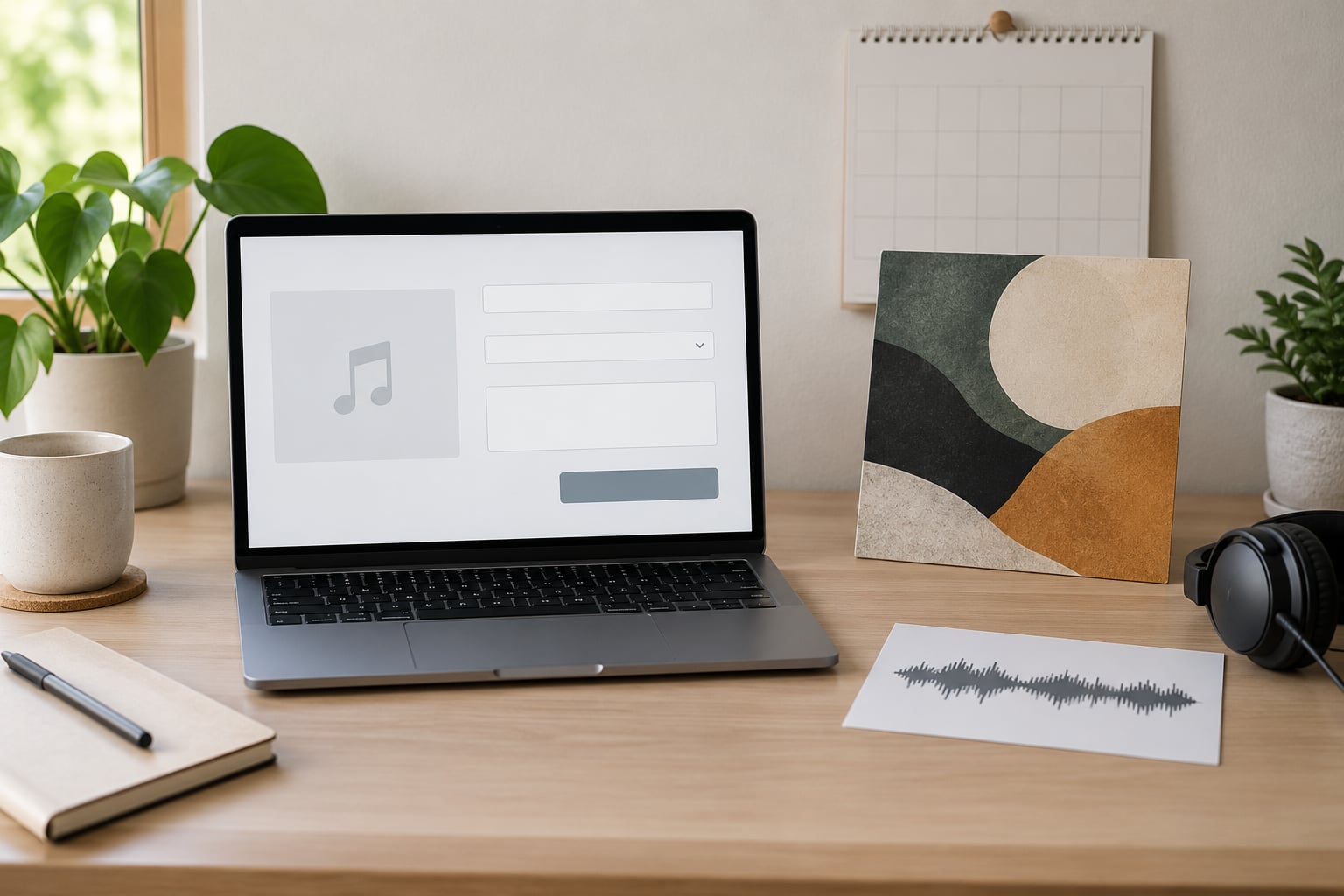
Create the release in the distributor dashboard and pick single, EP, or album. For a first release from an independent producer, a single is the least risky move: it is one track, it needs one cover, and it gives you a real streaming history to build the next release against.
Enter the metadata exactly as you wrote it in step 2, attach the master and the artwork, and set the release date. Four weeks out is the number most editors and playlist teams work with, and one week is the absolute minimum if you still want the track considered for editorial playlists. Release day should never be a Friday afternoon, because delivery problems then land on a weekend with slow support.
Save a copy of everything you submitted. A screenshot of the finished release page, the metadata, the artwork file, and the delivery confirmation is a five-minute job that becomes important the first time something has to be corrected.
Step 7: Review, Approve, and Confirm the Release
Most distributors show a preview page that looks like the store listing. Read it as a stranger would: check the artist name letter by letter, check that the track title matches your artwork, and check that featured artists and songwriter credits appear where you expect.
Collaborators receive a confirmation request. If someone goes quiet, message them directly rather than waiting, because an unapproved release can sit undelivered with no obvious error message. Once everything is approved, watch the delivery status per platform. Green across the board means the audio and metadata are with the streaming services, not that the track is live yet.
Step 8: Publish and Promote the Release
On release day, the links in your distributor dashboard light up. Grab a smart link for that one track, a direct link per store for your bio page, and an embed code if you post on a site or a Notion page. Claim your artist pages as soon as the track appears, because a fresh artist page can take days to generate, and claiming early is how you control the bio, the photo, and the release list.
Spotify for Artists and Apple Music for Artists dashboards unlock in the days after release. Spotify’s profile tools include a pitch to editorial curators that you can use once per unreleased track, and Apple Music lets you submit a release for editorial consideration. Both are one-shot opportunities, so pitch at least seven days before the date rather than on release day.
Promotion is where DIY releases usually get abandoned, and the failure is almost always a failure of consistency rather than a failure of tricks. Short-form video clips, a live set, a playlist appearance, or a well-made loop from the track will do more than anything exotic. Buying streams is the one thing to stay away from: artificial playback is detectable, it can void playlist consideration, and in some cases it is treated as a platform rules violation that affects the whole artist account.
Finally, run a rights check before you call it done. Use a Content ID management service to see whether your new track is being claimed by someone else’s registration, which is a common side effect of using uncleared samples.
Common Mistakes
These are the errors that survive a release, because most of them can only be fixed by taking a track down and re-delivering it.
1. Delivering an unfinished master. A demo bounce that was never mastered will sound thin next to everything else in the same playlist. Finish it, then upload it.
2. A misspelled or inconsistent artist name. One delivery with the wrong spelling creates a second artist page, and merging pages takes weeks. Type the name once, paste it everywhere, and check it twice.
3. Missing or vague collaborator credits. A featured vocalist left off the listing is a person you have to chase for a correction months later. Collect legal names and confirmations before delivery.
4. No split sheet. Money you cannot divide fairly at the end of the year is money that ends a friendship. Sign the sheet before the track goes up.
5. Reusing a UPC for a different release. Each single, EP, and album needs its own barcode. Reuse causes store rejections and forced re-deliveries.
6. Delivering late. A week is a rumor, not a schedule, and some services take several days to process a new release. Four weeks out, minimum, if editorial pitching matters to you.
7. Changing metadata after delivery. Most services treat a delivered release as fixed. Takedown and re-delivery is a multi-week process, so get the spelling right the first time instead.
8. Buying streams or using engagement pods. Artificial playback gets detected, removes playlist eligibility, and in the worst case affects the account. Promote to real listeners instead.
9. Forgetting the payout setup. Delivery is not payment. You need the distributor’s tax form completed, your bank details, and a payout threshold you actually clear, which is why most first releases never produce a bank transfer.
That last point deserves honesty rather than a footnote. Streaming income is small and slow, and a first release rarely earns anything meaningful within months. The realistic return on a first release is a verified artist page, a stream history, and a repeatable release process you can reuse. Treat the money as a bonus on top of that.
Frequently Asked Questions
Can I release music on Spotify without a record label?
Yes. Spotify does not accept uploads from individual artists, but a digital distributor delivers your finished audio, artwork, and metadata to Spotify on your behalf, which is how nearly every unsigned release reaches the service. You keep ownership of the master recording, the publishing, and the royalty income, and you set your own release dates. There is no contract with a label involved at any point.
Do unsigned artists own their music after using a distributor?
You do. Distribution is a non-exclusive license that gives the distributor permission to deliver your audio to streaming services, not ownership of it. You keep the master recording, the composition rights, and the royalties, and you can move to another distributor later by re-delivering the same audio with the same ISRC and UPC. Read the specific service’s terms, since optional promotional add-ons are sold as separate deals.
How long does it take for a distributor to deliver a release?
Processing usually takes a few business days, and some services take longer to make a new release or a brand new artist page available. That is why the practical rule is to deliver four weeks ahead of your release date if you want editorial playlist consideration, and to treat one week as an emergency floor rather than a plan. Create the artist profile early, since a first release from a new name is the slowest case.
Can I change the artist name or song title after release?
Not easily. Delivered releases are treated as fixed records, so a correction usually means a takedown and a re-delivery that can take weeks and may briefly remove the track. Small spelling fixes can sometimes be requested directly from the platform’s artist support, which forum users report can be faster than a full re-delivery. The practical answer is to verify the artist name and title before you submit, not after.
How do I get my music considered for streaming playlists?
Pitch through the editorial tools included with your release rather than emailing anyone. Spotify for Artists allows one editorial pitch per unreleased track, and Apple Music for Artists accepts release submissions for editorial consideration, and both want at least seven days of lead time. Editorial teams weigh the song, the profile, and the story, so a claimed artist page, complete credits, and a real release history make a difference.
Final Release Checklist
Before you submit, confirm each of these in order.
1. The master is finished, exported as an uncompressed WAV, and listened to on more than one system.
2. Cover art is square, at least 1400 by 1400 pixels, and cleared for use.
3. Artist name, track title, credits, and spelling are written down and checked twice.
4. Every collaborator has a signed split sheet, legal name, and approval to be featured.
5. The distributor is chosen with the exit terms understood, not just the price.
6. Every streaming service you want is selected and the download price is set deliberately.
7. The release date is at least four weeks out, and not a Friday afternoon.
8. The submitted metadata has been saved as a screenshot or document for later reference.
9. Delivery is confirmed green on every platform, and collaborator approvals are in.
10. Links, artist page claims, and the editorial pitch are handled in the week after release.
Start with step one: confirm your master and your collaborator information are complete before you create the release in any distributor. Everything downstream depends on those two being right, and they are the only two things you cannot quietly fix after the fact.