To build your own preset bank, you decide what the bank is for, create one folder hierarchy you control, name and tag every patch so you can find it later, and back that folder up on a schedule. A preset bank is a named, organized collection of saved synth patches — the sounds you made plus the ones worth keeping — stored in a structure you design instead of being buried in a synth’s factory browser. For a bedroom producer with a few hundred saved patches, the whole job takes an afternoon to set up and about ten minutes a week to maintain.
The reason to bother is the mess most of us are already in. A GearSpace user put it plainly: “My only complaint is that the preset management system is cumbersome, and not organized in a unified system across all installed libraries.” Someone else put roughly 350 saved programs on a Minilogue and asked the obvious question — how do you sort the real sounds out from the half-formed ideas? The answer is not a clever trick. It’s a system with a folder tree, a naming convention, and a backup, and the rest of this guide is those three things in the order you should build them.
A word on scope before we start. Nothing here needs a specific DAW, a specific synth, or a specific operating system. The concepts transfer; only the folder paths change, and those are in the table a few sections down. If you use Ableton, Logic, FL Studio, Reaper or Cubase, the same six-folder tree works in all of them.
Table of Contents
- What You Need
- Step-by-Step: How to Build Your Own Preset Bank
- Choose a Focused Set of Sound Categories
- Set a Consistent Naming System
- Organize Patches Into a Folder Structure
- Find Where Your Presets Live Before You Build Your Own Preset Bank
- Add Tags, Notes, and Usage Examples
- Test the Bank in New Projects
- Back Up and Maintain Your Preset Bank
- Common Mistakes
- Frequently Asked Questions
- What should a preset bank contain?
- Should I organize presets by instrument or by genre?
- How many presets should a bank have?
- How do I organize hundreds of old presets I already have?
- How do I back up synth presets?
- Can I share or sell presets I made?
- Conclusion
What You Need
You need fewer things than you’d expect. Most producers already have every item on this list except the last two, and the last two are what turn a folder of sounds into a system.
- A DAW you actually work in. Not the one you’re thinking about switching to. The bank has to survive contact with your real sessions, and sessions happen in the DAW you have open at 1am.
- One synth or sampler to build the core sounds in. Pick the instrument you’ll be reaching for most. Serum, Vital, Pigments, Surge and Kontakt all work; a hardware unit works fine too. Building a whole bank across six instruments on day one is how banks end up half-finished.
- A naming convention, written down. Four fields is enough. The template is further down and it takes about two minutes to adopt.
- A folder structure. Six top-level folders, defined before you save a single patch. The tree is printed below so you can reproduce it by hand.
- A notes file or spreadsheet. One row per preset, with the fields that will not fit in a filename. This is the part everyone skips and the part that saves you two years later.
- A backup target that runs on its own. A cloud-synced folder, an external drive, or a Git repository. The word doing the work is “on its own” — a backup you have to remember to make is a backup you will not make.
Give yourself about two hours for the setup, spread over a few sittings rather than one marathon. If you already have 300-plus patches to sort, budget a full evening for the triage section, because listening to 300 patches carefully takes longer than people expect.
Step-by-Step: How to Build Your Own Preset Bank
Six steps, in the order that avoids rework. Steps one through three define the system, steps four through six fill it, test it, and protect it. If you already know what your categories are and how you want files named, you can start at step four and come back.
Choose a Focused Set of Sound Categories
Start by picking eight to twelve categories, not fifty. The categories are the vocabulary your naming system and folder tree will both use, so they need to be few enough to remember and broad enough to hold most sounds you make. Leads, bass, pads, plucks, arps, risers, impacts, drums, fx and textures cover the overwhelming majority of what an electronic producer reaches for. Anything more specific than that belongs in the descriptor field of the name, not in a new category.
Look at the genres you actually make and check that your list covers them. A trance producer needs leads, supersaws, plucks, kicks, sub bass, risers and white-noise sweeps. A house producer needs the same list with the character changed. Here is the same eight categories applied both ways:
| Category | Trance example | House example |
|---|---|---|
| Lead | Saw lead, hard sync, mid resonance | Plucked lead, short decay, light chorus |
| Supersaw / pad | Wide supersaw, slow attack, 8 voices | Sustained pad, soft attack, detuned |
| Pluck / arp | Sharp pluck, long release, no reverb | Rubber pluck, mono, delayed |
| Bass | Reese bass, slow filter sweep | Sub and mid bass, sidechained |
| Riser / impact | Reverse sweep into crash | Filtered noise riser, short impact |
| Texture | Tape hiss, granular pad bed | Vinyl crackle, room noise layer |
Two rules keep the list honest. First, if a category has fewer than three presets in it, it is not a category yet — fold it into its parent until it earns its place. Second, if a category has more than about twenty-five patches, split it by character, not by instrument: “Bass” and “Bass Dark” beat one folder with sixty files in it.
Hardware owners have already solved this with bank letters, and the convention is worth borrowing for software. On the Fractal Audio Systems forum, several members described the same arrangement independently: bank A holds curated favorites and the live set list, bank B holds audition work in progress, and banks C and D hold third-party packs stored untouched as a reference. Nothing about that is hardware-specific. Your “bank A” can be a favorites folder, your “bank B” the work-in-progress folder, and C and D the third-party libraries you leave exactly where the vendor put them. The value is that each bank has one job, so you always know where to look.
Set a Consistent Naming System
A good preset name answers one question: what is this sound, in the words you’d use to ask for it. Four fields do that — instrument, category, character, version — and each one fixes a specific failure.
| Field | What it fixes | Example |
|---|---|---|
| Instrument | Two plugins with the same sound, and you cannot tell which is loaded | SERUM, VITAL, KONT |
| Category | Scrolling a folder of forty files to find the one you half-remember | LEAD, BASS, PAD |
| Character | Six files called “Bass” that are all slightly different and all meaningless | Grassy, Dark, Reedy, Clean |
| Version | Overwriting a patch you liked after tweaking it for a song | v1, v2, v3 |
Join the fields with underscores. A working name looks like SERUM_LEAD_Reedy_v1.fxp. A working name before the convention looks like new preset 47.fxp, or worse, final final 2.fxp. You know which of those you have.
Two details matter more than they look. Keep the version number at the end so file listings sort by sound rather than by revision, and never let a song-specific tweak overwrite the original — save as v2 instead, then rename it for the song if you need to. A preset you overwrite is a preset you cannot get back once a mix depends on it.
Keep names short enough to read in a browser list without truncating. Roughly twenty-eight characters before the extension is a practical ceiling, so if your character descriptor is doing too much work, move half of it into tags instead.
Organize Patches Into a Folder Structure
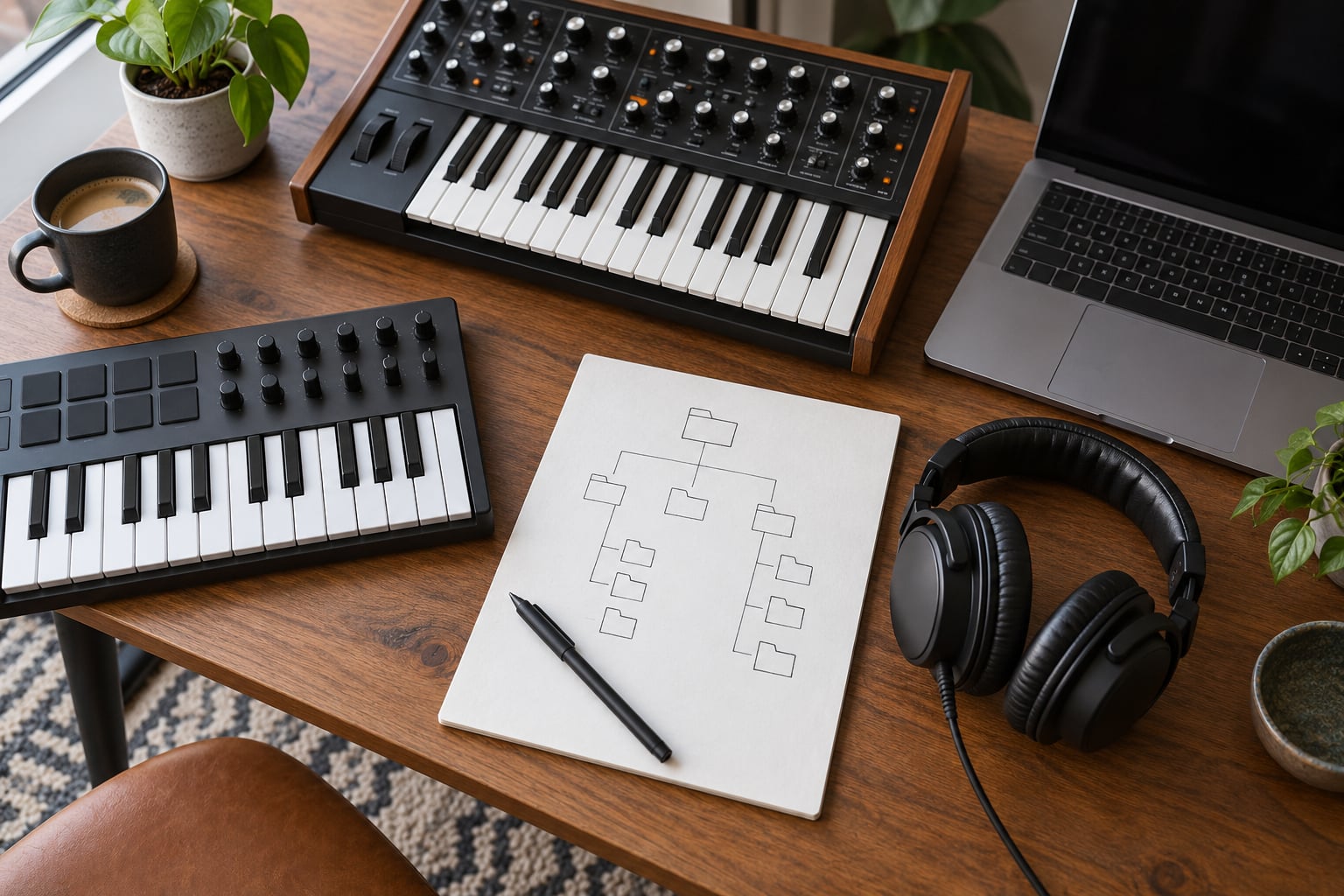
Now build the tree. Six top-level folders, each with one job, and nothing else at the top level. This is the part people screenshot, so print it rather than improvising:
PresetBank/
├── 01_Core/
│   ├── Drums/
│   ├── Bass/
│   ├── Synths/
│   └── FX/
├── 02_Favorites/
├── 03_Genre/
│   ├── House/
│   ├── Trance/
│   └── DnB/
├── 04_Songs/
│   ├── Artist - Song Name/
├── 05_WIP/
└── 06_Archive/
Here is what each folder is for, and the mistake it prevents:
| Folder | Purpose | When to use it |
|---|---|---|
| 01_Core | The sounds you reach for in most sessions, split by role | When you want a small, dependable starting point — keep this under about 60 patches total |
| 02_Favorites | Your best work regardless of role, a flat list | When you cannot remember which folder a good sound ended up in |
| 03_Genre | Sounds grouped by the style they suit | When you switch styles often and want one bank per genre |
| 04_Songs | Patches written for one track, with the project name | When a sound only works in one song and would confuse anyone else |
| 05_WIP | Experiments in progress, deleted without guilt | Continuously — this folder is a drain, not a store |
| 06_Archive | Finished but retired, kept for reference | When a patch is out of your rotation but you do not want to lose it |
Number the folders so they sort into that order in every file browser, macOS and Windows alike. It sounds fussy and it pays off the first time you open the folder on a different machine.
You can copy this tree into any synth’s user preset folder, but read the next section first, because the exact path decides where the files go. Create the tree in a neutral location on your drive, then copy or symlink it into each instrument’s user folder, so one structure feeds all of them.
Find Where Your Presets Live Before You Build Your Own Preset Bank
Most of the confusion in this topic comes from not knowing where the files already are. Every synth stores user presets somewhere specific, and it is almost never where you would guess. Open your synth’s preset browser, hit save, and use the “show user preset folder” or “reveal in finder” option — every major synth has one, and it is faster than any path table.
The table is here so you do not have to hunt. Paths differ by operating system and by version, so treat them as starting points and confirm against your own install.
| DAW or synth | Default user preset location | File type |
|---|---|---|
| Serum (Windows) | C:Users[user]DocumentsSerumPresets | .fxp |
| Serum (macOS) | ~/Documents/Serum/Presets | .fxp |
| Vital | ~/Documents/Vital Presets or the in-app “Presets” folder | .vitalpreset |
| Ableton Live | Library/Presets and Packs/[Device]/[Bank] inside the Live library folder | .adv, .adg |
| Logic Pro | ~/Music/Presets/Apple/Instrument Patches or the sampler sound path | .aupreset, .pcmk |
| FL Studio | User Data/Presets inside the FL Studio data folder | .fst (channel presets) |
| REAPER | Reaper/Presets inside your REAPER resource path | .rfx |
| Native Instruments Kontakt | Documents/Native Instruments/Kontakt Presets, plus each library’s own preset folder | .nka, .nkm |
| NKS / Komplete Kontrol | Documents/Native Instruments/NKS/ or the Kontrol library folder | .nksf folder, .nkc |
Two things catch people out. macOS hides the Library folder in Finder by default, so you need Go to Folder in the Go menu, or hold Option in the Go menu to reveal it. And on Windows, Documents is sometimes redirected to OneDrive, which means your presets quietly live in a synced folder and will be backed up for you — helpful, but worth confirming rather than assuming.
Never edit or move files inside a synth’s user folder by hand while the plugin is open. Save and close first, then work on the files.
Add Tags, Notes, and Usage Examples
Filenames handle what a tag cannot, and tags handle what a filename cannot. Open a preset manager and read the name again in a year’s time: “SERUM_LEAD_Reedy_v1” tells you the instrument, the role, the character, and the revision. It does not tell you the key the patch was tuned in, what tempo it was written at, or that it only works when the delay sits at eighth notes. Those go in tags and notes.
Use the synth’s own tag list where one exists — Serum ships with tags such as bass, lead, arp, pad, plucky, smooth, aggressive and modern, and applying existing tags rather than inventing new ones is what makes search return anything useful. Add your own only when the built-in list genuinely has no word for the sound.
Then keep one index file next to the tree. A spreadsheet is easier to filter; a plain text file survives any future format change. Either way, give it these columns:
- Preset name, exactly as saved
- Role in the track — melody, bass, texture, transition
- Key and scale it was tuned to
- Tempo and any sync or half-time assumption
- Processing chain, if any — chorus, saturation, specific reverb
- Where you have used it, so a good sound gets reused instead of forgotten
Keep the index in the same folder as the bank. An index in a different location is an index you will lose, and its only job is to stay attached to the sounds it describes.
Test the Bank in New Projects
A bank that has never been loaded cold is a bank with a bug in it. Once a week, or after any structural change, run this checklist from a blank project:
- Load the whole Core folder into an empty session and audition every patch. One key, one chord, then a bass note. Anything that is silent, clipping, or makes no sound at all is a bug, not a preference.
- Check for missing files. Sample-based instruments and Kontakt libraries are the ones that break on a new machine. If a patch relies on an external sample or library, note the library name in the index and confirm the library is installed and licensed before you need it in a session.
- Look for duplicates. You will find three versions of the same pluck with different names. Keep the best, note which projects used the others, and delete or archive the rest.
- Confirm naming held up. Open the folder in a plain file browser, not in the synth. If the list is unreadable there, the synth’s browser is not going to save you.
- Time the recall. Find your five most-used sounds from a cold start. If any takes more than about fifteen seconds, the category or folder is wrong and should be moved.
The last check is the one that actually tells you whether the system works. Organization is not measured in folders created; it is measured in seconds spent hunting.
Back Up and Maintain Your Preset Bank
Presets are small text files, which means backing them up is trivial and losing them is entirely avoidable. Do all four of these.
Dated snapshots. Once a month, copy the whole PresetBank folder into a dated subfolder, one per month, named with the month and year so the snapshots sort themselves. Keep twelve. This costs almost nothing in disk space and it is the only thing that saves you when a plugin update rewrites its user folder, which forum users describe happening on hardware and which software plugins are not immune to. One Fractal member spent three hours re-filing after a firmware update; a dated snapshot turns that afternoon into a five-minute drag and drop.
Cloud sync, with conflict awareness. Put the bank in a synced folder and let it run. The one gotcha is that two machines editing the same folder produce conflict copies, and you end up with a file called something like “PresetBank (conflicted copy).zip” sitting in the middle of your Core folder. Keep the bank out of the folder you actively edit on two machines at once, or accept that conflicts happen and sweep for that name once a month.
Version control if you use Git. A Git repository on the bank folder gives you every change with a date attached, and you can roll back a single patch that went wrong without restoring everything else. It is overkill for someone with 40 presets and sensible for someone with 2,000.
A maintenance routine. Empty 05_WIP on the first of each month without exception; anything still in there has been a non-thought for a month. Add new sounds to 01_Core only when something has displaced something else, so Core stays a small dependable set rather than an ever-growing list. Keep the index current the day you save something, not in a monthly batch.
If you ever move to a new machine, change the OS, or switch DAWs, the bank travels as a folder. Copy PresetBank, point each synth’s user preset path at the relevant subfolder, and check the index for anything with an external sample dependency. That is the whole migration, and it is the reason the bank lives in a plain folder rather than somewhere only one plugin can see.
Common Mistakes
These are the failures that show up again and again, with the fix for each.
Naming them “preset 34” or “new patch”. The fix is the four-field convention, applied retroactively in one sitting for the Core folder only. You do not have to rename 300 files; you have to rename the 40 you actually use.
One folder with everything in it. A folder of 800 unlabelled patches is the problem, not the solution. The six-folder tree fixes it in ten minutes, and moving files into subfolders takes a few minutes after that.
Folders nested six levels deep. Every extra level is a decision you have to make every time you save something, and most people stop making them. Cap it at folder, subfolder, file. Anything deeper belongs in tags.
Saving every experiment to the bank. Half-finished sounds are what makes a library feel unusable. The WIP folder is not part of the bank — it is a scratch pad you empty monthly, and it is the reason the rest of the bank can stay tight.
No metadata, only filenames. A filename cannot hold key, tempo, processing chain, and project history. The index file takes about thirty seconds to update per preset and it is the difference between a library and a pile.
Storing your sounds inside the factory library. The moment you reinstall, reset or update, factory content is often replaced and your work goes with it. Keep your bank in its own folder and treat the factory folders as read-only.
Re-tagging by hand every time. If tagging takes effort, it stops happening. Adopt your synth’s built-in tag vocabulary and add to it only when a sound truly has no home in the existing list.
No backup, or a backup that lives on the same drive. A copy on the same disk is not a backup; it is a duplicate. One cloud-synced folder plus dated monthly snapshots covers everything that realistically goes wrong.
Building a bank that only works on one machine. If a patch depends on an absolute path to a sample folder, it breaks anywhere else. Use relative paths, and note every external sample dependency in the index before you need it in a session.
Scattering files across the drive. Every stray copy is a patch you will find twice and update once. Forum users describe exactly this compounding — scattered files on their own computers making an already fragile backup situation worse. One folder, one location, no exceptions.
Frequently Asked Questions
What should a preset bank contain?
A bank should contain the patches you actually reach for, split by role — drums, bass, leads, pads, textures — plus metadata for each one. Depth matters less than usefulness: 60 patches you know by name beat 600 you have to audition. Keep experiments in a separate work-in-progress folder so the bank itself stays a set of finished, reusable sounds.
Should I organize presets by instrument or by genre?
Organize by role first, then by genre as a second layer. Grouping purely by instrument means a folder full of unrelated sounds, because one synth plays several roles. Genre folders work well as a second axis, particularly if you switch styles often and want a single house bank or trance bank you can load wholesale. Most people end up with role folders in Core and genre folders alongside them.
How many presets should a bank have?
Keep your core bank between 40 and 80 patches; past that, people stop scrolling and start guessing. A folder with more than about 25 patches in one category usually needs splitting by character rather than by instrument. If you play live, the set list that goes on stage should be far smaller still — experienced players often run on 10 to 75 presets, with one sound and several variations covering most songs.
How do I organize hundreds of old presets I already have?
Triage them in three passes. Pass one, listen to everything and star only what you would use in a session today. Pass two, check the starred patches against your finished projects and keep anything that earned its place. Pass three, everything unstarred goes to the archive folder with its original name, so nothing is deleted on day one. Then build a fresh Core folder from the survivors, with proper names.
How do I back up synth presets?
Do three things: keep dated monthly snapshots of the whole bank folder, keep that folder inside a cloud-synced directory, and note every external sample dependency in your index. Monthly snapshots are the important one, because plugin and firmware updates can rewrite user preset folders without warning. A few hours of re-filing is a common recovery story, and a snapshot reduces it to minutes.
Can I share or sell presets I made?
You can share presets you designed from scratch, but check the license of the instrument first. Many commercial synths permit personal use only, and redistributing their presets is a license violation regardless of whether you altered them. Read the terms for the specific plugin, and if the license is unclear, keep the bank to your own machines and collaborators. Recording a preset’s settings as a tutorial is a different matter from shipping the file.
Conclusion
Building a preset bank is four decisions and then a maintenance habit: pick your categories, print the six-folder tree, adopt the four-field naming convention, and put the folder somewhere that gets backed up automatically. Everything else — the tags, the index, the set lists — is useful, but none of it matters if those four are wrong.
Start small tonight. Open your synth, pick the five sounds you would be most annoyed to lose, name them properly, categorize them, and drop them into a Core folder. Then point your synth’s user preset path at it and take a snapshot. When those five are filed, the rest of the bank is just repetition, and a system you started with five sounds is a system you will still be using in two years.