A ringing, whistling edge on a synth lead usually comes from filter resonance, and the fix is almost never a single knob. The reliable way to deal with resonance in synth leads is to identify the sound first, find the offending frequency, make one small correction, then judge it inside the full mix.
That sequence takes about ten minutes once you have done it a couple of times. Most of the work happens in the patch itself rather than in your EQ, which is good news because a fixed patch travels to every session instead of being re-solved later.
Table of Contents
- What You Need
- How to Deal with Resonance in Synth Leads: Step-by-Step
- 1. Identify What You Hear
- 2. Check the Filter Resonance Setting
- 3. Use a Frequency Analyzer to Find the Culprit
- 4. Tame the Frequency Without Removing the Lead
- 5. Control the Behavior Over Time
- 6. Verify the Fix in the Full Mix
- When Resonance Is the Sound, Not the Problem
- One Thing Worth Knowing About Phase
- Common Mistakes
- Frequently Asked Questions
- Can you explain resonance on a synth in simple terms?
- What is self-oscillation in a synth filter?
- How do I identify which frequencies are resonant in my lead?
- Should I fix resonance in the synth or in the mix?
- How much resonance is too much on a lead?
- Does removing resonance always dull a synth lead?
- Conclusion
What You Need
Before touching anything, have these four things in front of you.
- A synth with a resonant filter. A subtractive or virtual analog instrument is the obvious case, but wavetable and FM instruments can ring too, and additive patches behave differently again.
- A parametric EQ with a narrow band. Any DAW’s stock channel EQ will do. Dynamic EQ is better if yours has it.
- A spectrum analyzer. Most DAWs include one on the master or on a channel. FabFilter Pro-Q, TDR Nova and iZotope Insight all show a live curve you can trust.
- A rough mix or reference. A track you like, or the rough balance, so you are not fixing a lead in isolation and then discovering it vanished.
Headphones help here. A ring that disappears on monitors at one chair position can reappear on the next pair of speakers, so switching between them early saves a false diagnosis later.
How to Deal with Resonance in Synth Leads: Step-by-Step
1. Identify What You Hear
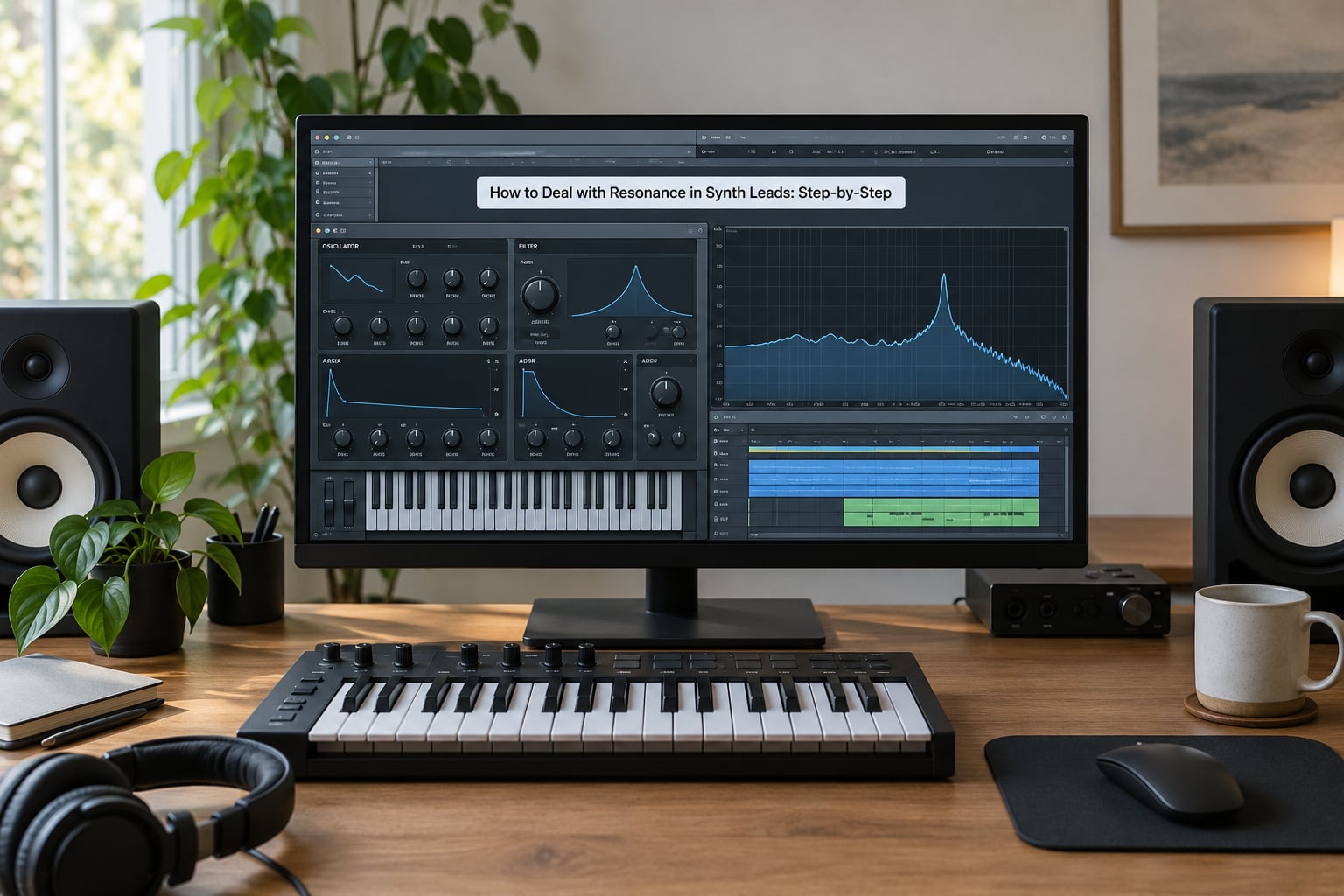
Resonance is a boost in a narrow band of frequencies right at the filter cutoff frequency. It feeds part of the filter’s output back into its input, which is why the peak rides along when the cutoff moves. Turned up slightly, it adds presence and a vocal, almost throaty quality. Turned up a lot, it turns into a sine-like whistle.
Not every bright lead is a resonance problem, and treating it like one is how people end up with dull patches. Harmonic brightness from oscillator mix, wavetable position, or filter drive sits across many harmonics. Resonance shows up as one narrow band that dominates everything around it.
Play a single note and hold it. If the harshness swells and fades with the filter envelope, you are looking at resonance. If it is steady from the attack and just sounds fizzy, it is probably oscillator content or distortion instead.
Listen for three specific symptoms: ringing that continues a fraction after you release the note, whistling that rises in pitch as you move up the keyboard, and a lead that gets quieter in the mix right when it should be most present.
2. Check the Filter Resonance Setting
Bypass resonance before anything else. Most synths have a resonance or emphasis control labelled somewhere between res, Q, peak or emphasis. Zero it completely and play the same phrase at the same velocity.
Sweep the cutoff slowly from low to high while resonance sits at zero. That tells you the range where the brightness is normal filter roll-off and where something else is going on. With resonance at zero and the cutoff wide open, a lead that still whistles has a problem somewhere other than the filter.
Once resonance is back, raise it in small increments and note where the sound changes character and where it starts to sing on its own. That threshold point is useful information: it tells you how much headroom the patch has before it stops being a lead and starts being a test tone, and it is the number most people end up dialling back to once they have heard the difference.
3. Use a Frequency Analyzer to Find the Culprit
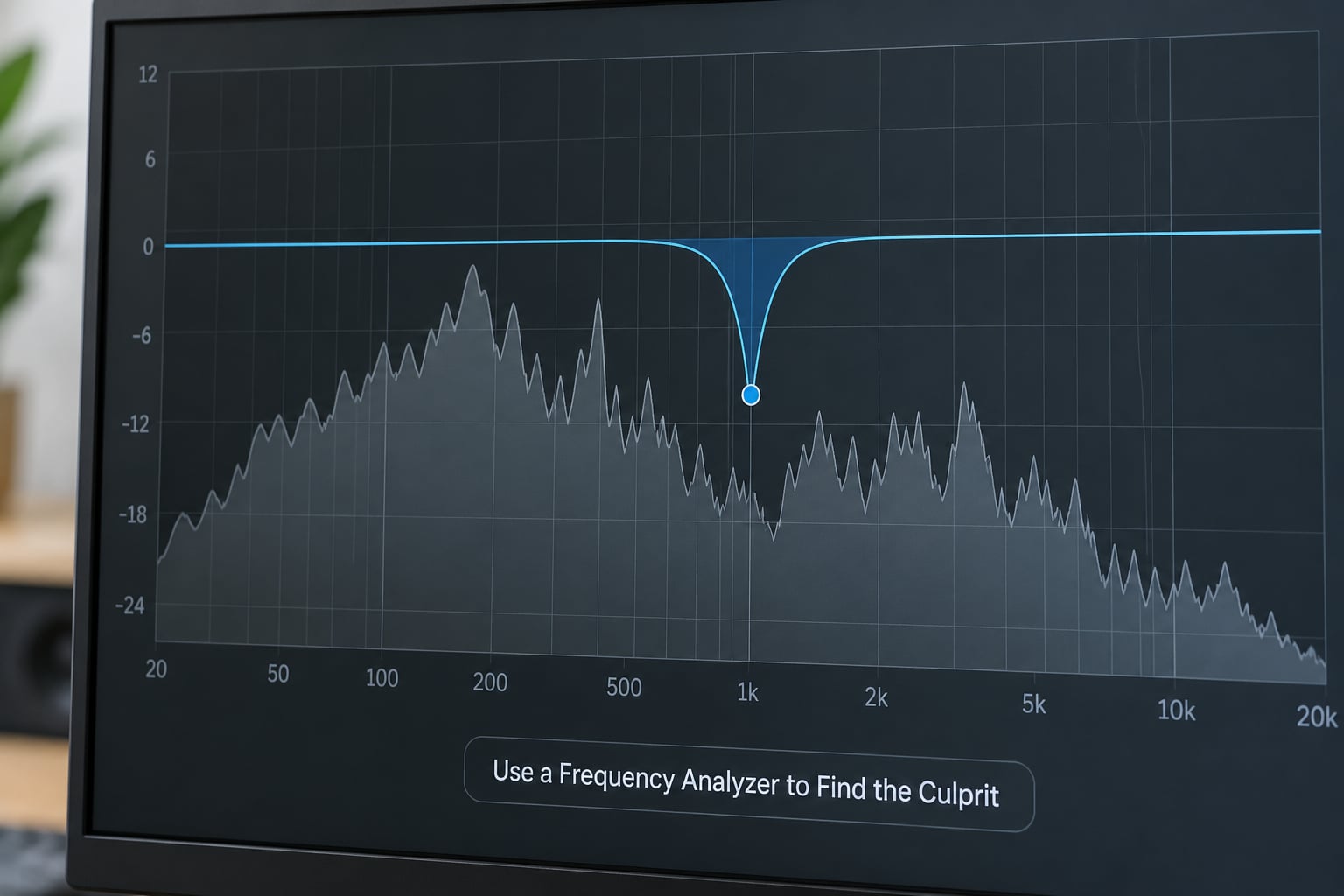
Play the problem passage on loop and watch the spectrum. A resonant peak is narrow, sharp and sits in the same place every time the note repeats. Harmonic richness moves and spreads; a resonance spike holds still.
If the peak is not obvious, run a narrow sweep. Set a bell band with a Q of about 10 to 15, boost it 6 dB, and drag it slowly from around 200 Hz up to 10 kHz. Any frequency that makes the harshness worse is a candidate.
Write the number down before you cut anything. Two or three frequencies is typical. If you find fifteen, the problem is upstream in the patch and no amount of notching will fix it.
4. Tame the Frequency Without Removing the Lead
Now cut, and cut small. A 1 to 3 dB reduction with a narrow Q on the specific peak you found solves most cases. Do not cut 6 dB because it is easy to hear when soloed; the cut has to work with the rest of the lead, not against it.
Four tools handle this, and they behave very differently:
- Static EQ cut. Permanent and predictable, but slightly dulls the tone. Use it when a peak is always present at the same frequency.
- Dynamic EQ. Reacts only above a threshold and leaves the rest alone. Best when the ring comes and goes with velocity or note range.
- Multiband compression. Controls level in one chosen band only. Useful when the lead is too loud against other parts sitting in that same range.
- De-esser. Targets a single narrow band and stays very transparent. A good pick when one sibilant or metallic edge needs taming.
Dynamic solutions are generally the safer bet here. A static notch takes its cut out of the sound permanently, and producers regularly report the complaint that notching out peaks removes the character that made the sound worth keeping. A dynamic EQ band set with a threshold above the normal level and a ratio around 4:1 acts only when the resonance actually spikes.
Protect the fundamental. A resonant peak sitting on the note’s fundamental is the sound’s identity, not a defect. If the fundamental moves when you play different notes, key tracking is out of alignment and the fix belongs in the patch.
5. Control the Behavior Over Time
A lead that sounds fine while you hold one note can still misbehave in the arrangement. Resonance sweeps across the harmonic series as the cutoff moves, so a peak that sits politely at 800 Hz on one note can land near 4 kHz on the next.
A few moves keep it predictable:
- Filter envelope depth. A shorter or less deep envelope keeps the cutoff closer to its resting position, which keeps the peak in one place. Longer, deeper sweeps push the resonance through more of the spectrum.
- Resonance compensation on the envelope. Many synths let resonance rise with the filter envelope. Turn that off if the peak spikes at the top of every note.
- Key tracking. With it off, high notes sound dull and low notes buzzy as the cutoff position shifts relative to the harmonics. With it scaled properly, the resonance peak stays in a consistent register.
- Unison and oscillator mix. Detuned unison voices each bring their own peak, which stacks into something rougher than a single voice. Fewer voices or a narrower detune spread calms it.
- LFO modulation depth. Any LFO touching cutoff drags the peak around. Reduce depth or raise its rate so the movement happens faster than the ear tracks as a pitch change.
Automation counts here too. A slow resonance move during a breakdown can add tension without ever becoming harsh, because the level at which the ring is audible is under your control.
6. Verify the Fix in the Full Mix
Bounce out of solo and play the whole section. A lead fixed in isolation often turns out to be duller than intended, or still too forward because you adjusted it against a loud limiter on the master.
Play at two volumes. At a low level, high resonance disappears completely because the peak falls below the noise floor of everything else. If your fix works at low volume, the balance is right. If the lead vanishes, you cut too much or used resonance as a substitute for brightness.
Watch for side effects: pumping from a compressor reacting to the resonance, a dull patch, or new peaks appearing at harmonics you did not touch. If a multiband compressor is now riding on every note, lower the threshold influence or narrow the band.
When Resonance Is the Sound, Not the Problem
Some resonance is the point. Acid basslines, wah-style leads, vowel-like tones and filter sweeps are built on it. Producers in electronic forums consistently describe resonance as the difference between a flat preset and a lead with identity, so treat it as a design parameter rather than a defect.
The distinction is simple. If the ring sits in one place and the lead still reads clearly in the mix, leave it and control the level. If the ring moves unpredictably across the frequency range or spikes louder than the note itself, it is a problem, and the six steps above apply.
One Thing Worth Knowing About Phase
A resonant filter shifts phase around the peak. That is why cutting a peak hard can make a lead sound thinner even at the same level, and why stacking several resonant filters makes things worse rather than better. If a patch uses two resonant filters in series, take one out before reaching for the EQ.
Phase problems are also why a lead can read as harsh on one monitoring setup and fine on another. Small speaker differences move the balance right around the peak.
Common Mistakes
Cutting far more than needed. A 12 dB cut at a narrow Q sounds right in solo and thin in context. Start at 1 dB, listen at low volume, come back later if it is still there.
Using resonance to fake brightness. Raising resonance to make a lead cut through usually works, until the lead moves up the keyboard and the whistle moves with it. Fix brightness with oscillator choice, filter slope or a gentle high shelf, and leave resonance for character.
Processing before understanding the sound. Notching peaks without knowing whether the problem is the filter, the oscillator mix or a resonant effect plugin leads to permanent cuts on the wrong frequencies. Bypass first, always.
Extreme settings held as a rule. Resonance at 90 percent is a legitimate sound for some patches and unusable for others. Judge it per patch in context, not per preset list.
Changing the patch without checking the mix. Every change to cutoff, resonance or level shifts what the lead does against everything else. Re-check the balance after each move rather than at the end, when you will not remember what caused what.
One habit worth adopting: fix the patch before you fix the mix. A clean patch is portable and costs nothing in CPU or gain staging, and it leaves the EQ free for problems that genuinely belong there. I still reach for the EQ first now and then out of habit, and it is usually the slower route.
Frequently Asked Questions
Can you explain resonance on a synth in simple terms?
Resonance boosts a narrow band of frequencies right at the filter cutoff frequency, which adds a vocal, whistling edge. It happens because part of the filter’s output is fed back into its input. Turn the control up and that narrow peak grows louder and narrower, and it rides along with the cutoff whenever you move it. A little is expressive; a lot self-oscillates.
What is self-oscillation in a synth filter?
Self-oscillation happens when the feedback inside a filter becomes so strong that it sustains a tone on its own at the cutoff frequency, even with no signal going in. Turn resonance up far enough on any resonant filter and you will hear a steady sine-like whistle. It is a usable sound on its own, and some producers treat it as a third oscillator, but it uses up headroom fast in a mix.
How do I identify which frequencies are resonant in my lead?
Play the problem passage on loop and watch a spectrum analyzer. A resonance peak is narrow, sharp and returns to the same spot each time the note repeats. If it is hard to spot, set a bell band to a Q of 10 or so, boost it 6 dB and sweep from about 200 Hz to 10 kHz. Frequencies that make the harshness worse are your candidates. Write them down before cutting.
Should I fix resonance in the synth or in the mix?
Fix it in the synth whenever you can. A patch-level adjustment travels with the sound to every session and costs no processing. Reach for EQ when the resonance is part of the intended character but conflicts with other instruments, or when the synth is a preset you cannot open. Dynamic EQ handles that case better than a static cut because it only acts when the peak actually rises.
How much resonance is too much on a lead?
There is no percentage that is right for every patch. Rough guide: under 20 percent adds presence without ringing, 30 to 60 percent gives a vocal character that can still sit in a mix, and above 70 percent you are usually into whistle territory that needs controlling. The real test is playback: if the lead stays clear at low volume and the peak does not spike above the note, the amount is fine.
Does removing resonance always dull a synth lead?
Not if you do it properly. Big static cuts remove brightness along with the ring, which is why leads often sound thin afterwards. Dynamic EQ, a de-esser set to one narrow band, or lowering resonance a little and rebalancing with the oscillator mix all preserve more character. Cutting 1 to 3 dB on the specific offending frequency usually solves it with almost nothing lost.
Conclusion
Start by bypassing resonance and playing the same phrase, then find the one or two frequencies causing the ring and cut 1 to 3 dB with a narrow band or a dynamic EQ. Check the patch behaviour across the keyboard and the filter envelope so the peak does not wander. That is most of how to deal with resonance in synth leads without dulling the sound. Then play it in the full mix at a low volume. If the lead stays clear and still has its edge, you are done.