A sidechained pad pulse is a sustained synth pad that briefly dips in volume every time a rhythmic sound hits, because that sound is fed into a compressor or gate on the pad track as an external trigger. Put a compressor on the pad, send your kick into its sidechain input, and the chord starts breathing in time with the drums. It takes about ten minutes once you know the routing.
The reason it works is spectral, not magical. A pad is a dense block of midrange energy that sits there doing the same thing for eight bars, and that density masks the kick and bass right at the moment they need to be heard. Duck the pad on every beat and the low end gets a clean window to occupy, while the pad gets a repeating dynamic contrast the ear locks onto. A GearSpace user named Halma put it plainly: a lot of people overuse this technique at its most basic level, which is a fair warning. Used once, on one pad, at a sensible depth, it earns its place.
If you are still working out how to make a sidechained pad pulse that sits under the beat instead of fighting it, the whole trick is one routing move plus a handful of numbers. The rest of this guide covers the four things you need, the routing for eight major DAWs, the exact settings to start from, and how to fix the four ways it usually goes wrong. Updated for 2026.
Table of Contents
- What You Need
- Step-by-Step: How to Make a Sidechained Pad Pulse
- 1. Choose a Pad With Enough Sustain
- 2. Set Up the Sidechain Trigger
- 3. Apply Ducking With a Compressor
- 4. Tune the Timing and Depth
- 5. Automate the Effect and Check the Mix
- Common Mistakes
- Frequently Asked Questions
- Can I make a sidechained pad pulse without a kick drum?
- What is the best release setting for a sidechained pad pulse?
- Should I sidechain the pad to the bass or the kick?
- How do I make the pad pulse shorter or longer?
- Can I use MIDI velocity instead of a compressor for the pulse?
- Is a sidechain compressor better than volume automation for EDM pads?
- Conclusion
What You Need
Four ingredients, and every DAW ships with all of them. You do not need a single third-party plugin to build this.
- A sustained pad. A long, held chord with a soft attack and enough sustain for a compressor to react to. Short plucks will not work, because there is nothing left to duck after the transient passes.
- A rhythmic trigger. A kick drum on a four-to-the-floor pattern is the default, but a bass note, a closed hi-hat, an open hat or a shaker all work and produce different results. We cover the options below.
- A dynamics processor with a sidechain input. Every stock compressor, expander and gate has one. The stock units are genuinely good enough; the only reason to buy anything is a multiband or a fancy look-ahead, and neither is the point here.
- A volume or gain control in front of it. This is what lets you automate depth. Some stock gates hide the duck amount behind a threshold, which is workable but less precise.
That is the whole shopping list. If your pad is already sitting in the mix and your kick is already playing, you can start right now.
Step-by-Step: How to Make a Sidechained Pad Pulse
1. Choose a Pad With Enough Sustain
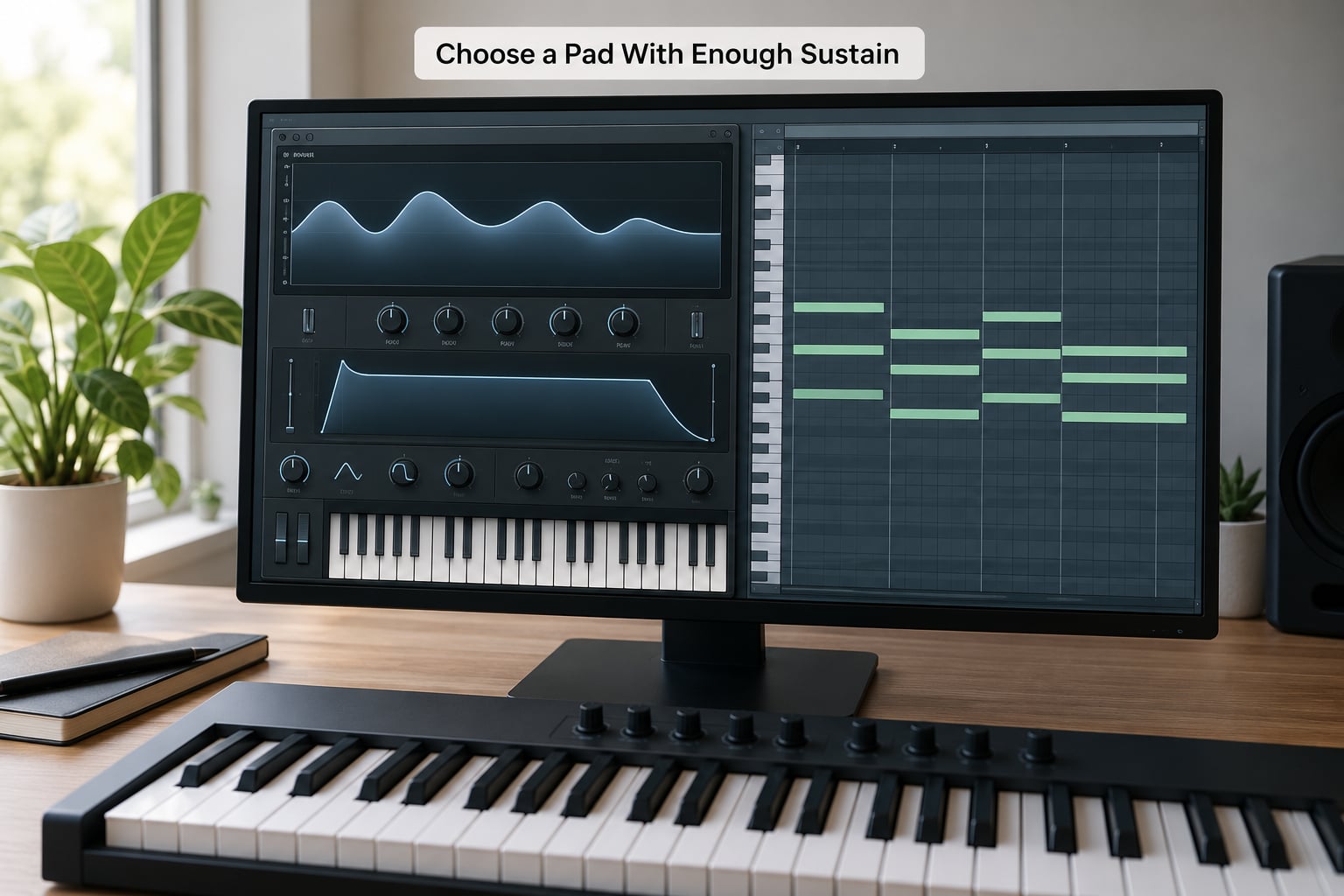
Pick a pad that holds a chord for at least a bar. Long attack, long release, no rhythmic gating already baked into the patch. If the sound is from a preset pack, listen for whether you can hear a single note’s tail after the chord changes; if you cannot, it will disappear the moment you duck it.
Give the pad a clear job in the arrangement, too. A pad that plays the root note of the bassline adds nothing when it pulses. A pad carrying the chord above the bass, sitting in the 500 Hz to 2 kHz range, suddenly becomes the melodic focus on every off-beat, which is the whole payoff.
One more thing: check that the pad has enough midrange presence to survive the duck. A pad sitting entirely below 400 Hz will sound like a hole, not a pulse. Give it some air in the midrange before you start compressing, not after.
2. Set Up the Sidechain Trigger
Feed the trigger into the pad’s device without changing the trigger itself. The cleanest approach is a pre-fader send from the kick or bass to the pad’s dynamics device, so the compressor detects the kick’s level but the kick you hear in the mix is untouched. A post-fader send works too, but it makes the duck level jump every time you ride the fader during a breakdown.
Here is where the routing differs by DAW, and this is the part most tutorials skip.
| DAW | Where the sidechain input lives |
|---|---|
| Ableton Live | Compressor or Gate device on the pad track, Sidechain In tab, then enable the little square routing button on the pad track’s channel and pick the kick. Or use Audio From, then Audio 2. |
| Logic Pro | On the pad’s Dynamics or Compressor, the sidechain option is the External Source radio button. Then create a mono bus, send the kick to it, and set that bus as the external source. |
| FL Studio | On the pad’s Fruity Compressor, tick Sidechain in the Filters tab. Under the kick’s mixer, right-click an insert and choose Send to Selected Track Only, routing into the pad channel. Multiphaser is another option but it is a plug-in, not stock. |
| Cubase | Open the Compressor on the pad, go to the Side Chain tab, activate Side-Chain, then pick the kick as the input. |
| Pro Tools | Create an aux input, set it to mono, send the kick to it pre-fader, then choose it in the Compressor plug-in’s sidechain menu on the pad insert. |
| Studio One | Compressor on the pad, then set the Sidechain source in the routing to an aux bus that the kick feeds. |
| Bitwig | Place a Compressor on the pad and add a sidechain routing via the module’s audio input, selecting the kick track as the source. |
| Reaper | Compressor on the pad track, then in the Parameters tab set the sidechain source routing to the kick track. |
Once it is wired, you should hear nothing different. That is correct. The compressor is only doing gain reduction when the trigger exceeds its threshold, and until you set one, it is doing nothing at all.
3. Apply Ducking With a Compressor
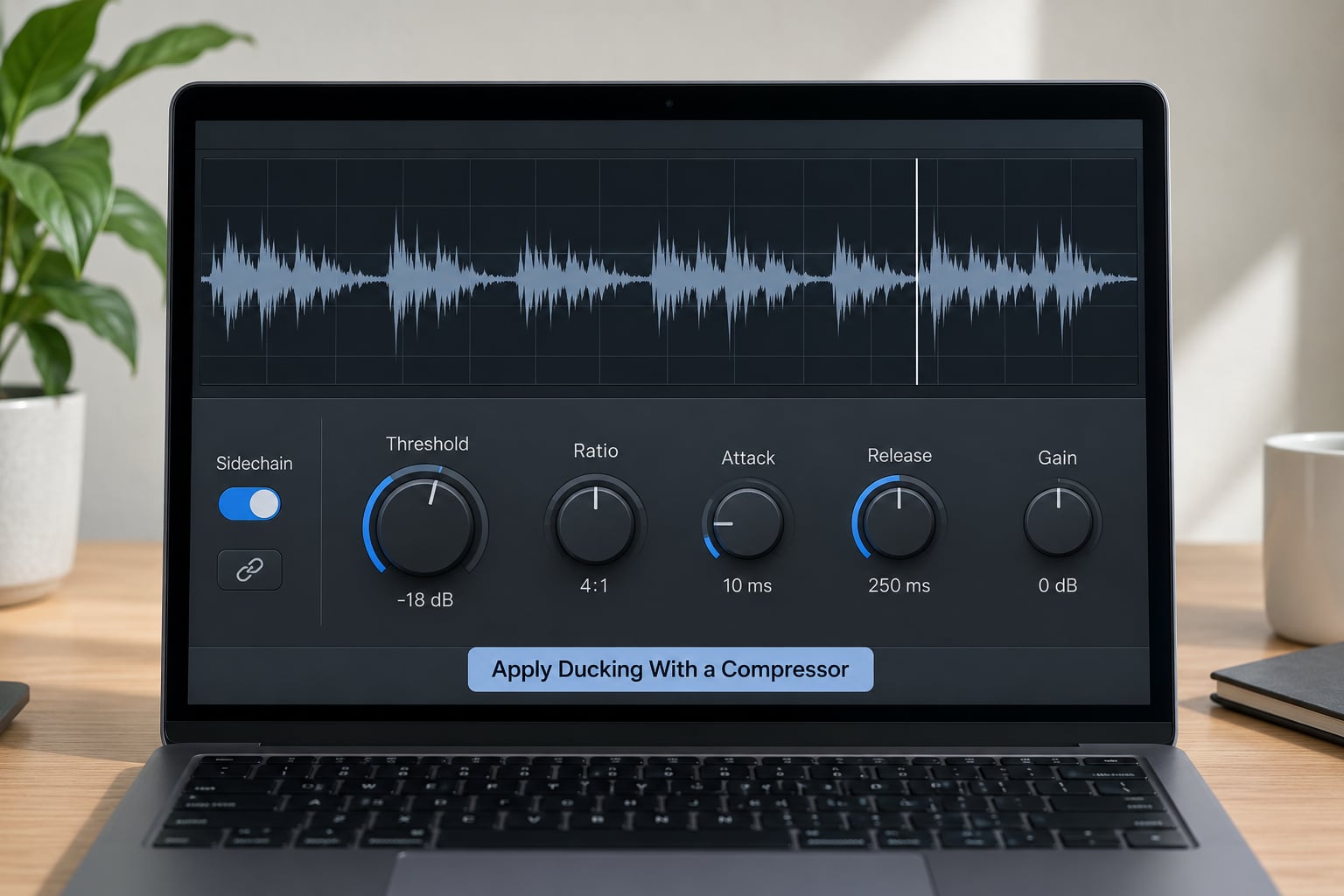
Turn the dry/wet or mix control fully to dry first, then bring the threshold down until the gain reduction meter shows 3 to 6 dB of dip on each kick. Watch the meter rather than guessing the threshold; it tells you the depth the release is actually producing, which is the number that matters.
Start from these values:
| Device | Threshold | Ratio | Attack | Hold | Release | Resulting feel |
|---|---|---|---|---|---|---|
| Compressor | Set for 3-6 dB GR | 4:1 | 5-15 ms | 20-40 ms | 120-250 ms | Soft, breathing. The pad swells back between beats. |
| Expander | Just under the pad’s own level | 1.5:1 to 2:1 | Fast, 1-5 ms | Small, 10-20 ms | 60-120 ms | Wider gaps, more dramatic, still smooth. |
| Gate | Just under the pad’s own level | n/a | 1-5 ms | 10-30 ms | 80-200 ms | Chattering and chopped. Deliberately mechanical. |
| MIDI-triggered | n/a | 1-8 dB duck | Match the gate’s timing | Match the gate’s timing | Match the gate’s timing | Clean, quantised pulse with no detector noise. |
The compressor gives you the soft version, the expander opens the gaps wider, and the gate chops. Push Patterns describe the same principle when they note that Bicep’s chopped vocal is not chopped at all: it is a continuous loop run through a noise gate with a 909 hi-hat as the sidechain source. The chopping is the gate, not the edit. That is the difference between a pad that breathes and a pad that sounds sliced.
Attack needs to be fast enough that the pad ducks right on the transient, but not so fast you hear the click of a level change. Hold smooths the moment of maximum duck, which is the setting people forget. A few tens of milliseconds of hold is the difference between a dip and a jump.
4. Tune the Timing and Depth
Release is the make-or-break parameter, as one GearSpace user named StringBean pointed out years ago in the thread this technique gets discussed in most: if you get the settings, particularly release, right, the pad will pump with the tempo of the song. A fast release gives you a short punch back, roughly 60 to 100 ms, which reads as a trance stab. A long release, 250 to 400 ms, makes the pad swell into the next beat and reads as house.
At 128 BPM a beat is roughly 470 ms, so anything past 300 ms of release starts bleeding into the following hit and the duck stacks on itself. If you cannot hear distinct pulses, shorten the release before you reduce the depth.
Depth calibration is simpler than it sounds. You should feel the pulse rather than point at it. If a friend could tell you the duck is there from across the room before they could identify the chord, you are too deep. Most people land somewhere between 3 and 6 dB and never need more.
You are not limited to the kick. This is where the technique gets interesting.
| What to duck | Best trigger | Resulting pulse |
|---|---|---|
| Pad | Kick, four-to-the-floor | The classic pump. Every beat, easy to read. |
| Pad | Bass note | Follows the bassline’s rhythm rather than the beat, so a syncopated bass gives an irregular pulse. |
| Pad | Closed hi-hat, 16ths | Fast, nervous shimmer. Works at deep house tempos. |
| Pad | Open hi-hat, offbeats | A half-note feel without changing tempo, popular in melodic house. |
| Pad | Shaker or light percussion | Off-grid, organic. Less obviously synthetic. |
| Reverb return | Clap or snare | The pad itself stays constant while the space around it pulses. Bigger, more cinematic. |
| Delay return | Lead synth | Rhythmic echoes instead of a static wash. |
| Vocal | Shaker | A gentle, continuous rise and fall that keeps a sustained line alive. |
If you want a half-note pulse specifically, put the pad on a gate and trigger the sidechain from a MIDI note playing every two beats, or use a second, dummy audio track with a hat on the offbeats. Cableguys posted a half-note pulse demonstration that people keep circling back to, which tells you how much producers want this and how badly it is documented in writing.
5. Automate the Effect and Check the Mix
Automate the depth across the arrangement. Most DAWs let you automate the compressor’s duck amount, its threshold or a range parameter on the gate, depending on the device. Bring the pulse in during a build, hold it steady through the drop, and pull it almost out during a breakdown so the pad can breathe on its own.
That last part matters more than it sounds. A pad that pulses for four minutes straight is exhausting. Two bars of full pad in the breakdown makes the next build hit harder.
Now fix the pad’s place in the mix. A mixing engineer on the same GearSpace thread, artech909, describes a practical map: high-pass around 100 to 200 Hz depending on the notes, narrow cuts near 500 and 600 Hz where pads and guitars fight, cuts in the 2 to 5 kHz box for harshness, and a gentle low-pass at 12 to 15 kHz. That thread also recommends high-passing the reverb send so the ducking does not drag a muddy tail down with it.
Finally, check the pulse in context at low volume and on small speakers. If the pad only makes sense on headphones, it is sitting in a frequency range the kick needs. Turn the trigger up, the pad down, and listen again.
Common Mistakes
The pad sounds gappy and thin. This is the most common failure and it means you over-ducked or released too fast. Pull the depth back to 3 to 4 dB and lengthen the release to 150 ms. If the pad still disappears, the problem is upstream: the sound has too little sustain to begin with.
The release is so long the pulses merge. At anything faster than about 120 BPM, drop the release below 250 ms. You want a clear swell between hits, not a continuous 5 dB reduction.
Nothing happens. Either the send is post-trigger-mute, the trigger is too quiet to reach the threshold, or the device is on the master bus instead of the pad track. Check that the sidechain routing goes to the pad’s own compressor and watch the gain reduction meter while the kick plays.
The whole mix pumps. You put the compressor on the mix bus. A gentle bus compression is a separate, deliberate move. The pulse effect belongs on the pad insert only.
Everything is muddy after the change. The pad’s reverb tail is being ducked along with the pad, so the space collapses every beat. Sidechain the reverb return separately with a shallower depth, or high-pass the send.
The pad fights the kick even when ducked. They are still sharing frequency space. That is an EQ job, not a compression job: high-pass the pad around 100 to 200 Hz and cut the narrow low-mid spots.
Two genre variations worth trying. Dub techno wants a gate on the pad triggered by the kick with a long release, producing that smeared, underwater chord. Melodic house usually does better with a shallower duck from a closed hat on 16ths, so the pad shimmers without turning into a rhythm track.
Frequently Asked Questions
Can I make a sidechained pad pulse without a kick drum?
Yes. Any rhythmic signal works as the trigger, and the kick is only the default. A closed hi-hat on 16ths gives a fast shimmer, an open hat on the offbeats gives a half-note feel, and a shaker gives an organic, off-grid pulse. You can also trigger from MIDI instead of audio by loading the pad’s duck amount on a knob and mapping a repeating MIDI note to it, which gives you a perfectly quantised pulse with no detector noise at all.
What is the best release setting for a sidechained pad pulse?
Between 120 and 250 milliseconds for most house and techno at 128 BPM, where a beat lasts roughly 470 ms. Shorter releases around 60 to 100 ms read as a trance stab; longer ones past 300 ms start overlapping the next hit and the duck stacks until the pulse disappears. Adjust it by ear, but shorten the release before you reduce the ducking depth if the pulses stop being distinguishable.
Should I sidechain the pad to the bass or the kick?
Use whichever defines the rhythm you want the pad to lock to. The kick gives a steady four-to-the-floor pulse that is easy to read. The bass follows your bassline, so a syncopated or offbeat bass produces an irregular pad movement that feels more alive and is harder to predict. Many producers send the kick, then move the trigger to the bass once the groove feels too obvious.
How do I make the pad pulse shorter or longer?
Shorter means a faster release and a shallower duck, around 3 dB with 60 to 100 ms release. Longer means a slower release, 250 to 400 ms, with a slightly deeper duck so the swell is audible. If you want the pulse to last longer in musical terms rather than in feel, change the trigger rhythm instead: an open hi-hat on offbeats or a MIDI note every two beats gives you a half-note pulse at the same tempo.
Can I use MIDI velocity instead of a compressor for the pulse?
MIDI velocity alone will not do it, because velocity changes how hard a note is played, not how quiet it is afterwards. What works is MIDI modulation: put the pad’s volume or a filter cutoff on an automation lane and have a repeating note write a low value on each hit and a high value between them. Many DAWs also ship an envelope follower that turns any audio into this kind of modulation without a compressor at all.
Is a sidechain compressor better than volume automation for EDM pads?
The compressor wins when the pad is a sustained sound, because it reacts to the real level of the kick and adapts if you change the kick’s tuning or distortion. Volume automation wins when you want a rhythm that does not exist yet, like a half-note or dotted pulse with no source playing it. The most common workflow is both: compress the pad to the kick, then automate the depth so the pulse only appears in the sections that need it.
Conclusion
Start with the simplest possible rig: put a compressor on your pad track, send the kick pre-fader into its sidechain input, and set the threshold until you see 3 to 6 dB of gain reduction. Pull the release to around 150 ms, check it on small speakers, and only then start moving things. Once it sits right, the two changes worth trying next are swapping the trigger to a closed hi-hat on 16ths, and automating the depth so the pad stops pulsing in your breakdowns.